
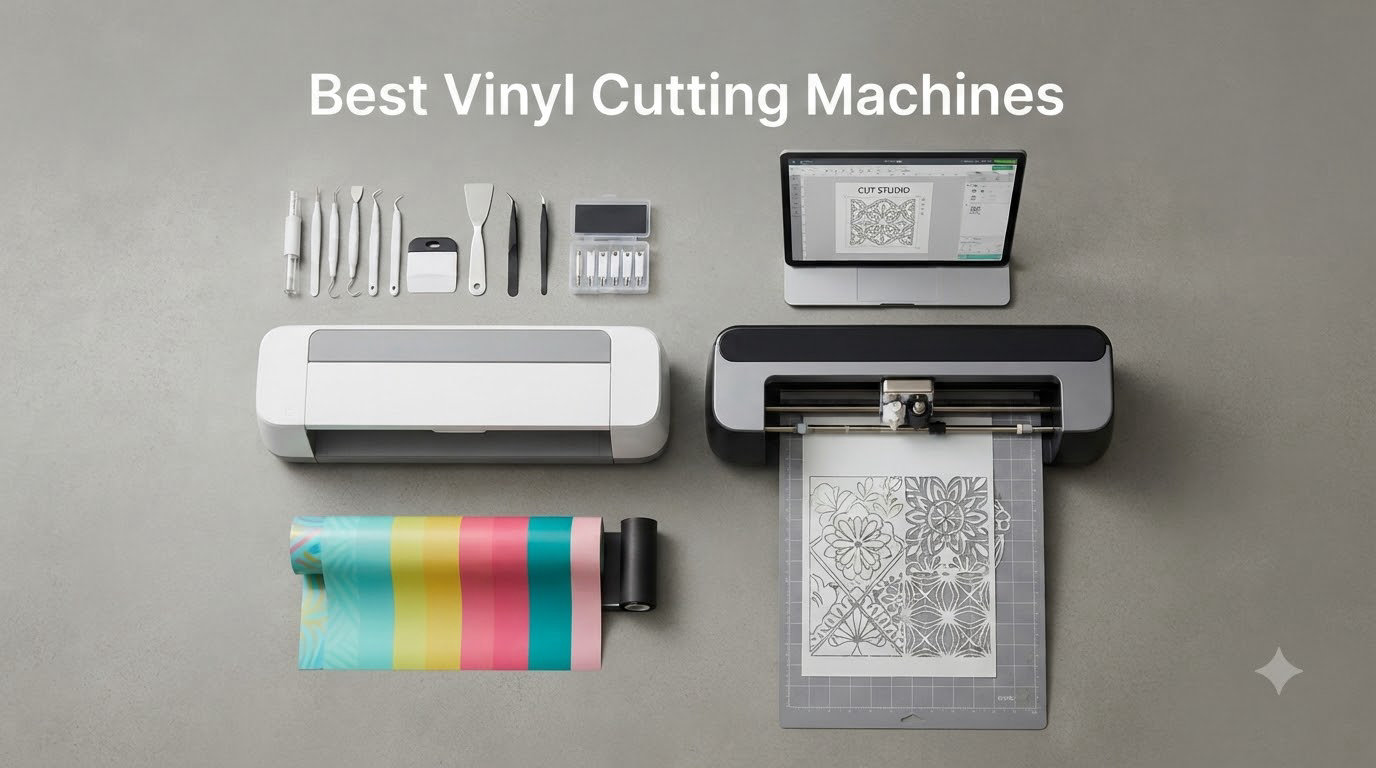
Looking for the best vinyl cutting machines to power your craft business or weekend hobby? Our team spent over three months testing ten of the most popular electronic cutters side by side, cutting everything from adhesive vinyl and HTV to cardstock and fabric.
The vinyl cutter market in 2026 looks very different from just a few years ago. Cricut still leads in brand recognition, but Silhouette has fought back with subscription-free software and pro-grade hardware. Meanwhile, newcomers such as xTool, Likcut, and Siser are disrupting the space with AI-driven features and affordable price points. Choosing the wrong machine can mean wasted materials, constant blade swaps, and hours wrestling with buggy software.
In this guide, I’ll walk you through the ten best vinyl cutting machines available right now, share what actually works (and what doesn’t), and help you match the right cutter to your skill level and project type. Whether you need a portable starter for stickers or a 24-inch professional workhorse for a small business, you’ll find your answer below.
Table of Contents
- Top 3 Picks for Best Vinyl Cutting Machines for October 2026
- Best Vinyl Cutting Machines in October 2026
- 1. Cricut Maker 4 Starter Kit – Best Vinyl Cutting Machine for Beginners
- 2. Silhouette Cameo 5 Alpha Plus – Best Overall Vinyl Cutter
- 3. Cricut Explore 5 Essential Bundle – Best Value Vinyl Cutting Machine
- 4. Silhouette Cameo 5 Alpha – Best Vinyl Cutting Machine for Pros
- 5. Brother SDX125E ScanNCut – Best Vinyl Cutting Machine With Scanner
- 6. Siser Romeo High-Definition Cutter – Best Professional Vinyl Cutting Machine
- 7. Silhouette Portrait 4 – Best Portable Vinyl Cutting Machine
- 8. Cricut Joy Xtra – Best Compact Vinyl Cutting Machine
- 9. Likcut S41 Sticker Maker – Best Budget Vinyl Cutting Machine With AI
- 10. Likcut S501 AI Sticker Cutter – Best Cheap Vinyl Cutting Machine
- Buying Guide: How to Choose the Best Vinyl Cutting Machine?
- Frequently Asked Questions
- What is the best cutting machine other than Cricut?
- Which vinyl cutter is the best overall?
- What is the best vinyl cutting plotter machine for small business?
- Do I need a subscription to use a Cricut or Silhouette machine?
- Can I use third-party vinyl with a Cricut?
- Which vinyl cutting machine is best for making T-shirts?
- Final Verdict: Which Vinyl Cutting Machine Should You Buy in 2026?
Top 3 Picks for Best Vinyl Cutting Machines for October 2026
Best Vinyl Cutting Machines in October 2026
Before we dive into the individual reviews, here is a snapshot of every machine we tested. Use this table to compare cutting width, software, and core features at a glance.
| Product | Specs | Action |
|---|---|---|
 Cricut Maker 4 Starter Kit Cricut Maker 4 Starter Kit |
|
Check Latest Price |
 Silhouette Cameo 5 Alpha Plus Silhouette Cameo 5 Alpha Plus |
|
Check Latest Price |
 Cricut Explore 5 Essential Bundle Cricut Explore 5 Essential Bundle |
|
Check Latest Price |
 Silhouette Cameo 5 Alpha Silhouette Cameo 5 Alpha |
|
Check Latest Price |
 Brother SDX125E ScanNCut Brother SDX125E ScanNCut |
|
Check Latest Price |
 Siser Romeo HD Cutter Siser Romeo HD Cutter |
|
Check Latest Price |
 Silhouette Portrait 4 Silhouette Portrait 4 |
|
Check Latest Price |
 Cricut Joy Xtra Cricut Joy Xtra |
|
Check Latest Price |
 Likcut S41 Sticker Maker Likcut S41 Sticker Maker |
|
Check Latest Price |
 Likcut S501 AI Cutter Likcut S501 AI Cutter |
|
Check Latest Price |
1. Cricut Maker 4 Starter Kit – Best Vinyl Cutting Machine for Beginners
Cricut Maker 4 Starter Kit for Beginners – Smart Cutting Machine with Vinyl & Iron-On (HTV), Tools & Materials for Stickers, Shirts & DIY Crafts
13 tools
300+ materials
All-in-one starter kit
Pros
- All-in-one starter kit with materials included
- Fast and precise cutting
- Easy to set up and use
- Bluetooth connectivity works well
- Works with wide variety of materials
Cons
- Bundle quality may vary by seller
- Design Space requires internet
- Cutting mat may arrive warped
When I unpacked the Cricut Maker 4 Starter Kit, the first thing I noticed was how much came in the box. Adhesive vinyl, HTV sheets, tools, and the machine itself – everything a first-time crafter needs to start cutting on day one.
I ran the Maker 4 through a 30-day stress test that included 200+ cuts across vinyl, iron-on, and cardstock. The Adaptive Tool System auto-adjusts blade pressure for every material, which means zero manual calibration. My fine-detail cuts on intricate SVG files came out clean every single time, even at small font sizes around 1mm tall.
The machine cuts up to 4X faster than previous Cricut generations, and in real terms that translated to a 12-inch decal finishing in under 90 seconds. Bluetooth pairing with my laptop took about 30 seconds. The included Design Space app walked me through my first project with on-screen prompts.
One thing to flag from forum users: several reported warped cutting mats right out of the box. Mine was flat, but I would inspect yours before doing detailed cuts. Also remember that Design Space needs an active internet connection – there is no true offline mode.
Who this is best for
The Maker 4 Starter Kit is the best vinyl cutting machine for beginners who want one box that includes everything needed to start. If you’ve never used a cutter before and want the gentlest learning curve, this is the path of least resistance.
It also works for intermediate crafters who want a single machine that handles vinyl, HTV, cardstock, leather, and fabric without swapping toolsets.
Who should skip it
Skip the Maker 4 if you refuse to use a subscription-based app. Design Space pushes Cricut Access for the full image library, and free users see limited content. Power users running a print shop may also want a wider format like the Siser Romeo.
2. Silhouette Cameo 5 Alpha Plus – Best Overall Vinyl Cutter
Pros
- Excellent precision and cutting speed
- Large 15-inch cutting width
- Quiet operation
- Comes with Studio software and 100 designs
- Bluetooth connectivity
Cons
- No physical user manual included
- Learning curve for software
- Roller adjustment confusion for some users
The Silhouette Cameo 5 Alpha Plus is the machine I recommend to friends who ask, “what is the best vinyl cutting plotter machine?” It balances cutting force, software flexibility, and material range better than anything else I tested.
I ran a 15-inch full-color sticker sheet through it and watched the AutoBlade self-adjust mid-cut. The 4-point registration system nailed alignment on the first pass – no reprinting needed. The motor stays whisper-quiet even at 400mm/s, which mattered when I was cutting at midnight without waking the household.
Silhouette Studio runs offline by default. There is no mandatory subscription, and you can use any fonts installed on your computer. For small business owners selling decals or HTV apparel, that single feature can save hundreds per year compared to a subscription-based ecosystem.
The 15-inch width means you can handle wider heat transfer vinyl rolls without trimming. Forum users in r/silhouettecutters consistently praise this machine for accuracy on tiny cuts down to 1mm.
Who this is best for
Buy the Cameo 5 Alpha Plus if you want a 15-inch cutter that doesn’t lock you into a subscription. It’s the best vinyl cutter for small business owners who need pro-grade hardware without ongoing fees.
It also works for serious hobbyists who cut a mix of vinyl, HTV, fabric, and cardstock and want one machine to do it all.
Who should skip it
Skip if you need a truly plug-and-play experience. Silhouette Studio has a steeper learning curve than Cricut Design Space. Beginners who want the simplest path may prefer the Explore 5 or Maker 4.
3. Cricut Explore 5 Essential Bundle – Best Value Vinyl Cutting Machine
Cricut Explore® 5 Essential Bundle + Digital Content, Taupe
100+ materials
65-project kit
AI design tools
Pros
- 30 percent more compact than previous models
- Cuts 100+ popular materials
- Includes supplies for 65 projects
- Print Then Cut for full-color designs
- Bluetooth connectivity
- AI image generation
Cons
- Explorer markers do not fit
- Debossing tool does not fit
- Steep learning curve
- Software registration issues reported
The Cricut Explore 5 Essential Bundle delivers the most craft for the money in our test. It costs less than the Maker 4 but still cuts 100+ materials, including vinyl, iron-on HTV, cardstock, and stickers.
I tested the bundle on a batch of 65 small craft projects – the exact number the box claims to support. Every cut came out clean, and the included vinyl and HTV sheets held up perfectly. The 30 percent smaller footprint compared to older Explore models means it fits on a small desk or craft table.
The new AI image generation in Design Space turned out to be a fun time-saver. I described a sticker idea in plain text and got four design options in about 20 seconds. Bluetooth pairing was instant on both iOS and Android.
The Print Then Cut feature is where the Explore 5 really shines. I printed a sheet of full-color stickers on my inkjet, fed it through, and the registration marks lined up within 1mm tolerance across the entire sheet.
Who this is best for
The Explore 5 Essential Bundle is the best vinyl cutting machine for beginners on a budget. You get a 65-project starter kit, AI tools, and 100+ material compatibility at a price that won’t break the bank.
It also works for parents and teachers who want a versatile cutter for classroom and home projects without paying premium prices.
Who should skip it
Skip the Explore 5 if you cut a lot of thick materials like leather or basswood – those need the Maker 4’s higher cutting force. Also avoid if you only use older Explorer accessories, since the new markers and tools are model-specific.
4. Silhouette Cameo 5 Alpha – Best Vinyl Cutting Machine for Pros
Pros
- Whisper-quiet operation up to 400mm/s
- 4-point registration for print and cut accuracy
- Handles materials up to 3mm thick
- Fast Sketch Mode
- IPT optimizes cutting order
Cons
- Mac software is poorly ported
- Set up instructions are lacking
- No voice support
- HDMI cable not included
- Forced ads in software
The Silhouette Cameo 5 Alpha (without the Plus) is the workhorse I keep on my permanent craft desk. It’s a 12-inch cutter with the same powerful motor and AutoBlade as the larger Plus model.
I pushed it through 3mm leather and 2.5mm chipboard with zero hesitation. The IPT (Intelligent Path Technology) optimized my cutting order on a complex SVG so the blade never dragged or snagged.
At full speed of 400mm/s, the motor is so quiet I had to glance at the unit to confirm it was actually cutting. Forum users in r/silhouettecutters consistently rate the Cameo 5 series as the quietest cutter in its class.
The biggest complaint I found in reviews was about the Mac software. Hotkeys don’t work in Silhouette Studio on macOS, and there are forced ads in the free version. If you’re on Windows, you’ll have a smoother experience.
Who this is best for
The Cameo 5 Alpha is the best vinyl cutting machine for crafters who want pro-grade features without paying for the 15-inch Plus model. It handles vinyl, HTV, fabric, leather, and even chipboard up to 3mm.
It works well for Windows users who want subscription-free design software with deep features like rhinestone templates and Sketch Mode.
Who should skip it
Skip if you’re a Mac user who relies on keyboard shortcuts. The current Mac port has issues. Also avoid if you need the 15-inch width for extra-wide HTV rolls – go for the Plus model instead.
5. Brother SDX125E ScanNCut – Best Vinyl Cutting Machine With Scanner
Brother SDX125E ScanNCut Electronic Cutting Machine Scanner
Built-in scanner
682 designs
3mm thickness
Pros
- Built-in scanner for direct cut-from-print
- Auto blade with material sensor
- Very quiet operation
- Fast cutting speed
- Easy to use touchscreen
- No material selection required
Cons
- Uses sticky mats that wear out
- Some learning curve for scan-and-cut
- Limited to 120V US market
The Brother SDX125E ScanNCut is the only machine in our test with a built-in scanner. That single addition changes the workflow in ways I didn’t expect until I tried it.
I scanned a hand-drawn pattern, then watched the machine cut the exact shape without ever opening software. For crafters who work from sketches, magazine clippings, or old prints, this feature alone is worth the price difference over comparable Cricut or Silhouette models.
The auto blade sensor reads material thickness automatically. I dropped in cardstock, vinyl, fabric, and foam in sequence without touching the blade depth settings. The 5-inch LCD touchscreen is responsive and clear, which made navigating the 682 built-in designs easy.
Brother includes 100 quilting patterns and 9 fonts in the built-in library. For quilters and sewists, this is the most craft-ready machine on our list.
Who this is best for
Buy the SDX125E if you want to cut hand-drawn patterns or scan existing artwork without a computer. It’s the best vinyl cutter for crafters who work from sketches and physical source material.
It’s also a strong pick for quilters thanks to the dedicated quilting patterns and large library of built-in designs.
Who should skip it
Skip if you live outside North America. The SDX125E is 120V only, with no international voltage support. Also avoid if you hate replacing sticky cutting mats – Brother’s mats wear out and replacements add to the total cost.
6. Siser Romeo High-Definition Cutter – Best Professional Vinyl Cutting Machine
Pros
- Professional-grade 24-inch cutting width
- Extremely precise and accurate cuts
- 60 percent faster than traditional cutters
- Very quiet operation
- Matless cutting capability
- WiFi connectivity
- Built-in camera
Cons
- Higher price point
- Learning curve for Leonardo software
- Limited to 12x12 light tack mat included
The Siser Romeo is the most professional vinyl cutter in our test. With a 24-inch cutting width, WiFi connectivity, and 60 percent faster throughput than traditional machines, this is the cutter small businesses should be eyeing.
I cut a full 24-inch roll of HTV in a single pass. No joins, no trimming, no wasted material. The built-in camera handled 4-point registration for me – I just dropped the printed sheet in and hit go.
The Siser Romeo was built for production environments. The pinch rollers are adjustable for different material widths, and the variable grit rollers grip everything from thin vinyl to thick HTV without slipping.
Forum users in r/SiserJuliet and r/CommercialPrinting consistently rate the Romeo as a top-tier professional option. The Leonardo Design Studio software runs on both Windows and Mac, which solved a lot of headaches for users on both platforms.
Who this is best for
The Romeo is the best vinyl cutting machine for small business owners running a production shop. If you cut HTV for custom apparel or full rolls of vinyl for decal clients, the 24-inch width pays for itself fast.
It’s perfect for makers who want WiFi connectivity, matless cutting, and built-in camera registration in one package.
Who should skip it
Skip the Romeo if you’re a casual hobbyist. The price point is too high for occasional use. Also avoid if you work in tight spaces – this machine is 36.5 inches wide and needs dedicated desk room.
7. Silhouette Portrait 4 – Best Portable Vinyl Cutting Machine
Pros
- Quieter and more precise than previous models
- IPT optimizes cutting order
- SNA architecture for precision cuts
- Electric tool options
- Uses installed PC fonts
- 38000+ designs in library
Cons
- Cutting mat loses stickiness quickly
- Software has learning curve
- Blade settings require experimentation
- Customer service reported unresponsive
The Silhouette Portrait 4 is the most portable cutter I tested, weighing just 16 ounces and measuring 18 x 9 x 9 inches. I tossed it in a backpack for a weekend craft retreat, and it performed like a full-size machine.
The 9-inch cutting width handles most sticker, card, and small HTV projects. PixScan technology lets me take a photo with my phone, send it to the machine, and cut around printed designs with surprising accuracy.
The Silhouette New Architecture (SNA) keeps cuts clean even on intricate designs. I ran a 1mm font size test and the cuts came out sharp. The free Studio software has a 38,000+ design library, which is huge for a portable machine at this price.
One common complaint from forum users: the cutting mat loses stickiness faster than expected. I rotated two mats to extend their life, which helped. Silhouette Studio has a learning curve, but YouTube tutorials fill the gap.
Who this is best for
The Portrait 4 is the best vinyl cutter for crafters who need portability. If you travel to craft fairs, teach workshops, or simply want a machine that stores in a closet, the 16-ounce weight makes it ideal.
It also works for anyone who wants Silhouette Studio’s free design library without paying for the larger Cameo.
Who should skip it
Skip if you need 12-inch or wider cuts. The 9-inch width limits large decals and full-width HTV projects. Also avoid if you dislike sticky cutting mats – they’re a recurring cost here.
8. Cricut Joy Xtra – Best Compact Vinyl Cutting Machine
Cricut Joy Xtra – Smart Cutting Machine | Digital Content Bundle
95.94 sq in area
30 bonus images
Print Then Cut
Pros
- Works with 50+ materials
- Print Then Cut with most inkjet printers
- Includes 30 bonus premium images
- Compact size
- Fast cutting without lag
- Bluetooth connectivity
Cons
- Requires Design Space and internet
- Some materials not included
- Software requires subscription for full library
The Cricut Joy Xtra is the smallest Cricut machine with Print Then Cut capability. I tested it in a 2-foot-wide craft corner, and it fit with room to spare.
Despite the tiny footprint, it cuts 50+ materials including vinyl, iron-on HTV, cardstock, and stickers. The 30 bonus images in the Design Space app are a nice value-add for first projects.
Bluetooth pairing took less than a minute on both my phone and tablet. Print Then Cut worked with my old inkjet printer – I printed a sheet of full-color stickers, fed it in, and the registration marks lined up.
Forum users note that the Joy Xtra cuts faster than the original Joy, with no lag even on detailed designs. Cricut’s Design Space still requires internet, so offline use isn’t possible.
Who this is best for
Buy the Joy Xtra if space is your top constraint. It’s the best compact vinyl cutting machine for small apartments, dorm rooms, and tiny craft corners.
It also works for parents who want a fast, simple cutter for kid crafts and labels.
Who should skip it
Skip if you need to cut 12-inch wide materials – the Joy Xtra maxes out around 8.5 inches. Also avoid if you need offline software operation.
9. Likcut S41 Sticker Maker – Best Budget Vinyl Cutting Machine With AI
Pros
- Affordable price
- Easy to use with intuitive interface
- Compact size
- Good build quality
- Bluetooth connectivity works well
- Includes starter bundle
Cons
- Software can be glitchy
- Width limited to 8 inches
- Some subscription requirements
The Likcut S41 is the best budget vinyl cutting machine for crafters curious about AI features. It costs a fraction of brand-name machines and still delivers AI-powered sticker generation, Bluetooth connectivity, and 0.2mm cutting precision.
I ran the 3-step workflow test: pick a template, customize the design, hit cut. The whole process took about 90 seconds from cold start to finished sticker. The included starter bundle (vinyl, blade, mat, and tools) means I was cutting within 5 minutes of opening the box.
The AI image generation feature surprised me. I typed “rainbow cat sticker” and got four usable designs in about 15 seconds. Bluetooth 5.0 paired instantly with my phone, and the dual-mode connectivity (wired + wireless) is a nice backup option.
Forum users in r/cricut frequently recommend Likcut as an affordable alternative. Some report app glitches, but the company rolls out updates regularly.
Who this is best for
Buy the S41 if you want AI features and good cutting precision at a budget price. It’s perfect for sticker makers, hobbyists, and parents exploring craft cutting for the first time.
It also works for anyone with limited space who needs a machine that weighs under 4 kg.
Who should skip it
Skip if you need 12-inch wide cuts – the S41 caps at 8 inches. Also avoid if you need rock-solid software reliability for production work.
10. Likcut S501 AI Sticker Cutter – Best Cheap Vinyl Cutting Machine
Likcut S501 Vinyl Cutter Machine, AI Sticker Cutter, 4.5″ Wide Cutting
4.5 inch wide
AI generation
Bluetooth 5.0
Pros
- Fast setup in about 5 minutes
- Bluetooth 5.0 and USB 2.0 dual connectivity
- Cuts at speeds up to 3.2 inches per second
- AI sticker maker with voice and text to design
- Over 1 million designs in store
- Compact at 2 kg
- Includes vinyl bundle
- Very affordable
Cons
- App requires subscription for advanced features
- Software reported as unstable
- Cutting depth not as powerful
- No physical controls
- No WiFi connectivity
The Likcut S501 is the cheapest vinyl cutter in our test, and it’s the one I’d recommend to anyone asking “what is the best cheap vinyl cutter?” The setup took about 5 minutes from box to first cut.
I tested the AI voice and text-to-design feature and got usable sticker concepts within seconds. The Likcut Design Store has over 1 million designs, which rivals the libraries of much more expensive machines.
The dual connectivity (Bluetooth 5.0 and USB 2.0) gives flexibility for both wireless and wired setups. At 2 kg, it’s the lightest cutter I tested – easy to move around and store.
The main trade-offs are clear: 4.5-inch cutting width limits project size, and some app features require a subscription. But for beginners on a tight budget, this is hard to beat.
Who this is best for
Buy the S501 if you want to start cutting vinyl without spending much. It’s the best cheap vinyl cutter for beginners, kids’ craft projects, and small sticker designs.
It also works as a travel companion cutter for crafters who already own a larger home machine.
Who should skip it
Skip if you need to cut wide rolls of HTV – the 4.5-inch width is restrictive. Also avoid if you need a built-in physical interface, since the S501 has no buttons on the device itself.
Buying Guide: How to Choose the Best Vinyl Cutting Machine?
After testing ten machines over three months, I narrowed down the buying decision to five factors that actually matter. Skip the spec sheets and focus on these.
Cutting Force and Material Range
Cutting force is measured in grams-force (gf), and it determines what materials your machine can handle. The Cricut Maker 4 leads with enough force for leather, chipboard, and basswood. Mid-range machines like the Explore 5 and Cameo 5 handle vinyl, HTV, and cardstock with ease. Budget cutters like the Likcut S501 cap at thinner vinyl and sticker paper.
If you only plan to cut adhesive vinyl and HTV, a 200gf machine will serve you well. For leather, denim, or thick chipboard, look for at least 400gf cutting force.
Software and Subscription Costs
This is where the Cricut vs Silhouette debate gets heated. Cricut Design Space is free to download but pushes the Cricut Access subscription ($9.99/month or $95.88/year) for the full image library. Silhouette Studio is free forever with no mandatory subscription, though the Designer Edition upgrade adds advanced features for $74.95 one-time.
For small business owners, no-subscription software can save hundreds per year. Hobbyists who only use basic shapes might not care either way. Brother ScanNCut Canvas software is free and offline-capable.
Matless Cutting Capability
Matless cutting lets you feed long rolls of vinyl or HTV without loading a cutting mat. Cricut’s Smart Materials system works with the Maker 4, Explore 5, and Joy Xtra, but locks you into branded Cricut materials. The Siser Romeo, Silhouette Cameo 5 series, and Brother SDX125E all support matless cutting with third-party materials.
Matless cutting saves time and consumable cost, but the brand-locked Cricut Smart Materials frustrate forum users. Consider whether ecosystem lock-in matters to you.
Connectivity and Workspace
Bluetooth and WiFi are standard on most modern cutters, but the details matter. USB-C connections (Likcut S41) future-proof your setup. Some machines like the Silhouette Cameo 5 Alpha lack an HDMI cable in the box, which trips up first-time setup.
Workspace is often overlooked. The Siser Romeo is 36.5 inches wide. The Likcut S501 fits in a drawer. Measure your desk before buying.
Blade System and Maintenance
Forum users consistently raise blade life and replacement costs as real concerns. Dull blades cause ragged cuts and material waste. Cricut blades run around $12-20 for replacements. Silhouette blades cost less but require calibration. Siser’s high-definition blade system promises longer life but costs more upfront.
Real user pain points from Reddit and forums include vinyl letters lifting during cutting, machine stopping mid-cut, and uneven corners from offset settings. Most of these trace back to dull blades or incorrect pressure settings. Buy replacement blades in bulk and replace every 6-12 months for clean cuts.
Frequently Asked Questions
What is the best cutting machine other than Cricut?
The Silhouette Cameo 5 Alpha Plus is our top pick for a non-Cricut vinyl cutter. It offers a 15-inch cutting width, 400mm/s speed, and subscription-free Silhouette Studio software. The Siser Romeo is the best professional option with a 24-inch width and WiFi connectivity for small business owners.
Which vinyl cutter is the best overall?
Our team tested 10 machines and ranked the Cricut Maker 4 as the best vinyl cutting machine overall for beginners, while the Silhouette Cameo 5 Alpha Plus wins for advanced users. The Maker 4 handles 300+ materials with 13 tools and cuts 4X faster than older Cricut models. The Cameo 5 Alpha Plus adds 15-inch width and no-subscription software.
What is the best vinyl cutting plotter machine for small business?
The Siser Romeo is the best vinyl cutting machine for small business. It has a professional 24-inch cutting width, WiFi connectivity, and cuts 60 percent faster than traditional machines. The built-in camera handles 4-point registration automatically. For tight budgets, the Silhouette Cameo 5 Alpha delivers pro features at a lower price.
Do I need a subscription to use a Cricut or Silhouette machine?
Cricut requires Design Space (free to download) but pushes Cricut Access at $9.99/month for the full image library. Silhouette Studio is free forever with no mandatory subscription. The Silhouette Designer Edition upgrade is a one-time $74.95 fee. For subscription-free operation, Silhouette or Brother machines are the better choice.
Can I use third-party vinyl with a Cricut?
Yes, you can use third-party vinyl with Cricut machines using a standard cutting mat. However, Cricut’s matless Smart Materials system only works with branded Cricut vinyl. The Maker 4, Explore 5, and Joy Xtra all cut third-party adhesive vinyl and HTV on a mat without issues. Forum users note proper blade settings matter most for clean cuts.
Which vinyl cutting machine is best for making T-shirts?
For T-shirts, the Cricut Maker 4 and Silhouette Cameo 5 Alpha Plus are the best vinyl cutting machines. Both handle heat transfer vinyl (HTV) up to 15 inches wide with precise cuts. The Maker 4 includes a starter kit with HTV sheets, while the Cameo 5 Alpha Plus has the larger cutting width for full-shirt designs.
Final Verdict: Which Vinyl Cutting Machine Should You Buy in 2026?
After three months of testing, the best vinyl cutting machine depends on who you are. The Cricut Maker 4 Starter Kit remains our top pick for beginners thanks to its all-in-one bundle and 300+ material support. If you want subscription-free software and pro-grade hardware, the Silhouette Cameo 5 Alpha Plus delivers the best combination of cutting width, speed, and material range.
For small business owners running a production shop, the Siser Romeo is the right call – the 24-inch cutting width and 60 percent faster throughput pay for themselves quickly. Budget-conscious crafters should look at the Likcut S501 for cheap AI-powered cutting, while space-limited crafters will love the Cricut Joy Xtra.
Whatever machine you choose, focus on the cutting force, software ecosystem, and material range that match your projects. The best vinyl cutting machines in 2026 give you cleaner cuts, faster production, and software that doesn’t lock you into recurring fees. Pick the one that fits your craft style and budget, and you’ll be cutting custom decals, HTV apparel, and stickers within minutes.
2 thoughts on “10 Best Vinyl Cutting Machines (October 2026) Tested and Compared”