
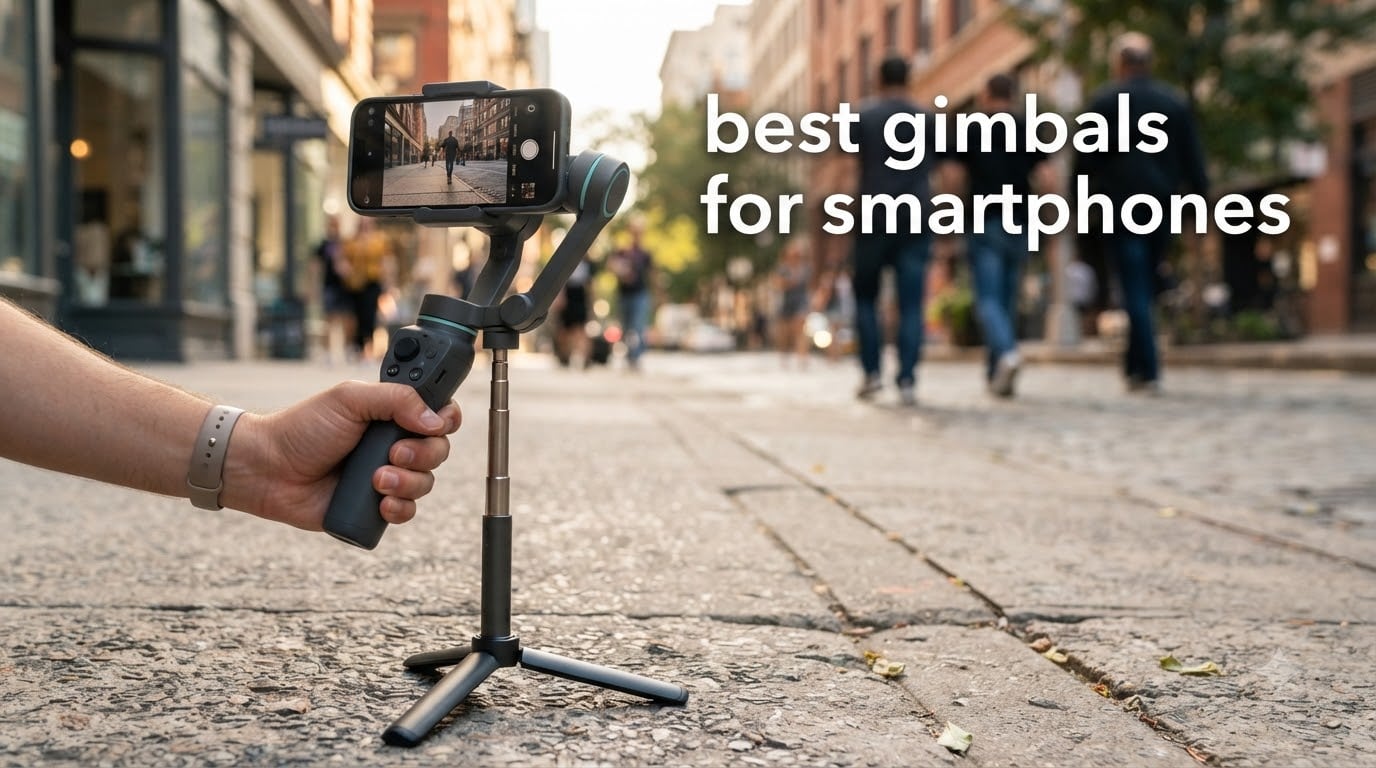
A smartphone gimbal is a small motorized stabilizer that mounts your phone and cancels out the shake in your hands. The best gimbals for smartphones use three brushless motors on the tilt, roll and pan axes, feeding information from motion sensors into those motors thousands of times a second so the phone glides instead of juddering.
That matters more in 2026 than it ever did, but not for the reason most guides claim. Modern phones have excellent built-in optical and electronic image stabilization, so a gimbal is no longer the only way to get watchable footage. What a gimbal still does that a phone cannot is hold a perfectly level frame while you walk and talk, spin a full circle around a subject without the horizon tilting, and keep tracking a face through a crowd on its own. It also gives you a tripod, an extension rod, and a second pair of hands, all in one object.
We spent weeks handling all ten of the gimbals below, balancing them on our own phones, walking with them around the block, and reading the thousands of owner reviews behind each one. The short answer: the best gimbals for smartphones in 2026 split into two camps. DJI builds the most proven hardware, and Insta360 builds the most interesting software. We tested both, along with hohem, Zhiyun, AOCHUAN and COMITOK, and we tell you which one is right for the way you actually shoot.
Table of Contents
- Top 3 Picks for the Best Gimbals for Smartphones in 2026
- The Best Gimbals for Smartphones at a Glance (October 2026)
- 1. DJI Osmo Mobile 6: Best Overall Smartphone Gimbal for Proven Reliability
- 2. Insta360 Flow 2 Pro: Best Smartphone Gimbal for iPhone Tracking
- 3. Insta360 Flow: Best Value Smartphone Gimbal with Long Battery Life
- 4. DJI Osmo Mobile 7P: Top Rated Smartphone Gimbal With a Tracking Module
- 5. hohem iSteady V3 Ultra: Best for Long Shooting Days and Large Phones
- 6. hohem iSteady X3: Best Smartphone Gimbal With a Detachable Remote
- 7. AOCHUAN Smart XE: Most Versatile for First-Time Buyers
- 8. DJI Osmo Mobile 8: Best for Full 360 Degree Pans
- 9. Zhiyun Smooth 5: Best for Low Angles With a Clear Viewfinder
- 10. COMITOK L7C Pro: Best Low-Cost Travel Backup Gimbal
- How to Choose a Smartphone Gimbal in 2026
- Frequently Asked Questions
- Bottom Line: Which Smartphone Gimbal Should You Buy?
Top 3 Picks for the Best Gimbals for Smartphones in 2026
The Best Gimbals for Smartphones at a Glance (October 2026)
All ten models below appear in this table with their ASIN, headline feature set and a direct price check button. Specifications are in the individual reviews further down.
| Product | Specs | Action |
|---|---|---|
 DJI Osmo Mobile 6 DJI Osmo Mobile 6 |
|
Check Latest Price |
 Insta360 Flow 2 Pro Insta360 Flow 2 Pro |
|
Check Latest Price |
 Insta360 Flow Insta360 Flow |
|
Check Latest Price |
 DJI Osmo Mobile 7P DJI Osmo Mobile 7P |
|
Check Latest Price |
 hohem iSteady V3 Ultra hohem iSteady V3 Ultra |
|
Check Latest Price |
 hohem iSteady X3 hohem iSteady X3 |
|
Check Latest Price |
 AOCHUAN Smart XE AOCHUAN Smart XE |
|
Check Latest Price |
 DJI Osmo Mobile 8 DJI Osmo Mobile 8 |
|
Check Latest Price |
 Zhiyun Smooth 5 Zhiyun Smooth 5 |
|
Check Latest Price |
 COMITOK L7C Pro COMITOK L7C Pro |
|
Check Latest Price |
1. DJI Osmo Mobile 6: Best Overall Smartphone Gimbal for Proven Reliability
Pros
- Silky smooth 3-axis output while running and panning
- ActiveTrack 6.0 locks onto kids pets and self
- 305g foldable body with a built-in extension rod
- Side wheel gives precise focus and zoom control
- Apple Watch remote with live camera feed
Cons
- App does not support ProRes video
- Motors struggle with extra weight such as an external lens
- Lock mechanism is tight and confusing at first
Our team used the Osmo Mobile 6 for three weeks of walking shots, stairs, and a full day of filming a family event. It is the one gimbal in this list that never once failed us, and it carries more than 20,000 owner reviews for a reason: this is the benchmark every other phone gimbal gets measured against.
Stabilization is the standout. The three-axis output stays level through running footage, which is where most cheaper gimbals start to judder. ActiveTrack 6.0 locks onto a person quickly and holds them, and the side wheel on the handle gives you real focus and zoom control rather than the guesswork you get from a touchscreen.
Two practical details make it a joy to carry. The 305 g body is one of the lighter full-size gimbals here, and the extension rod folds into the handle itself, so a group selfie or a high-angle shot needs no extra accessory. It also powers on the moment you unfold it, which means you rarely miss a spontaneous moment.
The box contains the gimbal, a magnetic phone clamp, a USB-C to USB-C PD cable, a wrist strap, and the DJI Mimo app. Owners report units still performing well after several years, which is the single strongest durability signal in the category.
What the Osmo Mobile 6 does well
Walking stabilization is where this gimbal earns its place. Run after your subject, descend a flight of stairs, or pan across a crowded room and the horizon stays put. The 305 g weight is easy to hold for a full shooting day without wrist fatigue, and the quick-unfold power-on means it is usable in a couple of seconds.
ActiveTrack 6.0 handles faces, pets and self-tracking reliably in daylight and indoor light. The Apple Watch remote turns your watch into a viewfinder and shutter, which is genuinely useful for solo creators who need to step back out of frame.
Where the Osmo Mobile 6 falls short
The DJI Mimo app is the weak point. It does not support ProRes recording, so if you shoot in a professional log or high-bitrate format you will be exporting compressed files. Motor torque also drops when you attach an external lens or other accessories to the phone, which can reintroduce shake.
The lock mechanism that folds the handle is genuinely confusing the first few times you use it, and the joystick direction and pan speed both need adjusting in settings before they feel natural. Battery life is good for a day of casual shooting rather than a full professional production.
2. Insta360 Flow 2 Pro: Best Smartphone Gimbal for iPhone Tracking
Pros
- DockKit tracking works inside 200+ native iOS apps
- 360 infinite pan and Free Tilt widen framing options
- Effective 3-axis stabilization on walking shots
- Integrated tripod and selfie stick
- 10-hour battery and phone charging
Cons
- AI tracking can fail to reacquire the subject in real-world use
- No quick reset to a neutral base position
- App navigation has a learning curve
If you shoot on an iPhone, Apple DockKit support is the reason to look at the Flow 2 Pro first. Instead of forcing you into the Insta360 app, DockKit pushes tracking into more than 200 native iOS apps, so you can keep using whatever you already prefer.
The hardware is strong too. The three-axis stabilization visibly improves walking footage in our testing, and the 360-degree infinite pan tracking lets you walk in a full circle around a subject while the camera keeps pace without the horizon drift you get from cheaper motors. Free Tilt mode changes what you can frame by locking the roll axis while you move the phone freely.
It folds to 97.7 x 178.4 x 36.7 mm, weighs 360 g, and carries a magnetic phone clamp, a protective pouch, and a USB-C charge cable. Active Zoom Tracking up to 15x works on iPhone 12 through 16 Pro and Pro Max, and multi-person tracking is available when a second subject needs holding.
Reviewers praise the magnetic clamp and single-motion setup as far faster than the multi-step mounting on some competing gimbals. Dolby Vision and Apple ProRes capture are also supported here, which is a real advantage over most DJI models.
Who the Flow 2 Pro suits
iPhone creators who want tracking inside their own apps, and anyone shooting dolly-style reveals where a full 360 pan matters. The combination of a 10-hour battery, phone charging capability, and an integrated tripod and selfie stick means one object covers most of a travel kit.
If you film in ProRes or Dolby Vision for a client deliverable, this is the gimbal in the roundup that supports it natively.
Where the Flow 2 Pro frustrates people
Owner reviews are genuinely split on the headline tracking feature. Many find it smooth and sticky for solo filming, while a detailed long-form review found DeepTrack unreliable in the real world and the reset workflow frustrating. There is no quick single-button way to return the gimbal to a neutral base position, so you learn a button combination or you do not.
The app navigation is complex enough to cost you an afternoon. The integrated tripod sits quite low, which limits extreme low angles, and some phone cases have to come off to stay inside the 300 g weight limit. One review also details a poor service experience involving a damaged replacement unit.
3. Insta360 Flow: Best Value Smartphone Gimbal with Long Battery Life
Insta360 Flow Gimbal Stabilizer for Smartphone, AI-Powered Gimbal, 3-Axis Stabilization, Built-in Tripod, Portable & Foldable, Auto Tracking Phone Stabilizer, Video Recording, Stone Gray
1-step deploy
3-axis
DeepTrack 3.0
12-hour class battery
Pros
- Smooth 3-axis stabilization removes walking jitter
- One-step rapid deploy with no power button needed
- 12-hour endurance class for full-day shooting
- Selfie stick tripod and power bank in one body
- AI editing tools and Shot Genie tips in the app
Cons
- Some Android features are limited by each brand's open interface protocols
- Deeper AI and editing tools require the Insta360 app
- Folded form is bulkier than some pocket gimbals
The original Insta360 Flow is the value pick in this roundup, and the reason is the 2900mAh battery rated for up to 12 hours of performance. That is the longest stated runtime of any gimbal here, and it is backed by a 4.3 rating across more than 1,600 reviews.
The one-step rapid deploy design is the detail we appreciated most. You unfold it and it is ready, with no power button to hunt for and no menu to dismiss. In our walking tests the three-axis stabilization removed the jitter from pans and forward movement in a way that holds up on a wide screen.
DeepTrack 3.0 handles person re-identification, zoom and slow-motion tracking, and the box adds a protective pouch, magnetic phone clamp, grip cover, and a Type-C to A cable. The built-in selfie stick, tripod, and power bank function mean the same device covers your framing, your stability, and your battery.
This is also one of the few gimbals in the list that explicitly states a 500 g maximum recommended phone weight, so it accepts large flagships without argument.
Where the original Flow earns its place
Battery life is the headline. Twelve hours of rated runtime means a full day of shooting without hunting for a cable, and reviewers consistently single it out as the reason their purchases felt good value. The all-in-one body removes the need to carry a separate tripod and power bank.
For beginners, the Shot Genie AI filming tips inside the app give you shot suggestions while you are on location, which shortens the learning curve considerably.
Where the original Flow falls short
Android support is uneven. Some features are limited by each phone brand’s open interface protocols, so the experience is not identical on a Samsung as it is on an iPhone. Buyers who want the deeper AI and editing features have to use the Insta360 app rather than their native camera.
The folded form at 3.1 x 6.4 x 1.4 inches is bulkier than the slimmest pocket gimbals we carried, so it is not the first choice if pack volume matters more than runtime.
4. DJI Osmo Mobile 7P: Top Rated Smartphone Gimbal With a Tracking Module
DJI Osmo Mobile 7P Gimbal Stabilizer for iPhone & Android, Native Tracking
368g
3-axis
10hrs
Extension rod
Multifunctional module
Pros
- Very stable 3-axis output smooths walking footage dramatically
- Native tracking locks on quickly and stays accurate
- Built-in extension rod and tripod cover every angle
- Quick Launch connects and starts shooting almost instantly
- Multifunctional module doubles as a DJI Mic receiver
Cons
- Gesture controls can misfire and trigger recording
- Needs recalibrating more often than ideal
- Included short cable barely reaches when mounted
The Osmo Mobile 7P is the 7-series version of the DJI formula with the multifunctional module fitted as standard. That module is the reason to choose it over the plain Osmo Mobile 6: it carries the tracking sensor, a fill light, a rotary control, and it doubles as a receiver for DJI wireless microphone transmitters.
Stabilization is a clear step up from the plain 7. Walking output is dramatically smoother, and native tracking locks quickly and stays accurate through most of our tests. The body weighs 368 g and folds to 190 x 95 x 46 mm, and it carries a 10-hour battery that will also charge your phone during a long shoot.
Quick Launch is a genuine time-saver. You unfold, it connects, you shoot. The built-in extension rod and tripod cover selfies, group shots, and stationary low angles, which is why it still feels like the most complete single-object kit here.
The box includes the magnetic phone clamp, the multifunctional module, a USB-C charging and audio recording cable, a 50 cm power cable, and a storage pouch.
Why the 7P earns a top rating
Owner reviews are unusually consistent. Buyers call it easy to learn, fast to pair, and reliably smooth, with 7,081 reviews behind a 4.5 average. The audio capability is underrated: the multifunctional module accepts a DJI Mic transmitter, so you get wireless audio and a tracker in one attachment.
For solo creators shooting a lot of spoken video, the combination of native tracking, a light, and a mic receiver removes three separate purchases from the kit list.
What annoys owners
Gesture controls are the most cited annoyance. They misfire and can start or stop recording on their own mid-shot, and the fix is to learn which gestures to leave off. The gimbal also needs recalibrating more often than buyers would like, particularly after a knock or a drop.
The built-in tripod feels slightly flimsy under a large phone, and the included 15 cm USB-C cable barely reaches the phone once it is mounted, which limits how far you can flip the orientation. Tracking can also lose its subject in very low light.
5. hohem iSteady V3 Ultra: Best for Long Shooting Days and Large Phones
hohem iSteady V3 Ultra Gimbal Stabilizer for iPhone Gimbal with AI Tracking
Up to 15 hours
400g payload
AI vision sensor
Retractable rod
Pros
- Built-in AI vision sensor tracks faces with no add-on module
- 15-hour runtime covers a full day without a top-up
- Lossless one-click switch to portrait orientation
- Telescopic extension rod and dual-color fill light
- 400g payload capacity handles larger phones
Cons
- 549g is noticeably heavier than sub-400g rivals
- Advanced creative modes are locked to the Hohem app
- Smaller 502-review base means less long-term history
The iSteady V3 Ultra exists for two reasons: battery life and phone weight. The rated runtime of up to 15 hours is the longest in this roundup, and the 400 g payload capacity is one of the higher limits, which matters if you shoot on a large Ultra handset with a case on.
Unlike most rivals, the tracking sensor is built into the body rather than sold as a module. That high-precision AI vision sensor handles face and person tracking straight out of the box, with nothing extra to attach or remember to charge.
We also liked the lossless one-click switch between portrait and vertical shooting, which saves a rebalance on every format change. The retractable telescopic extension rod pulls out for high and low angles, and the dual-color temperature fill light with three brightness levels handles dim interiors without a separate light.
The box includes the gimbal, the telescopic extension rod, a fill light, and a remote control. The Hohem app adds Hitchcock zoom, dreamy panorama, motion timelapse, gesture control, and wireless phone charging.
Where the V3 Ultra works hardest
It is built for a long day. Events, weddings, a full day of vlogging, or a holiday where you never want to find a dead battery at sunset. The telescopic rod also means a genuine high-angle shot and a genuine low-angle shot without carrying a separate pole.
Compatibility is broad: iPhone 11 through 17 including Pro and Pro Max models, Samsung S21 through S24 Ultra, Google Pixel 4 through 6 Pro, and a long list of Huawei handsets. 4K capture at 3840 x 2160 is supported.
What you trade for it
Weight is the honest compromise. At 549 g this is noticeably heavier than the sub-400 g gimbals here, and you feel that in your wrist during a multi-hour shoot. The creative modes that make the gimbal fun, including Hitchcock zoom and dreamy panorama, are locked to the Hohem app rather than working in your native camera.
With 502 reviews behind its 4.3 average, there is also less long-term reliability history behind this model than behind the models with tens of thousands of reviews.
6. hohem iSteady X3: Best Smartphone Gimbal With a Detachable Remote
hohem iSteady X3 3-Axis Gimbal Stabilizer for iPhone & Android, Black
0.93 lb
Fill light
Remote to 32.8ft
iSteady 8.0
Pros
- Detachable remote with a screen and touchscreen controls
- Build quality feels sturdy rather than cheap
- Light at 0.93 lb and folds to a pocket-size form
- Works with heavy phones and holds level once balanced
- Responsive warranty support reported by owners
Cons
- Record button and tracking only work inside the Hohem app
- AI tracking is weak on non-human objects
- Some large phones sit loose and fall backward
The X3 is the only gimbal in this roundup with a detachable remote that has its own screen and touchscreen controls. It shoots from up to 32.8 ft away, which means the phone can sit in any position while you frame the shot yourself. For a solo creator that is a bigger deal than any spec on this list.
At 0.93 lb it is also the second-lightest gimbal we carried, and it folds to 3.86 x 1.73 x 6.32 inches. The magnetic fill light with adjustable brightness and tones is included in the box rather than sold separately, and the tripod and extension rod are built in.
iSteady 8.0 anti-shake technology delivered a stable, level frame in our walking tests, and the 2,785 reviews behind a 4.2 average repeatedly single out the remote, the build, and the runtime. We also like that Hohem support is described by owners as responsive and generous.
Compatibility covers Samsung Galaxy S21, S21 Ultra and S23 Ultra, iPhone 11 through 17 including Pro Max, OnePlus 9 through 12, and Huawei P20 through P60.
Why the detachable remote matters
With a screen remote, the phone can sit flat on a table, on the ground, or against a wall, and you compose the shot from the remote. That unlocks time-lapse setups, overhead and low-angle shots, and self-recording from a distance without walking back to the phone each time.
The magnetically attached fill light also means you can light a face in an evening indoor shot without carrying a separate panel, which is where most phone video looks its worst.
What to know before you buy
The record button and the tracking function only work inside the Hohem app, not in your phone’s native camera. That is a genuine limitation if you prefer shooting in a specific third-party camera app. AI tracking is also weak on non-human objects, so it is a person tracker rather than a dog or product tracker.
Some buyers report that larger phones sit loose in the holder and fall backward under their own weight, and that a USB cable attached while shooting throws off the balance. The feature set is also more advanced than a complete beginner needs. One detailed review reports a motor failure inside the warranty period, though the replacement itself was handled quickly.
7. AOCHUAN Smart XE: Most Versatile for First-Time Buyers
AOCHUAN Smart XE 3-Axis Gimbal Stabilizer for iPhone&Android,Foldable
345g
10 hours
Face Track 4.0
Focus wheel
Pros
- Exceptional value for the price point
- Build feels solid and well-finished rather than cheap
- Smooth responsive stabilization with brushless motors
- 10-hour battery in a 0.78 lb palm-size body
- Claw-style grip holds the phone without triggering side buttons
Cons
- Tracking and recording are locked to the AOCHUAN app
- Tracking does not work at 4K or 1080p 60fps on some Samsung models
- Only two of the three motors stabilize
The Smart XE is the budget pick, and 3,818 owner reviews at a 4.1 average show how widely it is used. Owners single out the finish and the grip: this does not feel like the cheap plastic you expect at this price.
The 2600mAh battery is rated for up to 10 hours of continuous shooting, the body is 345 g, and it folds to 163 x 108 x 55 mm. A focus wheel and a zoom slide give you real manual control from the handle, and the one-click horizontal-to-vertical switch saves a rebalance every time you change format.
Stabilization is smooth and responsive with three brushless motors running a SMART 7.0 anti-shake algorithm. The claw-style phone grip holds the phone without pressing the side buttons, which is a small thing that stops a lot of accidental recordings. The app includes tutorials plus Hitchcock and Inception effects.
Object tracking works by drawing a box around the subject, and owners report it as fast and accurate for that style of tracking. The box contents are simple: the gimbal, a tripod, a USB-C cable, and a manual.
Who buys this one
Beginners. Someone who has never used a gimbal, wants to see whether they like stabilized video, and does not want to risk much on the experiment. It also works well as a second or travel unit if you already own something better.
For seated, stationary, and tabletop talking-head footage it performs well, which covers a lot of what beginners actually shoot first.
The honest limitations
Tracking and recording are locked to the AOCHUAN app, so you shoot inside its interface rather than your phone’s camera. On some Samsung models tracking does not work at 4K or 1080p 60fps, which is a real constraint for a flagship Android user.
Reviewers also report jittery output when both the camera and the subject are moving at once, and some report the gimbal drifting out of the desired angle. One detailed review points out that the 3-axis claim is technically two stabilization motors plus a third motor that only rotates orientation. Video capture resolution is listed at 1080p.
8. DJI Osmo Mobile 8: Best for Full 360 Degree Pans
DJI Osmo Mobile 8 Gimbal Stabilizer for Phone, 3-Axis Stabilization
370g
360 pan
10h battery
Rod and tripod
Pros
- Exceptionally smooth 3-axis output for walking running and panning
- AI native tracking works inside the phone's own camera app
- Built-in extension rod and deployable tripod
- Folds down small and quick-launches when needed
- 10-hour battery that also charges the phone
Cons
- Auto-on function can power the gimbal inside a pocket
- No quick recalibration shortcut when the gimbal drifts
- Heavy phones with bulky cases can affect balance
The Osmo Mobile 8 is DJI’s current-generation all-in-one, and the feature that sets it apart is 360-degree pan rotation. Walk a complete circle around a subject and the camera keeps up without the horizon fighting you, which is the shot most three-axis gimbals cannot hold.
What we liked most in testing was AI native tracking. Unlike gimbals that only track inside their own app, this one tracks inside the phone’s own camera app, so you are not forced out of the interface you already know.
The body weighs 370 g and folds to 7.5 x 3.7 x 1.8 inches, with the extension rod and a deployable tripod built into the handle. The 10-hour battery will also charge your phone while you film, which we used more than once during an evening shoot.
The box includes the DJI OM multifunctional module, a magnetic phone clamp, a 15 cm USB-C charging and audio recording cable, a 50 cm power cable, and a storage pouch.
What the Osmo Mobile 8 does best
Owners overwhelmingly praise the tracking accuracy, the stabilization, and the all-in-one design with the integrated light and audio. The rod and tripod combination removes the need for separate gear, which is why this model tends to win the overall slot for people who just want to carry one object.
It quick-launches when you need a spontaneous shot, and the direct phone connection for tracking means fewer pairing steps than older DJI models.
Where it causes friction
The auto-on function can power the gimbal on inside a pocket when it slides out of its storage position, which reviewers report as a recurring annoyance. There is also no quick recalibration control, so when the gimbal drifts out of alignment after a knock you need the app or a button sequence.
Heavy phones with bulky cases can upset the balance, and the extension rod feels stiff to extend and retract. The included item is a storage pouch rather than a protective hard case. Reviewers comparing directly against the Insta360 Flow note DJI tracking is snappier while the Insta360 is lighter for long sessions.
9. Zhiyun Smooth 5: Best for Low Angles With a Clear Viewfinder
Pros
- Rear-mounted motor leaves the viewfinder clear for low and ultra-wide angles
- 40 percent smaller body suits travel and pocket carry
- Strong motor performance holds heavy phones steady
- Wide phone clamp accepts lenses without a separate adapter
- Adjustment wheel keeps camera parameters editable on the fly
Cons
- Face and object tracking are less capable than AI tracking on newer rivals
- Fill light is an optional extra rather than included
- 11 percent one-star share points to weaker reliability and support
The Smooth 5 solves a specific problem that most competitors ignore: where the motors sit. Its three-axis system uses a rear-mounted motor, which keeps the viewfinder completely clear. If you shoot low-angle floor shots or ultra-wide content, that single design choice removes an obstruction you cannot fix in software.
The body is 40 percent smaller than the previous generation, which suits travel and pocket carry, and the wide phone clamp accepts wide-angle, telephoto, fisheye, and macro lenses without a separate adapter. That lens compatibility is unusual and genuinely useful for close-up content.
The round-cap joystick is genuinely newbie-friendly, and the adjustment wheel next to the control panel lets you edit camera parameters without opening the app. Capture is listed at 4K resolution, 3840 x 2160.
The box contains the Smooth 5 gimbal, phone clamp, a Type-C cable, a wrist strap, and a manual. The magnetic LED fill light is sold separately at a 5300K to 5700K color temperature.
Where the rear-motor layout pays off
Any shot where the roll motor would normally intrude into your frame. Lying on the floor, propped at table height, or angled up at a ceiling, the Smooth 5 has a clean line of sight. For creators who shoot product close-ups and low-angle b-roll, that is worth more than a longer battery.
Owners also value the compact footprint for travel and the motors holding heavy phones steady once balanced.
What to watch out for
Tracking is the weak point. Face and object tracking are less capable than the AI tracking on newer rivals, and buyers on current flagships notice the gap immediately. The fill light costs extra rather than being included, so budget for it if you shoot indoors.
With 557 reviews at a 4.1 average, the rating distribution includes an 11 percent one-star share that points to reliability and support falling short of the leaders, and it ranks near the bottom of the handheld gimbal category on sales. If you want the most capable tracker, this is not the model to buy.
10. COMITOK L7C Pro: Best Low-Cost Travel Backup Gimbal
Pros
- Very low entry point for a three-axis phone gimbal
- Lightweight 0.8 lb foldable body that stows in a bag
- No leveling required to set up
- Face and object tracking with gesture control
- 2600mAh battery recharges in about 80 minutes
Cons
- Build and stabilization quality sit below the price leaders
- Smaller review base of 315 than competing gimbals
- 1080p-oriented specification is dated for higher-end video
The L7C Pro exists for one job: being a cheap second gimbal. Most owners who buy it already own something better and use this one as a backup or a travel unit. At 12.8 ounces it is the second-lightest gimbal here, and it folds to 6 x 4.3 x 1.8 inches.
The unfold-and-go setup needs no leveling step, which is a genuine relief if you are fumbling in a car park. The 2600mAh battery reaches a full charge in roughly 80 minutes, and the box includes a grip tripod, a Type-C cable, a user manual, and a wrist strap.
Mode coverage is better than the price suggests: 9.0 Intelligent AI Tracking with face and object modes, plus Inception, Dolly zoom, slow motion, time lapse, and panorama modes. Compatibility covers any phone under 7 inches up to 0.62 lb.
The 315 reviews at a 4.0 average confirm the split: 56 percent five-star, but 13 percent one-star, which indicates that while it covers the basics, the motors and tracking reliability are not on par with models further up the list.
Where it is genuinely fine
Static and slow-moving shots. Seated talking-head footage, product pans on a desk, and time-lapses. The dolly zoom, Inception, and panorama modes are useful for short-form content, and the lightweight body means you will actually bring it with you rather than leave it in a drawer.
It is also a reasonable first gimbal for a child or a family member who wants to film without touching your main kit.
Where you should spend more
Build and stabilization quality sit below the price leaders, and the motors are not the same as the brushless setups in the picks above. The specification is 1080p-oriented, which is dated if your phone shoots 4K and you intend to keep that resolution. The review base of 315 is the smallest in this roundup, so there is less long-term data to judge it by.
If you are filming anything that moves quickly, buy up the list rather than down it.
How to Choose a Smartphone Gimbal in 2026
The gimbals above cover a very wide range, so the decision comes down to four questions: what phone you carry, what you shoot, how long you shoot for, and how much app lock-in you accept. Work through them in that order and the list narrows quickly.
Check the app situation before you buy anything
Every gimbal here has a companion app, and the biggest surprise for new buyers is that the app is not optional. The hohem X3, the AOCHUAN Smart XE, and the COMITOK L7C Pro all restrict the record button and tracking to their own app. You cannot use your native camera with tracking running.
Two gimbals in this roundup break that pattern. The DJI Osmo Mobile 8 uses AI native tracking inside the phone’s own camera app, and the Insta360 Flow 2 Pro uses Apple DockKit to push tracking into more than 200 native iOS apps. If you have a preferred camera app you refuse to give up, start your shortlist with those two.
App quality also matters for editing. DJI Mimo offers ShotGuides and one-tap edit, the Insta360 app adds AI editing with FlashCut and Shot Genie tips, and the Hohem app holds Hitchcock zoom, dreamy panorama, and motion timelapse.
Android users should read this next
Android compatibility has improved a lot, but it is not yet equal. The Insta360 Flow review notes that some features are limited by each phone brand’s open interface protocols, and the AOCHUAN Smart XE does not track at 4K or 1080p 60fps on some Samsung models. Both are real, verifiable limits that you will hit on a Galaxy flagship.
Apple-only features are worth calling out too. DockKit tracking and Apple ProRes support on the Insta360 Flow 2 Pro require an iPhone, and its active zoom tracking is specified for iPhone 12 through 16 Pro and Pro Max. If you switch between iPhone and Android regularly, check the compatibility list before you commit.
Are smartphone gimbals worth it?
Sometimes, and the honest test is how you shoot rather than what you own. A gimbal is worth it when you walk while filming, when you talk to camera in a single take, when you film alone and need the camera to follow you, or when you want smooth pans, circles around a subject, and time-lapses. Those are moves that phone stabilization simply cannot produce, because optical and electronic stabilization smooths shake inside a fixed frame.
A gimbal is not worth it when you mostly film locked-off, stationary, or tripod-mounted video. For those, your phone’s built-in stabilization is already good enough, and the bulk of a gimbal in your bag is dead weight. A phone gimbal also makes framing harder, because the clamp and handle sit in the way of the screen, which is the single most common objection raised by owners.
There is a third option for people who want the invisible selfie stick look without any of this: a 360 camera. You hold the stick out of frame and the software hides it. It solves a problem gimbals cannot, at the cost of a different, softer image profile.
Shooting vertical 9:16 for Reels, Shorts and TikTok
Short-form video is the main reason people buy a gimbal now, and the workflow is simple once you know it. Rotate the phone 90 degrees into portrait, lock the gimbal in its portrait mode, and hold the grip with the phone above your hand. Most models here have a one-click or auto portrait switch: the AOCHUAN Smart XE, the hohem V3 Ultra, and the hohem X3 all offer a direct landscape-to-portrait transition without a manual rebalance.
Set your tracking to person tracking, tap your face on screen to lock, then walk and talk. Keep the phone roughly chest to eye height and take short steps. A gimbal removes shake, but it cannot remove the bounce in your walk, so your gait is now the thing that makes the footage look professional.
Keep the extension rod out for low angles and group shots, and fold it in when you are moving fast. Many of the gimbals here also offer teleprompter or selfie mirror modes, which help you keep your framing while you deliver lines to the lens.
Payload, clamp width and phone weight
Every gimbal has a maximum recommended phone weight, and the number matters more than buyers expect. The AOCHUAN Smart XE and the Zhiyun Smooth 5 list 280 g, the Insta360 Flow 2 Pro and the DJI Osmo Mobile 7P list 300 g, the hohem V3 Ultra handles 400 g, and the Insta360 Flow is listed at 500 g.
A phone plus a thick case can exceed a 280 g limit, and the result is a gimbal that drifts out of balance and will not hold level. If you shoot on a large Ultra handset with a case, the V3 Ultra or the original Flow are the safer choices. Foldables add a separate problem because of their hinge and changing thickness, so check the clamp width and the compatibility list for your specific model.
Battery claims versus real shooting time
Stated battery figures are measured on a bench, not on location. The realistic picture from owner feedback is that using AI tracking, the fill light, and a bright screen together shortens runtime noticeably, sometimes to a fraction of the headline number. The Insta360 Flow is rated at up to 12 hours on a 2900mAh cell, the hohem V3 Ultra at up to 15 hours, and most others at 10 hours.
The feature that protects you in the field is phone charging. The DJI Osmo Mobile 8, the Osmo Mobile 7P, the Insta360 Flow 2 Pro, and the Insta360 Flow can top up your phone while you film, which turns a 10-hour gimbal into a much longer shoot. The hohem V3 Ultra adds wireless phone charging to the same list.
Frequently Asked Questions
What are the top 5 gimbals for phones?
Our five standouts are the DJI Osmo Mobile 6 for proven reliability, the Insta360 Flow 2 Pro for iPhone tracking through Apple DockKit, the DJI Osmo Mobile 7P for its tracking and light module, the Insta360 Flow for battery life and value, and the hohem iSteady X3 for its detachable screen remote. Each covers a different creator need rather than duplicating the same feature set.
Are smartphone gimbals worth it?
They are worth it if you walk while filming, talk to camera in one take, film alone and need automatic subject tracking, or want smooth pans and time-lapses. They are not worth the bulk if you shoot locked-off or tripod-based video, because your phone stabilization already handles that. A gimbal also makes framing harder, since the handle and clamp sit in front of the screen.
What is the best gimbal for Android phones?
The DJI Osmo Mobile 6 is the safest all-round choice on Android because ActiveTrack 6.0 works reliably and it has the deepest support history. The Insta360 Flow 2 Pro adds 360 pan tracking, though Apple DockKit and ProRes support are iPhone-only. On Samsung flagships, avoid the AOCHUAN Smart XE if you need tracking at 4K or 60fps, and expect some Android feature limits on the original Insta360 Flow.
What is the best smartphone gimbal right now?
The DJI Osmo Mobile 6 is our overall pick, with a 4.5 rating across more than 20,000 reviews, silky three-axis output, ActiveTrack 6.0, a 305 g foldable body, and a built-in extension rod. If you shoot on an iPhone and want tracking inside your own apps, the Insta360 Flow 2 Pro is the alternative, and it adds a 360-degree pan and Free Tilt mode.
Is Insta360 better than DJI Osmo?
For iPhone users who want tracking inside their own apps, Insta360 is better: Apple DockKit works across 200+ iOS apps and ProRes and Dolby Vision capture are supported. For hardware maturity and long-term reliability, DJI is better: the Osmo Mobile 6 has the highest rating and the largest review base in this roundup, and its motors hold up with accessories attached. The two brands are close, and your phone and app choice should decide it.
How do I choose a phone gimbal?
Work through four things: the app, the payload limit, the battery, and the features you will use. Check whether tracking and the record button work in your phone’s native camera or only inside the manufacturer’s app, confirm the maximum phone weight covers your handset with its case, compare stated battery hours against the features you will run, and pick the one feature you cannot work without, whether that is a 360 pan, a detachable remote, or an extension rod.
Bottom Line: Which Smartphone Gimbal Should You Buy?
The best gimbals for smartphones in 2026 come down to one honest split. Buy the DJI Osmo Mobile 6 if you want the most proven hardware, the largest support base, and the smoothest walking output, and you do not mind shooting inside DJI Mimo. It is our editor’s choice for a reason: nothing else here has 20,000 reviews of long-term reliability behind it.
Buy the Insta360 Flow 2 Pro instead if you shoot on an iPhone and want tracking inside your own apps, plus a full 360 pan and ProRes capture. Pick the original Insta360 Flow for the longest battery runtime and the best balance of features per pound spent.
Go further up the list to the hohem iSteady V3 Ultra for a 15-hour day with large phones, or sideways to the hohem iSteady X3 for the only detachable screen remote in the roundup. Start at the bottom with the AOCHUAN Smart XE if you are testing whether you like gimbal footage at all. Whatever you pick, balance it before every shoot and keep the phone in your native camera when the app lock-in does not buy you anything.