
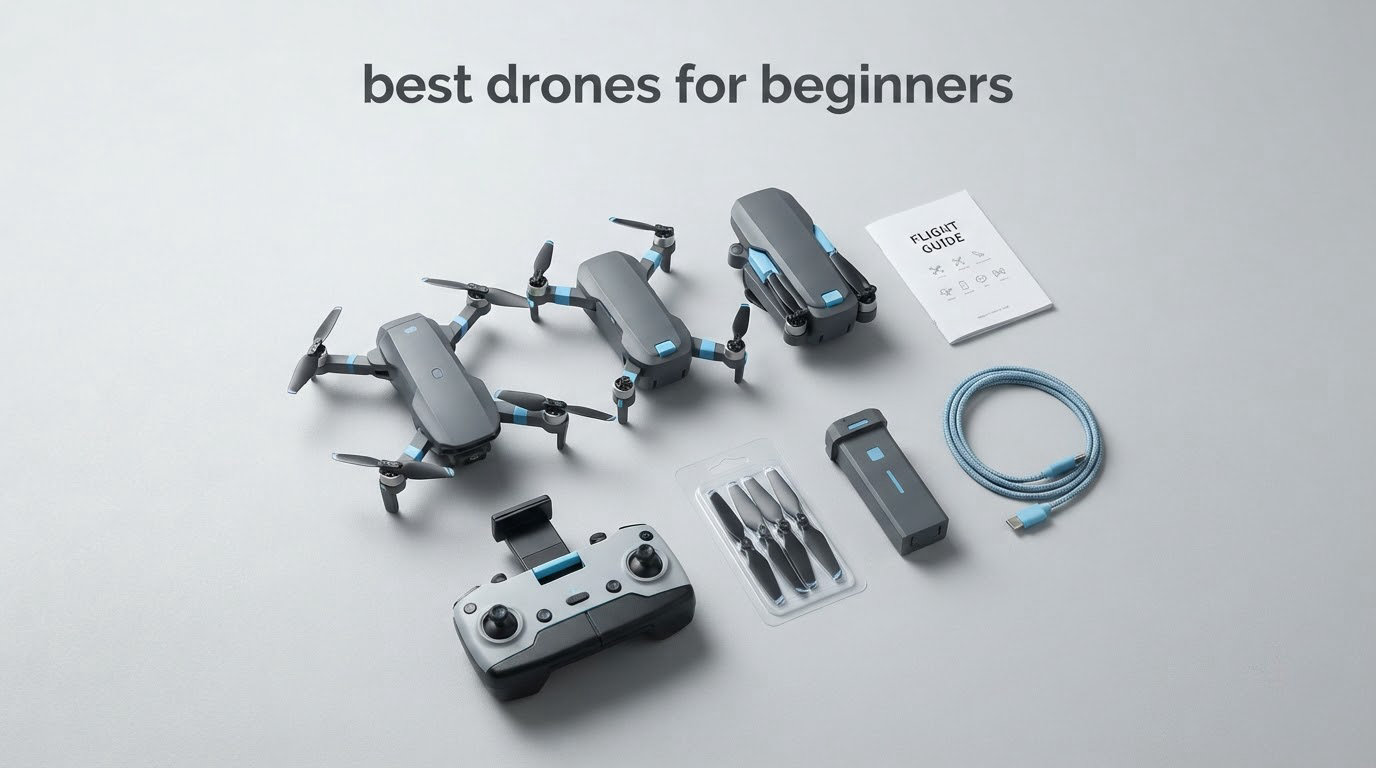
Here is the short version: the Potensic ATOM SE is the best drone for beginners in 2026, because it is one of very few sub-250g aircraft that pairs a real GPS return-to-home with Follow Me and waypoint modes, two included batteries giving 62 minutes of total flight time, and a 4K camera — all controlled from ordinary physical sticks. Ten drones later in this guide, you will find out why the answer is not simply the most expensive one.
Most first-drone buying guides drown you in sensor sizes, class labels and transmission jargon. We read the owner reviews across all ten aircraft below and compared what they actually do in the air, because the decision that matters is not the spec sheet, it is how forgiving the drone is when you make a beginner mistake.
Two things decide nearly every purchase here. The first is weight: stay under 250g and recreational flight in the US needs no registration. The second is forgiveness, which means return-to-home, a stable hover, and a camera that does not fall apart in a stiff breeze.
We also split two purchases that get constantly mixed up. If you want to learn to fly, start with something stable and cheap to fix. If you want to shoot good video, the gimbal and the sensor matter far more than the price gap.
Table of Contents
- Top 3 Best Drones for Beginners (October 2026)
- All 10 Beginner Drones Compared Side by Side in 2026
- 1. Potensic ATOM SE – the best overall first drone
- 2. Holy Stone HS360S – the easiest GPS drone to learn on
- 3. Holy Stone HS175D – two batteries and a case, cheap
- 4. DJI Neo – the smallest and safest drone to learn on
- 5. DJI Mini 4K – the best value for real 4K footage
- 6. Ruko U11MINI 4K – the drone with a built-in screen
- 7. DJI Mini 3 – the best pick for social video
- 8. Hiturbo 1080P beginner drone – the budget indoor first drone
- 9. Holy Stone HS210 – the first drone for a child
- 10. Loiley 2K HD FPV – the smallest travel drone
- What to look for in your first drone
- Do you need a drone license to fly one?
- Should you buy used, and what does crashing cost?
- Frequently Asked Questions
- Which drone can fly without a license?
- Do I need a license to fly a drone in the USA?
- Is it difficult to learn to fly a drone?
- What is a good inexpensive drone?
- What is the best first drone to buy for a beginner?
- What is the best starter drone for beginners?
- What is the 1:1 rule for drones?
- Are drones worth buying?
- The best drones for beginners in 2026: our final verdict
Top 3 Best Drones for Beginners (October 2026)
These three cover the range most readers actually need: a forgiving all-rounder, a genuine 4K gimbal setup, and the strongest social-video frame rate in the group.

Potensic ATOM SE
- Under 249g with no registration
- 62 minutes total flight time
- 4K EIS camera with 1/3 inch CMOS sensor
- 4KM FPV transmission

DJI Mini 4K
- 3-axis mechanical gimbal
- 4K at 30fps plus 12MP DNG stills
- Level 5 wind resistance at 38kph
- 10km video transmission

DJI Mini 3
- True Vertical Shooting for tall framing
- 4K HDR with 48MP stills
- 3-axis mechanical gimbal
- 38-minute flight and 10km transmission
All 10 Beginner Drones Compared Side by Side in 2026
Every drone below is listed with its own ASIN and the specs that actually separate them. Read the table first, then jump to the review that matches how you plan to fly.
| Product | Specs | Action |
|---|---|---|
| Potensic ATOM SE |
|
Check Latest Price |
 Holy Stone HS360S Holy Stone HS360S |
|
Check Latest Price |
 Holy Stone HS175D Holy Stone HS175D |
|
Check Latest Price |
 DJI Neo DJI Neo |
|
Check Latest Price |
| DJI Mini 4K |
|
Check Latest Price |
 Ruko U11MINI 4K Ruko U11MINI 4K |
|
Check Latest Price |
| DJI Mini 3 |
|
Check Latest Price |
 Hiturbo 1080P Beginner Drone Hiturbo 1080P Beginner Drone |
|
Check Latest Price |
 Holy Stone HS210 Holy Stone HS210 |
|
Check Latest Price |
 Loiley 2K HD FPV Drone Loiley 2K HD FPV Drone |
|
Check Latest Price |
1. Potensic ATOM SE – the best overall first drone
Potensic ATOM SE GPS Drone with 4K EIS Camera, Under 249g, 62 Mins Flight, 4KM FPV Transmission, Brushless Motor, Max Speed 16m/s, Auto Return, Lightweight and Foldable Drone for Adults Beginner
8.8 oz
Under 249g
31 min per battery
4K EIS
1/3 inch CMOS
Pros
- Rock-steady hover with a beginner mode speed cap
- Two 2500mAh batteries for 25-31 minutes each
- GPS return home plus Follow Me and waypoint modes
- Folds small enough for a jacket pocket
- Brushless motors hold up in level 5 wind
Cons
- No obstacle detection sensors at all
- Camera is fixed with no gimbal and no zoom
- Batteries lose charge when stored unused
The Potensic ATOM SE is the drone I would hand to someone who has never flown before. Reviewers consistently describe the hover as rock-steady, and the SurgeFly flight controller caps speed in Beginner mode so a panic twitch on the stick does not immediately put it into a tree.
It weighs 8.8 ounces, which keeps it under the 249g threshold, and it comes with two 2500mAh batteries. Owners report roughly 25 to 31 minutes of real flight from each one, so a single session can run well past half an hour without a recharge wait.
Three flight modes are offered, Beginner, Normal and Sport, backed by GPS auto return, Follow Me, Waypoint Flight and Circle Flight. In practice that means you can launch, orbit a landmark and land without touching the sticks much at all, which is exactly the learning pattern we recommend for a new pilot.
Brushless motors push the top speed to 16m/s and are rated for level-5 wind resistance, which matters more than usual in a body this light. The PixSync 2.0 transmission system carries video up to 4km, and the three included adapter cables mean the phone cradle works with either a USB-C or a Lightning handset.
What you give up with the ATOM SE
The camera is the trade-off. It shoots 4K at 30fps through a 1/3 inch Sony CMOS sensor with ShakeVanish electronic stabilization and a 118 degree field of view, and reviewers say the result is impressive for the tier, but it is fixed rather than mounted on a three-axis mechanical gimbal. Tilt runs from plus 20 to minus 90 degrees, so you cannot level the horizon mid-shot.
There is no zoom of any kind, not even digital, and no obstacle detection sensors whatsoever. A few owners also report that a firmware update removed headless mode, which frustrated them, and the micro SD card is not included.
Who should skip it and buy the Mini 4K instead
Skip the ATOM SE if the footage is the whole point of the purchase. If your plan is to publish video rather than practice flying, the fixed camera and the total lack of horizon correction will show up in every clip.
Also skip it if you fly in a neighbourhood rather than an open field. With no forward or downward sensors, a tree is your responsibility, and return-to-home only helps once the aircraft is already heading back. If you want a mechanical gimbal under 250g, our aerial photography drone guide covers the picks built for image quality.
2. Holy Stone HS360S – the easiest GPS drone to learn on
Holy Stone GPS Drone with 4K UHD Camera for Adults Beginner; HS360S 249g Foldable FPV RC Quadcopter with 10000 Feet Control Range, Brushless Motor, Follow Me, Smart Return Home, 5G Transmission
213g
20 min flight
4K UHD
1/3 inch CMOS
85 degree lens
Pros
- Very easy to learn on with optical flow positioning
- Brushless motors make flight quiet and smooth
- GPS holds reliably past a kilometre
- Sturdy controller and a carrying case included
- Active support community and responsive service
Cons
- No gimbal or image stabilization
- Video is noticeably shaky
- Only one battery and it charges slowly
Among the best drones for beginners, the Holy Stone HS360S is the easiest to learn on when the priority is a calm, predictable first few hours. Its beginner mode and optical flow positioning hold the aircraft steady while you work out which stick does what, and reviewers repeatedly call it the easiest of the GPS drones to pick up.
At 213g it sits comfortably under the registration threshold, and the dual-band 5GHz system is advertised at 10,000 feet of transmission. One detail we like: the smartphone connects to the controller with a single cable for live feed, so there is no Wi-Fi password ritual before you can see what the camera sees.
Smart flight modes cover Follow Me, Waypoint Flight and Point of Interest, alongside Spiral Up, Catapult and 1-Tap Ascension recording moves. GPS positioning triggers a return-home on low battery or signal loss, which is the single feature that turns an anxious first flight into a boring one.
Reviewers rate the controller as well made and comfortable, and a carrying case is included in the box. The camera is a 1/3 inch GalaxyCore CMOS with an 85 degree wide-angle lens that tilts up to 90 degrees from the remote or the app, which is unusually flexible for this class.
What the missing gimbal does to your footage
There is no gimbal and no image stabilization on this aircraft, and that is the reason some owners rate it lower. The camera is fixed to the frame, so every stick input and every gust is recorded as motion, and reviewers describe the result as noticeably shaky.
Still photos come out fine at 4K UHD resolution, and the 8 megapixel sensor is rated for daylight snapshots. For video, treat this as a training platform rather than a filming platform, and pick up a mechanical-gimbal model when you are ready to publish.
Which problems you will actually hit
Only one battery is included, and it charges slowly at around 5W, so plan on planning your flying around a charge cycle. A smaller group of owners report a drifting toilet-bowl hover pattern developing within days, and GPS satellite sync can be finicky enough to need a repeat calibration.
The propeller arms are not designed to come apart for cleaning, which matters if you fly somewhere dusty. If you need a second battery anyway, the Potensic ATOM SE above gives you two out of the box and roughly three times the total flight time.
3. Holy Stone HS175D – two batteries and a case, cheap
Holy Stone HS175D GPS Drone with 4K Camera for Adults, Under 249g, Foldable RC Quadcopter with Auto Return, 46 Mins Long Flight, Follow Me, Brushless Motor, Circle Fly, Waypoint Fly, Altitude Hold
7.58 oz
Under 249g
23 min per battery
4K capture
110 degree lens
Pros
- Quiet brushless motors with stable low-wind hover
- Two batteries give around 20 minutes each
- Return-to-home lands within about 10 feet
- Sharp 4K stills for the money
- Takes a beating and keeps flying
Cons
- No gimbal
- so video is jerky
- GPS satellite sync often needs several retries
- Lightweight frame struggles in stronger wind
The Holy Stone HS175D is the cheapest drone in this roundup with a working GPS return-to-home, and that single feature makes it a genuinely useful outdoor practice platform. Reviewers say it lands back within roughly 10 feet of the launch point after a signal loss, an out-of-range event or a low battery.
It weighs 7.58 ounces and folds down, so it lives in a jacket pocket between outings. Two lithium polymer batteries are included for up to 46 minutes of combined flight, and reviewers put real-world time at about 20 minutes each, which is a better session length than most of the cheaper indoor models.
The beginner toolkit is unusually complete for the money: altitude hold, optical flow, headless mode, one-key takeoff and landing, plus speed adjustment so you can grow into the aircraft. Follow Me, Waypoint Flight, Point of Interest and gesture photo and video control all work through the app.
Brushless motors keep it quiet, and the 4K capture at 3840 by 2160 comes from a 110 degree wide-angle lens with 90 degrees of adjustable tilt. Reviewers single out still photo sharpness as a surprise at this level.
Why reviewers rate it lower than the HS360S
There is no image stabilization and no gimbal at all, so video is jerky and the horizon tilts with every input. If you have any interest in the footage beyond confirming that the drone flew, this is the wrong purchase.
The most common source of frustration is not the camera, it is the GPS satellite sync. New owners report the aircraft seeming unresponsive until the calibration sequence completes correctly, and that routine can need several attempts. No written flying instructions are included, only startup guidance, so budget an evening with the app.
Where this one is the right call
Pick the HS175D when you want to learn on something you will not mind crashing. Reviewers describe it as durable enough to absorb repeated impacts and keep flying, and Holy Stone support is repeatedly praised for sending replacement aircraft after hardware faults.
Understand the limits before you start: control sticks are sensitive with little slow-speed precision, the frame drifts sideways after trimming, and the 500 metre maximum range claim is not met in practice because video drops out well short of it. It also has no obstacle avoidance, so fly it in open ground.
4. DJI Neo – the smallest and safest drone to learn on
DJI Neo, Mini Drone with 4K UHD Camera for Adults, 135g Self Flying Drone that Follows You, Palm Takeoff, Subject Tracking, QuickShots, Stabilized Video, Built-In Propeller Guard (Controller-Free)
135g
Palm takeoff
4K stabilized
15 min flight
10 km range claim
Pros
- Rock-solid stability from vision and optical positioning
- Easiest drone to learn on with palm takeoff and no controller
- Fully enclosed propeller guards
- Built-in storage means no memory card to buy
- Pocket-sized and lighter than a phone
Cons
- Only about 15 minutes of flight time
- No SD card slot and no vertical shooting mode
- Camera is entry-level with no zoom
The DJI Neo is the pick in our best drones for beginners list if your first flights will happen in a flat, where crashes are expensive and embarrassing rather than dangerous. At 135g it is lighter than a phone, and the fully enclosed propeller guards are the reason we would let a new pilot use it near people.
It launches from your palm and lands on your palm, and it can be flown with no controller at all through voice control or the mobile app. On the drone forums, the repeated verdict on the Neo is that it removes almost the entire learning curve, which is why it keeps surfacing as a first-drone recommendation.
Reviewers who expected a toy are impressed by the stability, which comes from vision and optical positioning rather than GPS. Subject Tracking runs through several modes including backward tracking, and eight QuickShots patterns fly and film a set path while you simply hold position.
Video is 4K UHD stabilized with level-4 wind resistance, and built-in storage with DJI QuickTransfer means there is no memory card to buy. The build quality is excellent for the size, and owners describe it as genuinely fun rather than a compromise.
What the size costs you
Flight time is about 15 minutes and the recharge is slow, so this is a one-sit toy rather than an afternoon flyer. Storage is limited to roughly 22GB internally because there is no SD card slot, and there is no vertical shooting mode at all despite the social-media framing.
The camera is entry-level, on a par with a recent budget smartphone, with no zoom. Tracking loses the subject on hard turns or anything faster than a jog, and Android users report that the DJI Fly app had to be sideloaded from the manufacturer’s site. Phone-based control also limits distance and altitude compared with using the RC controller.
How to know it is the right size for you
Choose the Neo if the first month of flying happens in a garden, a park on a calm day, or indoors. Enclosed prop guards and a stable hover make it forgiving, which matters enormously for a first purchase.
Move up when you want to film scenery rather than people. Once you are comfortable and want a 3-axis mechanical gimbal, longer flight time and a larger sensor, the DJI Mini 4K is the natural step, and our guide to drones for aerial photography covers where to go from there.
5. DJI Mini 4K – the best value for real 4K footage
DJI Mini 4K, Drone With 4K UHD Camera, Under 249 g
240g
3-axis gimbal
4K30 and 12MP DNG
Level 5 wind
31 min flight
Pros
- Gimbal keeps props out of frame even at speed
- Exceptionally stable in wind for a sub-250g body
- GPS return home plus no-fly-zone geofencing
- Compact enough for carry-on travel
- Impressive photo and video quality for the price tier
Cons
- No subject tracking or Follow Me mode
- No obstacle avoidance of any kind
- Real battery life runs short of the 31 minute claim
The DJI Mini 4K is the pick here for anyone whose interest is the footage itself, and the reason is a three-axis mechanical gimbal with 90 degrees of tilt range. Owners say the props stay out of frame even at speed, and the result is clean in a way that electronic stabilization on cheaper models cannot match.
It records 4K Ultra HD video and 12 megapixel stills in DNG and raw JPEG, so you have real editing latitude. Level 5 wind resistance rated at 38kph with brushless motors is unusual in a 240g aircraft, and reviewers repeatedly praise how steady it feels in a breeze.
Transmission runs up to 10km on the DJI O2 system, and the flight stack includes GPS Return to Home, one-tap takeoff and landing, stable hover and no-fly-zone detection. The RC-N1 remote controller is included, which matters because a drone without a proper controller is hard to actually learn to fly.
QuickShots covers Helix, Dronie, Rocket, Circle and Boomerang, and the altitude ceiling reaches 4,000 metres. Two and three-battery bundles exist alongside the single-battery base package, and the spare propellers plus screws in the box tell you the manufacturer expects you to crash it.
Which missing features will you notice
This base package has no Follow Me mode and no subject tracking of any kind, and there is no obstacle avoidance. Owners also report that real battery life runs 25 to 31 minutes rather than the full claim, and that zoom is limited to 2x digital.
Two smaller practical notes: the default altitude cap of 120 metres can feel restrictive in open country, and app setup and activation frustrates some first-time Android users. Genuine DJI replacement propellers are also harder to source than aftermarket ones, and the aftermarket parts handle wind worse.
Who this is the correct first drone for
Buy the Mini 4K if you want to come out of your first year with footage you would actually publish, and you are willing to fly in open space with your eyes rather than relying on sensors. The gimbal plus the wind rating plus the geofencing is the combination that makes it forgiving in a way the cheaper drones are not.
If you want automated tracking instead of manual flying, the DJI Mini 3 below adds True Vertical Shooting and a larger sensor, and the Ruko U11MINI gets you a gimbal with a built-in screen. Comparing all three side by side takes one table read.
6. Ruko U11MINI 4K – the drone with a built-in screen
Ruko U11MINI 4K (RC3) Camera Drone for Adults with 5.5″ Touchscreen Remote
248g
5.5 inch 1080p touchscreen
1/2 inch CMOS
3-axis gimbal
64 min total
Pros
- Built-in 5.5 inch screen removes all phone tethering
- Three-axis mechanical gimbal for smooth 4K video
- 1/2 inch CMOS sensor is large for the class
- Two batteries total up to 64 minutes
- Under 249g so no registration needed
Cons
- Touchscreen is hard to read in direct sunlight
- No obstacle avoidance sensors
- Screen controls add learning friction versus sticks
The Ruko U11MINI 4K is the answer for anyone who does not want to connect a phone. The integrated 5.5 inch 1080p touchscreen controller is self-contained, and owners consistently name phone independence as the reason they like this drone more than the alternatives at a similar capability level.
Underneath, the spec sheet is closer to a mid-tier camera drone than a toy. A 1/2 inch CMOS sensor captures 8K photos and 4K at 30fps, and a three-axis mechanical brushless gimbal keeps the footage steady through turns.
Two intelligent batteries give up to 64 minutes of combined flight, and PD 3.0 fast charging is supported if you own a 65W charger. Positioning runs on four systems at once, which is GPS, barometric, time of flight and optical flow, and the return behaviour includes a failsafe return with a built-in beeper for retrieval.
Transmission is advertised at 20,000 feet on the R2 digital system and works without Wi-Fi at all. AI takeoff and landing, one-key return, home point refresh, Follow Me, Waypoint and Point of Interest are all present, so the automated flight vocabulary matches the DJI set.
Why the screen cuts both ways
A touchscreen that is hard to read in direct sunlight is a real limitation outdoors, and that is the criticism owners raise most often. Using on-screen controls also adds learning friction compared with physical sticks, which are the reason experienced pilots prefer a conventional remote.
There is no obstacle avoidance, and at 248g the aircraft is bulkier and heavier in the hand than the 135g DJI Neo or the 8.8 ounce Potensic. If you fly mostly outdoors in bright conditions, stick a phone in a cradle instead and put your money into a drone with a better camera.
When the built-in screen pays for itself
This is the pick for a beginner who travels, or who hands the controller to family members who will not enjoy app setup. A 5.5 inch screen in a case is more robust than a bare phone on a stick mount, and the two-battery, 64-minute package means a full day of flying without a charge stop.
Note that gimbal plus a 1/2 inch sensor is exactly what the DJI Mini 4K offers too, so the case for the Ruko is the screen and the two included batteries rather than the camera. If your priority is image quality rather than convenience, the Mini 4K is the stronger image platform at a lower outlay.
7. DJI Mini 3 – the best pick for social video
DJI Mini 3, 3-Axis Mechanical Gimbal Mini Camera Drone
248g
3-axis gimbal
4K HDR and 48MP
True Vertical
38 min flight
Pros
- 4.6 out of 5 owner rating
- the highest in this roundup
- True Vertical Shooting is a genuine advantage for social
- Level 5 wind resistance holds up in breezy conditions
- 10km transmission with strong anti-interference
- QuickTransfer moves footage off fast over Wi-Fi
Cons
- Base package includes only one battery
- No obstacle avoidance
- Real battery life is around 25 to 30 minutes
The DJI Mini 3 is the pick in our best drones for beginners list for anyone whose goal is vertical video for social platforms, because True Vertical Shooting is the one feature none of the cheaper rivals have. The gimbal rotates the frame 90 degrees so a 9:16 clip is captured natively rather than cropped out of a horizontal recording.
It shoots 4K HDR video using Dual Native ISO Fusion and 48 megapixel stills, held steady on a three-axis mechanical gimbal. That combination is what makes the footage usable at dusk, and it is the jump in image quality that justifies stepping up from the Mini 4K.
Standard flight time is 38 minutes, extendable to 51 minutes with the Intelligent Flight Battery Plus, and transmission runs up to 10km or 32,800 feet. Reviewers highlight the strong anti-interference performance as much as the range, since a link that holds in a built-up area matters more than raw distance.
At 248g it stays under the registration threshold with the standard battery, and GPS return home, precise hovering and auto takeoff and landing give a new pilot the same safety net as the other DJI models. QuickShots and Panorama cover the automated moves, and QuickTransfer over Wi-Fi reaches up to 25Mb/s.
The battery weight trap to avoid
Owners almost universally flag one thing: the base package includes a single battery. Plan on buying a second standard battery from the start, because a 38-minute flight becomes a 76-minute afternoon.
The extended Battery Plus pushes the takeoff weight above 249g, which removes the registration exemption for recreational flight. That is a legal and practical change, not just a spec sheet line, so stay on the standard battery if you want the sub-250g convenience. Real battery life also lands nearer 25 to 30 minutes than the 38 minute claim.
How this compares to the Mini 4K
The Mini 3 wins on sensor, True Vertical Shooting, flight time and transmission, and it carries the highest rating of anything in this roundup. The Mini 4K wins on outlay and on how forgiving it is for pure stick work, and it is the safer recommendation for a pilot who has never flown.
Neither has obstacle avoidance, so both need open ground. If you want automated subject tracking and sensors that stop the aircraft hitting a tree, you will have to step up a class, and that is a different budget conversation than this list covers.
8. Hiturbo 1080P beginner drone – the budget indoor first drone
Drone with 1080P Camera for Beginners and Adults, Foldable Remote Control Quadcopter with Voice Control, Gestures Selfie, Altitude Hold, One Key Start, 3D Flips, 2 Batteries, Toy for Beginners
146g
1080P camera
12 min per battery
Propeller guards
50 m range
Pros
- Powers up with no pairing step
- Two swappable batteries give about 24 minutes
- Altitude hold and one-key takeoff make it forgiving
- Voice control and gesture selfie work well
- Foldable 146g frame with guards
Cons
- Control range is about 50 metres so it is effectively indoor only
- No stabilization and basic 1080P quality
- No GPS and no return-to-home
The Hiturbo 1080P is an affordable way to find out whether you enjoy flying, and it is a sensible first purchase for a child or a teenager. It powers up and flies without any pairing step, so there is no setup routine between unboxing and the first hover.
Two rechargeable batteries give about 12 minutes each, roughly 24 minutes of flying before a charge wait. Altitude hold, headless mode, one-key takeoff and landing, 3D flips and three speed modes cover the assisted-flight basics you want while you are learning stick control.
The camera is a manually tiltable 1080P unit adjustable between a forward and a downward view, which is enough for casual snapshots. Voice control, gesture selfie and trajectory flight all run through the Hiturbo FPV app, and the frame folds down with a propeller guard for indoor use.
At 146g it is light and easy to handle indoors, which is precisely the point of a practice platform. Reviewers describe it as a genuine first step rather than a capable aircraft, and that framing is fair.
Why it never leaves the house
Control range is about 50 metres, which makes this an indoor drone. There is no GPS, no return-to-home and no obstacle avoidance, so a signal loss outdoors means the aircraft lands wherever it happens to be.
The 1080P camera has no stabilization and produces basic quality. Voice control and trajectory flight require you to disconnect the remote and fly from the app alone, which limits how useful they are, and you need the Wi-Fi connection to save photos or video at all. Aggressive flip and speed modes also eat the short batteries faster.
When a cheap practice drone is the right buy
Buy the Hiturbo when the goal is learning without consequence. If you crash it into a sofa on day two, nothing is lost, and forum veterans make the same argument for starting on a low-cost platform before committing to an aircraft you care about.
Set expectations honestly though. Almost every owner upgrades within a year once the novelty fades, so treat this as a training tool and an indoor toy rather than an aerial photography platform. The DJI Neo above is the step up when you want footage from outdoors.
9. Holy Stone HS210 – the first drone for a child
Holy Stone Mini Drone for Kids and Beginners RC Nano Quadcopter Indoor Small Helicopter Plane with Auto Hovering, 3D Flips, Headless Mode and 3 Batteries, Great Gift Toy for Boys and Girls, HS210 Blue
50g
Three batteries
21 min total
Enclosed prop guards
160 ft claimed
Pros
- Excellent stepping stone for learning basic control indoors
- Three batteries give roughly 15 to 21 minutes
- Fully enclosed prop guards make it safe near people
- Very durable and survives repeated crashes
- Three speed modes to progress with
Cons
- Only 5 to 7 minutes per battery
- Infrared control fails outdoors in sunlight
- Battery connector is small and awkward to unplug
The Holy Stone HS210 is the drone we would hand to a child learning to fly, because it is built to be crashed. At 50g with fully enclosed propeller guards, it survives impacts into walls and floors that would end a larger aircraft, and reviewers describe it as an excellent stepping stone for learning basic drone control indoors.
Three lithium polymer batteries are included for up to 21 minutes of total flight, and spare propellers, a screwdriver, a spanner and a USB charger all come in the box. At more than 16,000 reviews it carries by far the largest review base of anything in this roundup, which makes its strengths and weaknesses unusually well documented.
Altitude hold fixes the hover height, and headless mode makes control relative to the direction the pilot is facing, which removes the mental step of learning forward versus backward. Toss to launch, circle fly, 3D flips, auto rotation and three selectable speed levels let a new pilot progress at their own pace.
A low battery power alarm is included, and reviewers note it is surprisingly quiet compared with larger beginner drones. That quietness makes it far less annoying in a house, which matters more than any spec when the aircraft is a present.
What limits it to the living room
Per-battery flight time is only 5 to 7 minutes, so the three batteries are what make the toy usable rather than a bonus. The battery connector is small and finicky to unplug, and replacement batteries cost a surprising amount relative to the price of the drone itself.
The real ceiling is the infrared control link. It fails in direct sunlight and outdoors, and the stated 160 foot range is not achievable in practice, so this aircraft never leaves the house. A smaller group of owners report battery swelling or sudden failure after a couple of weeks, so retire batteries that look swollen.
How to buy this one honestly
Buy the HS210 as a learning toy for a child old enough to handle a small remote, and pair it with a clear rule about where it flies. It has no camera despite some listing metadata suggesting otherwise, so manage expectations if video was the plan.
When the child can hover, flip and land reliably indoors, move up to the Hiturbo 1080P above for a camera and longer batteries, or the DJI Neo if you want something that will grow with them for years. Parents who are themselves new to flying tend to start with one of the GPS drones in this list instead.
10. Loiley 2K HD FPV – the smallest travel drone
2K HD FPV Drone with Camera for Adults – Altitude Hold, One-Key Takeoff/Landing, 3 Speed Modes, Headless Mode, 2 Batteries, Foldable & Portable, Best Gifts for Beginners, Teen Boys & Girls
Folds to 5 inch
2K camera
Optical flow hover
20 min total
3 speed modes
Pros
- Altitude hold and optical flow keep the hover steady
- One-key takeoff and landing simplify operation
- Headless mode with gravity sensing is intuitive
- Folds to 5 by 3 by 2 inches for travel
- Two batteries give about 20 minutes
Cons
- No GPS and no return-to-home
- Wi-Fi is required to save any photos or video
- Footage is often shaky despite the listed stabilization
The Loiley 2K HD FPV folds down to 5 by 3 by 2 inches, which is small enough to pack into a jacket pocket without thinking about it, and it sits at the cheapest end of the range alongside the two indoor training drones.
Altitude hold, one-key takeoff and landing, and upgraded optical flow positioning keep it steady for a new pilot. Headless mode combined with gravity sensing gives intuitive tilt-to-fly steering, and three speed modes let you progress as you improve.
The camera is a 2K HD unit with a 90 degree remotely adjustable angle, and real-time FPV goes to a smartphone over Wi-Fi. Two rechargeable batteries total about 20 minutes of flight, and propeller guards, spare blades and a travel bag are included in the package.
Low-voltage alerts and overcharge protection are fitted, which is sensible on a small pack. Reviewers do confirm that the beginner-oriented features work as advertised, and the folding form factor is the reason to own it.
Why the rating sits at the bottom
This is the lowest-rated product in the set, with a notable share of one-star reviews. The pattern is not about any single feature, it is about core capability: no GPS, no return-to-home, no obstacle avoidance, and a Wi-Fi-dependent camera workflow that adds a setup step to every photo.
Stability is basic next to a GPS-equipped aircraft, total battery runtime is short, and footage is often shaky despite the listed image stabilization. Reviewers also flag that the listed item weight of 1.1 pounds seems high for a sub-250g folding drone, which suggests the specification is not accurate.
Where it still makes sense
Pick the Loiley if you travel light, want something that fits in a jacket pocket, and would rather practise on a low-stakes aircraft in a hotel room or a quiet park. The guards and the two batteries make it forgiving in exactly the situations a beginner will use it.
Do not pick it for photography or for learning outdoors. If you want footage rather than practice, the DJI Mini 4K and the Ruko U11MINI both put a mechanical gimbal between you and a shaky result, and if you want a drone that grows with you, that is the purchase that ends the upgrade cycle.
What to look for in your first drone
Check these six things before you buy anything, in this order. They matter more than sensor size, megapixels or transmission range at beginner level.
1. Stay under 250g if you can. Every aircraft in this roundup falls below the 249g line, and in the US that means no registration for recreational flight. Above that threshold you are carrying paperwork and a heavier aircraft that will fall further when it drops.
2. Look for return-to-home. It triggers on low battery or signal loss and brings the aircraft back to the launch point. On this list it is the defining feature of the Potensic ATOM SE, the HS360S, the HS175D, the Ruko U11MINI and both DJI Minis, and its absence is why the three smallest models never leave the house.
3. Understand gimbal versus electronic stabilization. A three-axis mechanical gimbal physically holds the camera level, so the horizon stays flat and props stay out of frame. Electronic image stabilization crops and shifts a digital image instead, which is cheaper and softer. On a fixed camera with no stabilization at all you will see every input as shake, and three drones in this roundup use a mechanical gimbal: the DJI Mini 4K, the DJI Mini 3 and the Ruko U11MINI.
4. Check the wind rating, not just the flight time. Brushless motors and a level 5 rating, around 38kph, mark the aircraft that hold a frame on a breezy day. Lightweight sub-250g bodies with no motor specification are the ones owners complain about most in gusty conditions.
5. Count the batteries. The gap between a one-battery package and a two-battery package is the difference between a 20 minute session and an hour of flying, and replacement packs are not cheap relative to the drone. The ATOM SE, the HS175D, the Ruko U11MINI, the Hiturbo and the Holy Stone HS210 all include two or more.
6. Decide between a controller and a phone. A drone with no physical sticks is easy to start and hard to control precisely. If you think you will grow past handheld footage, buy an aircraft that ships with a real remote, as the DJI Mini 4K and the HS360S do.
Two questions come up constantly and are worth answering here. Headless mode makes control relative to the direction the pilot is facing, so push the stick forward and the aircraft moves away from you rather than spinning to a compass heading. And if FPV appeals to you, forum advice is consistent: start with a cheap indoor tinywhoop rather than buying a proper FPV aircraft first, because goggles and motion controllers are a separate learning curve.
Do you need a drone license to fly one?
In the United States, a recreational pilot does not need a licence to fly any of the ten drones in this guide, provided you follow four rules. You must always keep the aircraft within visual line of sight, you must stay under 400 feet, you must avoid controlled airspace such as airports, and you must yield to manned aircraft every time.
Registration is the part that causes confusion. Any aircraft over 250g requires FAA registration, and so does anything fitted with a Remote ID transmitter. All ten picks here weigh under 250g and carry no Remote ID, so recreational pilots do not register them. Commercial work, including paid footage, requires a Part 107 certificate regardless of weight.
The TRUST certification is free, online and required before your first recreational flight, and most of these apps walk you through it during setup. If you want to fly near a controlled airport, an FAA LAANC authorisation can grant access above the usual ceiling, but you must apply through an approved app ahead of time.
Outside the US, the framework is different rather than stricter in practice. The EU uses C0, C1 and C2 class labels tied to pilot qualifications, and most other countries run a registration or permit scheme with their own altitude and airspace rules. The DJI Fly app and most manufacturer apps include an airspace map, but it is a guide rather than a legal authority.
Whichever country you are in, check a fly-where app before every single flight. That habit is repeated constantly in the flight forums, and it is the cheapest safety measure available to a new pilot.
Should you buy used, and what does crashing cost?
Buying used is a good way to get a better drone than your budget allows, and the advice repeated most often on the drone forums is to look for a used DJI Mini 2 rather than the SE, and to hunt specifically for a fly-more combo. The extra batteries are the part of the bundle that matters, because that is where the cost of ownership actually lives.
Check three things before you commit: that the battery pack holds a charge under load, that every gimbal axis moves without a grind, and that the aircraft powers on without a propeller warning. Replacement batteries age faster than the airframe, and a two-year-old pack that has been left discharged is the most common problem in a used listing.
Now the crash question, which is the biggest anxiety for first-time buyers. Most of these aircraft are modular at the propeller and arm level, and the boxes on the DJI models include spare propellers, spare screws and a screwdriver. A broken arm or a snapped prop is a straightforward fix with the parts already sitting in the box.
A bent gimbal, a cracked camera gimbal protector or a snapped frame is a different order of problem, and that is where a care plan or an extended warranty changes the maths for a first purchase. Forum owners report that a DJI Care Refresh plan turned an expensive first purchase into an affordable learning process, which tells you how often the first month goes badly.
Which is exactly why the low-cost practice drones in this list earn their place. Crashing an indoor toy on a carpet costs nothing, and reviewers across the budget tier describe the same theme: a low-risk platform makes the learning period bearable, and most pilots trade up once they are comfortable rather than after the first bad week.
Frequently Asked Questions
Which drone can fly without a license?
In the US, any recreational drone weighing under 250g with no Remote ID transmitter can be flown without a licence and without FAA registration, and every drone in this roundup falls into that class. You must still keep visual line of sight, stay under 400 feet, avoid controlled airspace and yield to manned aircraft. Free TRUST certification is required before your first flight, and paid commercial work needs a Part 107 certificate regardless of weight.
Do I need a license to fly a drone in the USA?
No licence is needed for recreational flying in the USA. The FAA requires registration only for aircraft over 250g or fitted with a Remote ID transmitter, plus free TRUST certification for every recreational pilot. Commercial operation, including paid or contracted aerial footage, requires a Part 107 remote pilot certificate and an operations manual, and a written exam plus a supervised practical test.
Is it difficult to learn to fly a drone?
Most new pilots are comfortable within an hour or two on a drone with GPS hover, return-to-home and a beginner mode that caps speed. The hard part is the first five minutes, so charge the battery fully, find a wide open field, fly low and close, and practise takeoff, hover, rotation and landing before anything else. Drones with no GPS and no return-to-home, such as the cheapest indoor models, are much harder because drift is yours to correct.
What is a good inexpensive drone?
The Hiturbo 1080P is a good inexpensive first drone for indoor practice, with altitude hold, two batteries, propeller guards and about 24 minutes of total flight. The Holy Stone HS210 is even cheaper and built for children, with fully enclosed guards and three batteries, though it has no camera. For outdoor flying on a budget, the Holy Stone HS175D adds GPS and return-to-home, which is the first feature worth paying extra for.
What is the best first drone to buy for a beginner?
The Potensic ATOM SE is the best first drone overall, because it combines a sub-249g weight with GPS return-to-home, Follow Me and waypoint modes, two batteries giving about 62 minutes of total flight, and a 4K camera with electronic stabilization. If your priority is shooting good video rather than learning stick control, the DJI Mini 4K adds a three-axis mechanical gimbal and much better wind handling for a similar outlay.
What is the best starter drone for beginners?
A starter drone should be under 250g, include return-to-home, and ideally include two batteries. The Potensic ATOM SE meets all three and adds GPS smart modes. For a child, the Holy Stone HS210 is the right starter because fully enclosed propeller guards make it safe indoors. If you want a phone-free experience, the Ruko U11MINI has a built-in touchscreen remote and a mechanical gimbal.
What is the 1:1 rule for drones?
The 1:1 rule is a guideline many new pilots use rather than a regulation. It means flying at roughly one metre of altitude for every one metre of distance from the pilot, so a drone 30 metres away stays at about 30 metres high. The idea is that from a standing position you can see the aircraft clearly. The legal requirement in the US is different: stay under 400 feet and maintain visual line of sight at all times.
Are drones worth buying?
Yes, if you start with the right machine. The fastest way to lose interest is buying a drone with no return-to-home and a fragile camera, then crashing it in week one. Buy under 250g with a stable GPS hover, keep spare propellers in the box, and practise in an open field. Most pilots who start sensibly report that the learning period is short and the first successful automated shot is the moment it clicks.
The best drones for beginners in 2026: our final verdict
Our pick for the best drones for beginners overall is the Potensic ATOM SE. It combines a sub-249g weight, GPS return-to-home, Follow Me, Waypoint and Circle Flight, two included batteries giving 62 minutes of total flight, a 4K camera and brushless motors rated for level-5 wind, and at more than 6700 owner reviews its strengths and weaknesses are unusually well documented. The DJI Mini 4K is the runner-up when video quality is the deciding factor.
The one decision that drives everything else is what you are buying the drone for. Buy it to learn and you want return-to-home, a stable hover and a low price to crash. Buy it to shoot and you want a three-axis mechanical gimbal, which points you to the DJI Mini 4K or the DJI Mini 3 instead.
Whatever you choose, charge every battery, find an open field, and spend the first ten minutes practising takeoff, hover and landing. If you want to compare the models here against something built purely for imagery, our aerial photography drone picks are the natural next read.
1 thought on “10 Best Drones for Beginners (October 2026) Reviewed”