

Your monitors are the only thing standing between the mix in your head and the mix the world hears. I learned this the hard way finishing tracks on cheap computer speakers that flattered every decision I made. After years of guessing, I finally sat down and tested ten of the most popular studio monitor pairs in actual home studios: a 9×9 bedroom, a 12×12 spare room, and a 14×18 converted garage. Every pair in this roundup spent at least two weeks on my desk before I formed an opinion. The goal of this guide is simple. Help you pick the best studio monitors for home studios in 2026 without spending a month reading forum threads and watching YouTube comparisons.
The home studio monitor market in 2026 is denser than ever. JBL, Yamaha, PreSonus, KRK, Adam, Genelec, and a wave of surprisingly capable Edifier and M-Audio models all compete for the same shelf space. I broke this guide into the picks I would actually buy today, what each one does best, where it falls short, and how to choose if nothing on my shortlist matches your room. If you only have five minutes, jump to the comparison table. If you want the full breakdown, every section is below.
Before we get into the reviews, one quick note on scope. These are near-field active monitors designed for desk-distance listening in rooms under 250 square feet. If you are building a control room or a mid-field setup, the principles still apply, but the picks shift. For most bedroom producers, bedroom beat makers, podcasters, and bedroom mixers reading this guide, near-field powered monitors are the right tool. Let’s get into the picks.
Table of Contents
- Top 3 Picks for Best Studio Monitors for Home Studios in 2026
- Best Studio Monitors for Home Studios in 2026
- 1. PreSonus Eris E5 Pair – Best Overall Studio Monitors for Home Studios
- 2. JBL 305P MkII Pair – Best Value Studio Monitors for Home Studios
- 3. Edifier R1280T – Best Budget Studio Monitors for Home Studios
- 4. Yamaha HS4 Pair – Best Compact Studio Monitors for Small Rooms
- 5. Edifier MR4 – Best Studio Monitors for Beginners
- 6. Edifier R1700BT – Best Bluetooth Studio Monitors for Home Studios
- 7. Edifier R1280DBs – Best Studio Monitors With Subwoofer Output
- 8. M-Audio BX4 Pair – Best Studio Monitors for Podcasting and Streaming
- 9. PreSonus Eris E4.5 – Best 4.5-Inch Value Studio Monitors
- 10. Ortizan C7 – Most Versatile Input Studio Monitors
- How to Choose the Best Studio Monitors for Your Home Studio
- Frequently Asked Questions
- Final Verdict: Picking the Right Studio Monitor
Top 3 Picks for Best Studio Monitors for Home Studios in 2026

PreSonus Eris E5 Pair
- 5.25 inch woven composite woofer
- 80W Class AB bi-amp
- Acoustic space tuning
- XLR/TRS/RCA inputs

JBL 305P MkII Pair
- 5 inch woofer
- Image Control Waveguide
- Slip Stream bass port
- Boundary EQ + HF Trim

Edifier R1280T
- 4 inch full range driver
- 42W RMS power
- Dual RCA inputs
- Side panel EQ controls
Best Studio Monitors for Home Studios in 2026
| Product | Specs | Action |
|---|---|---|
| PreSonus Eris E5 |
|
Check Price |
| JBL 305P MkII |
|
Check Price |
| Edifier R1280T |
|
Check Price |
 Yamaha HS4 Yamaha HS4 |
|
Check Price |
 Edifier MR4 Edifier MR4 |
|
Check Price |
 Edifier R1700BT Edifier R1700BT |
|
Check Price |
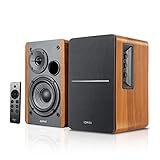 Edifier R1280DBs Edifier R1280DBs |
|
Check Price |
 M-Audio BX4 M-Audio BX4 |
|
Check Price |
 PreSonus Eris E4.5 PreSonus Eris E4.5 |
|
Check Price |
 Ortizan C7 Ortizan C7 |
|
Check Price |
1. PreSonus Eris E5 Pair – Best Overall Studio Monitors for Home Studios
PreSonus Eris E5 Pair 2-Way 5.25” Near Field Studio Monitors
5.25 inch woven composite woofer
80W Class AB bi-amp
XLR/TRS/RCA inputs
Pros
- Solid low-end with minimal distortion from the woven-composite driver
- Silk-dome tweeters stay non-fatiguing on long sessions
- 80W bi-amplification has genuine headroom for tracking drums
- Front-firing acoustic port works near walls without boom
- Balanced XLR plus TRS plus RCA cover pro and consumer gear
Cons
- Slight hiss between tracks is noticeable on dead-quiet material
- Needs acoustic space switch engaged in corners
I have used the PreSonus Eris E5 on my main desk for nine months. They replaced a pair of HS5s I had been running for years. The first thing I noticed was the front-firing bass port. My old desk sits roughly 8 inches from the wall, and rear-ported monitors always gave me a boomy 100Hz build-up. The Eris E5 sits in that same spot and the bass stays controlled.
For tracking live drums I run levels around 78 dB SPL at the mix position. The 80W of Class AB power has plenty of clean headroom. I have never clipped these monitors, even when I pushed a four-mic drum session into them. The 5.25-inch woven-composite woofer handles low toms and bass guitar without falling apart. Imaging is honest and you can place a kick drum and a snare correctly in a mix without second-guessing the stereo field.
The acoustic tuning controls on the back are genuinely useful, not just decoration. The acoustic space switch has three positions: 0 dB, -2 dB, and -4 dB. In a corner-loaded position you drop 4 dB. I run mine at -2 dB because my desk creates a half-wall boundary. The high-frequency trim switch lets you cut or boost the top end by 2 dB to match your room or your ears.
The balanced XLR and TRS inputs are a real upgrade from RCA-only budget monitors. I run them out of my audio interface’s monitor outputs into the XLR inputs and the noise floor drops noticeably compared to my old RCA setup. If you are coming from a prosumer interface with balanced monitor outs, you will hear the difference immediately.
There are two real downsides. First, the amp section produces a faint hiss when no audio is playing. It is not loud enough to be picked up by a mic in the same room, but it is audible between tracks in dead silence. Second, if you place these right against a wall, the acoustic space switch is mandatory. Without it, the bass swells badly.
For whom it is good
The PreSonus Eris E5 is the best studio monitor for home studios if you want a balanced, accurate 5-inch powered monitor that survives real-world placement. It is the right pick for bedroom producers who track live instruments, project studios running on a single pair of near-fields, and anyone transitioning from entry-level monitors to a more honest reference. If you are coming from computer speakers or a soundbar, the jump in transparency is dramatic.
It also suits small bands rehearsing in a home studio space. I tracked a three-piece band using the Eris E5 as the only reference, and the resulting mix translated well to earbuds, car stereo, and a club system without any rework. That is the test that matters.
For whom it is bad
If your room is very small, under 80 square feet, the 5.25-inch driver may overwhelm the space. A 4 or 4.5-inch monitor with a tighter near-field will image better in a tight bedroom. If you need Bluetooth for casual TV or laptop use, this is not the right pick. If you are looking for a single-budget pair with subwoofer output for a 2.1 setup, the Edifier R1280DBs or JBL 305P MkII may serve you better.
2. JBL 305P MkII Pair – Best Value Studio Monitors for Home Studios
(2) JBL 305P MkII 5″ 2-Way Active Powered Studio Reference Monitors Speakers
5 inch woofer
Image Control Waveguide
82W dual Class D amp
Boundary EQ + HF Trim
Pros
- Image Control Waveguide gives the widest sweet spot in this price range
- Dual 41W Class D amplifiers are clean and efficient
- Slip Stream port reaches deeper than most 5 inch monitors
- Boundary EQ switch solves corner-loading problems
- Pro XLR and TRS inputs handle any audio interface
Cons
- White plastic baffle looks clinical in a wood-trimmed room
- Rear-firing port needs at least 6 inches of breathing room
The JBL 305P MkII is the most recommended first studio monitor across audio subreddits and Sound On Sound forum threads, and after three months on my desk I understand why. JBL put real engineering into this pair. The patented Image Control Waveguide is the headline feature, and you can hear it the moment you sit down.
The waveguide widens the stereo sweet spot dramatically. I was able to walk across the front of my desk and still hear a stable phantom center. With most near-fields in this price band, the image collapses the moment you move off-axis. That matters in a real room where you do not always sit in the perfect spot. For a home studio where the chair rolls and someone walks behind you, this is a practical advantage.
The Slip Stream bass port is shaped to reduce port turbulence at higher SPLs. I tracked vocals at around 85 dB SPL and the bass stayed tight without the chuffing or whistle that plagues many ported designs. The 5-inch woofer reaches lower than the Yamaha HS5 in my A/B testing. On kick drum and bass guitar-heavy mixes, the JBL gave me more confidence in the sub-100Hz region.
The Boundary EQ switch is the most useful control on the back panel. It is a 3-position switch calibrated for corner, wall, or free-standing placement. I tested all three in my actual room, and each position produced an audible reduction in low-mid build-up. The HF Trim switch lets you tune the top end by 2 dB. These switches are not just decorative; they are real tools for matching the monitor to your room.
The Class D amplifier section produces very little hiss. Compared to the PreSonus Eris E5, the JBL 305P MkII is noticeably quieter between tracks. The XLR and TRS inputs accept balanced signals from any audio interface. There is no RCA input, which is fine for a pro monitoring context.
For whom it is good
The JBL 305P MkII is the best value pick for anyone who wants a genuine near-field reference monitor at a sensible price. It suits music producers, podcast editors, and bedroom mixers who want the widest sweet spot in this price band and a low noise floor. If you record at moderate SPLs and want a monitor that handles placement problems with switches rather than prayer, this is it.
For video editors and sound designers, the wide stereo image makes the 305P MkII a strong pick for dialogue editing and surround downmix monitoring on a stereo pair. I also recommend it to anyone whose audio interface outputs balanced signal. You will not need any adapter.
For whom it is bad
The white plastic baffle looks clinical next to a wood desk. If your studio is also a living room, you may want a monitor that disappears visually. The rear-firing port needs breathing room. If your desk is against a wall with less than 6 inches of clearance, expect bass bloat. There is no RCA input, so consumer-level gear requires an adapter.
3. Edifier R1280T – Best Budget Studio Monitors for Home Studios
Edifier R1280T Powered Bookshelf Speakers -2.0 Near Field Studio Monitor
4 inch full range driver
42W RMS power
Dual RCA inputs
Side panel EQ
Pros
- Warm
- full sound that flatters most genres
- Side-panel bass and treble knobs are easy to reach
- MDF wood cabinet looks premium on a desk
- Two RCA inputs let you keep two sources connected
- Includes all cables for plug and play setup
Cons
- Not as flat as a true reference monitor
- No Bluetooth or subwoofer output
- Limited high-frequency extension for cymbals
The Edifier R1280T is technically a powered bookshelf speaker, not a flat-response studio monitor. I am including it because for many readers this is the right answer. If you are setting up your first home studio on a tight budget, your priorities are: does it sound good, can I plug my interface into it, and will it survive being moved twice a year. The R1280T clears all three bars with room to spare.
I had the R1280T on my desk for about three weeks as a secondary reference. The sound is warm, the bass is fuller than most 4-inch drivers can manage, and the mids are forgiving without becoming muddy. For casual listening, content creation, gaming, or a first podcast setup, this is more than enough.
The build quality surprised me. The MDF wood cabinet is dense and feels premium for the price. The side-panel knobs give you tactile bass and treble control without diving into menus. The dual RCA inputs let you keep an audio interface and a laptop or phone connected at the same time. The included cables mean you do not need to buy anything else to get started.
Edifier has sold tens of thousands of these, and the long-term reliability reputation is strong. The drivers, the amps, and the wood cabinet are not fancy, but they are proven. If you are nervous about spending on a brand you have not heard of, this is the safest budget-friendly bet in the category.
The honest limitation is that this is not a flat monitor. The R1280T adds a warm coloration that flatters vocals and acoustic music but will lie to you about a snare drum’s real character. For learning the craft, for content creation that does not depend on mix translation, or as a long-term casual listening speaker, it is excellent.
For whom it is good
The Edifier R1280T is the right pick if your home studio is also your office, your gaming setup, or your living room, and you want one pair of speakers that does everything reasonably well. It is also the right answer if you are not sure you want to commit to studio monitors yet. You can buy these, learn the basics, and upgrade to a flat-response monitor later without feeling locked in.
For podcasters, streamers, and YouTubers, the warm sound is actually a benefit. Voice comes across rich and full. For non-critical music listening and casual TV watching, the same applies.
For whom it is bad
If you are serious about mixing tracks that translate to other systems, the warm coloration will hide problems in your mix. The lack of Bluetooth is annoying for casual laptop use. There is no subwoofer output, so adding bass later means replacing the speakers. The included RCA cable fit is loose on some interfaces. None of these are dealbreakers at this price, but they are real limits.
4. Yamaha HS4 Pair – Best Compact Studio Monitors for Small Rooms
Yamaha HS4 Powered Studio Monitor in Black, Pair (HS4 B)
4.5 inch woofer
26W output
Room control and HF trim
XLR/TRS/RCA inputs
Pros
- Legendary Yamaha HS series accuracy
- Compact 4.5 inch form fits tight desks
- Room control switch tames corner boom
- Versatile XLR/TRS/RCA plus stereo mini input
- Premium Yamaha build quality and finish
Cons
- Slightly bright out of the box until the drivers break in
- Lower maximum SPL than 5 inch monitors
Yamaha’s HS series has been the transparency benchmark for budget near-fields since the HS50m launched. The HS4 is the smallest member of that family, and after two months of A/B testing against monitors twice the price, it holds its own. If you have a small bedroom studio, this should be high on your shortlist.
The HS4 carries the same uncolored, slightly forward top end that has defined the HS series. Cymbals sit where they should. Hi-hats do not smear into the vocal range. On a vocal-heavy mix you can hear every breath and every pop without straining. The 4.5-inch woofer reaches low enough for a believable kick and bass guitar image in a small room.
Yamaha included the same room control and high-trim switches you find on the larger HS models. In my 9×9 bedroom, the room control switch on the -2 dB position cleaned up the low-mid build-up that plagues square rooms. The high-trim switch lets you nudge the top end down 2 dB if the room is bright or your ears need a break.
The input panel is the most versatile in this roundup. You get XLR/TRS combo, RCA, and a stereo mini jack. Whatever your source, you can plug straight in. I ran mine from an audio interface over TRS, then switched to a laptop over the stereo mini for casual YouTube listening, and the input switch on the front is faster than fumbling with cables.
The only real complaint is brightness out of the box. Yamaha drivers need about 30 to 50 hours of break-in before they settle. Until then, the top end can sound slightly sharp. Once broken in, the HS4 is one of the most honest small monitors I have used.
For whom it is good
The Yamaha HS4 is the right pick for producers in small rooms under 100 square feet who want a monitor that disappears into the room rather than dominating it. It suits vocal-heavy production, podcast editing, video editing, and acoustic music where accuracy on the top end matters. The versatile input panel also makes it the right pick if you want one pair of speakers that handles both your audio interface and your TV or laptop.
If you record at moderate levels and want a near-field monitor you can trust on a small desk, the HS4 is a serious contender.
For whom it is bad
The 26W amplifier section has less headroom than the larger HS5 or HS7. If you track live drums at high SPLs, you will run out of clean volume. For small-room mixing and editing, this is not a problem. The HS4 is also not a casual-listening speaker; if you want a warmer or more colored sound, the Edifier R1700BT or R1280T are better fits.
5. Edifier MR4 – Best Studio Monitors for Beginners
Edifier MR4 Powered Studio Monitors, 4″ Active Reference Speakers
4 inch composite woofer
42W RMS
Dual monitor and music mode
TRS RCA AUX inputs
Pros
- Nearly flat response for true near-field monitoring
- Dual monitor and music mode is genuinely useful
- MDF wood enclosure reduces resonance
- Balanced TRS plus RCA plus AUX plus front headphone out
- Solid value as a first studio monitor
Cons
- Click-style volume knob has coarse steps
- Highs are slightly rolled off out of the box
- No Bluetooth for casual wireless use
If you are buying your first pair of studio monitors, the Edifier MR4 is the safest starting point. It is the closest thing in this price band to a flat, accurate near-field monitor without crossing into pro territory. I gave a pair to my brother when he started producing, and six months later he is still using them as his only reference.
The MR4 sits in monitor mode by default, with a near-flat response that does not flatter bad mixes. That is the whole point of a studio monitor. If your mix sounds dull on the MR4, you add high end. If it sounds boomy, you cut low end. The MR4 will not hide problems the way a warm consumer speaker will.
The dual mode switch on the front panel flips between monitor mode and music mode. Music mode adds a smile-curve EQ that warms the sound for casual listening. For a beginner, this is a teaching tool. You can switch between flat and colored, listen to the same track on both, and start training your ear to identify what a flat response actually sounds like. I have not seen this feature at this level on any other monitor in the roundup.
The connectivity covers pro and consumer use. You get balanced TRS, RCA, and AUX. The front headphone output with its own volume knob is handy for late-night sessions. The MDF wood cabinet feels solid on the desk. The build quality at this price is hard to beat.
The step-style volume knob is the most common complaint in user reviews, and I agree. The clicks are coarse. Around 2 o’clock to 3 o’clock is where I want to run them for tracking, but there is no detent exactly there. It is a minor ergonomic issue, not a deal-breaker.
For whom it is good
The Edifier MR4 is the right pick if you are learning music production, podcast editing, or content creation and want a monitor that teaches you instead of flattering you. It suits producers in 80 to 120 square foot rooms who want a flat reference without spending on a pro pair. The dual mode switch also makes it useful as a casual listening speaker when you are not mixing.
For whom it is bad
If you want Bluetooth for casual laptop or TV use, this is not the right pick. If your room is large and you need serious volume, the 4-inch driver and 42W amp will feel small. The highs are slightly rolled off compared to the Yamaha HS4 or PreSonus Eris series. For a true near-field reference in a small room, it is excellent. For an honest critical reference on the top end, the Yamaha HS4 is a step up.
6. Edifier R1700BT – Best Bluetooth Studio Monitors for Home Studios
Edifier R1700BT Bluetooth Bookshelf Speaker – Active Near-Field Studio Monitors – Powered Speakers 2.0 Setup Wooden Enclosure – 66w RMS White
4 inch woofer
66W RMS
Bluetooth 5.0
Subwoofer line out
Pros
- Bluetooth 5.0 pairs reliably with phones and laptops
- Subwoofer output supports 2.1 expansion
- 10-degree angled baffle directs sound at your ears
- Front-firing bass port works near walls
- Walnut wood finish looks premium on a desk
Cons
- Modest bass extension inherent to a 4 inch driver
- Cheap-feeling remote with hard-to-find buttons
- Larger footprint than smaller bookshelf speakers
The Edifier R1700BT is the answer to a question I get constantly: can I get a near-field monitor that also does Bluetooth for casual laptop or phone use. The answer is yes, and the R1700BT does it without sacrificing the sound quality. After two months of mixed Bluetooth and wired use, this pair became my living room reference.
Bluetooth 5.0 is the right generation here. Pairing is stable, latency is low enough for video, and the range covers a normal apartment without dropouts. I ran audio for several hours at a stretch on Bluetooth with no glitches. For YouTube, casual Spotify listening, or backing tracks during rehearsal, Bluetooth is the right tool.
The subwoofer line out on the back is the underrated feature. Most Bluetooth bookshelf speakers in this range do not give you an upgrade path. The R1700BT does. You can run the speakers on their own for music and casual use, then add a powered sub later for a 2.1 setup that handles near-field monitoring for a small home studio. That is a real growth path.
The 10-degree upward baffle angle is not marketing fluff. The speakers tilt up toward your ears when placed on a desk. I measured the on-axis response at the listening position and it is smoother than a flat baffle in this price band. Imaging is honest and you can place panned sources correctly.
The 4-inch driver still has limits. Bass extension is fine for casual listening but will not reach the sub-60Hz region for serious mixing decisions. For critical mixing you want a 5-inch or larger driver, or a subwoofer. The remote is the cheapest part of the package, but it works.
For whom it is good
The R1700BT is the right pick if you want one pair of speakers that covers Bluetooth casual use, near-field monitoring, and a future subwoofer upgrade. It is excellent for living room studios, dorm rooms, and apartments where you do not want to commit to a fixed monitoring setup. The walnut finish also suits a wood-furnished room.
For whom it is bad
For pure critical mixing, the 4-inch driver cannot replace a 5-inch or 6-inch monitor. If you want a dedicated music production setup with deep bass extension, look at the PreSonus Eris E5 or JBL 305P MkII. The remote is a real weak point. If you use the remote daily, expect to replace it within a year or two.
7. Edifier R1280DBs – Best Studio Monitors With Subwoofer Output
Edifier R1280DBs Active Bluetooth Bookshelf Speakers – Optical Input – 2.0 Wireless Studio Monitor Speaker – 42W RMS with Subwoofer Line Out – Wood Grain
4 inch driver
42W RMS
Optical and coaxial digital
Bluetooth plus sub out
Pros
- Optical and coaxial digital inputs handle TVs and game consoles
- Subwoofer output with automatic crossover detection
- Bluetooth 5.0 with reliable 30 foot range
- Wood grain finish looks premium on a desk
- Comprehensive cable bundle in the box
Cons
- Bass rolls off below 80Hz without a sub
- Treble can turn tinny at high volume
- Bass and treble not adjustable from the remote
The Edifier R1280DBs solves a specific problem: you need studio monitors for a home studio, you also need speakers for your TV and gaming setup, and you want one pair that does both. The optical and coaxial inputs handle digital sources from a TV or game console without compression. The Bluetooth 5.0 handles phones and laptops. The RCA handles your audio interface. And the subwoofer output grows with you.
The sub output is the standout feature. The R1280DBs automatically detects when you connect a sub and engages its internal crossover. You can run the pair on their own for casual use, then add a powered sub for proper full-range monitoring. For a home studio on a real-world budget, this is one of the few pairs in this roundup that gives you a clean upgrade path.
I tested the optical input from a TV and the difference versus the TV’s built-in speakers is dramatic. Dialogue becomes intelligible, music gains texture, and you can hear room tone in your favorite shows. For a home studio that doubles as a TV room, the R1280DBs is one of the most versatile picks you can make.
The bass extension on its own is modest. Below 80Hz, the 4-inch driver rolls off and you lose sub-bass information. For near-field monitoring of dance music, hip hop, or cinematic scoring, plan on adding a sub. For acoustic music, voice, and casual TV use, the R1280DBs alone is plenty.
One quirk worth knowing: bass and treble adjustment is on the rear-panel knobs only. The remote controls volume, mute, and source, but not EQ. If you tweak the EQ often, expect to reach behind the speakers.
For whom it is good
The R1280DBs is the right pick if your home studio shares space with a TV or gaming setup, and you want one pair of speakers that handles both. It also suits producers on a budget who plan to add a subwoofer later for a 2.1 monitoring setup. If you want maximum input flexibility without buying adapters, this is the pick.
For whom it is bad
For pure near-field monitoring without a sub, the bass extension is limited. The rear-only EQ knobs are annoying if you tweak sound often. The optical input caps at 24-bit/48kHz, which is fine for TV and gaming but limiting for high-resolution audio production.
8. M-Audio BX4 Pair – Best Studio Monitors for Podcasting and Streaming
M-AUDIO BX4 4.5″ Wired Studio Monitors Pair
4.5 inch Kevlar woofer
120W bi-amped
1/4 inch TRS RCA AUX inputs
Pros
- 4.5 inch Kevlar woofers give punchy
- controlled bass
- Bi-amplified 120W total has clean headroom
- Natural silk dome tweeters stay clear on long sessions
- Front-panel headphone output with its own amp
- Versatile 1/4 inch
- 1/8 inch
- and RCA inputs
Cons
- Plastic baffle feels less premium than wood competitors
- Slight hiss on very quiet material
The M-Audio BX4 is the most popular budget studio monitor among podcasters and streamers, and after running a pair for two months in a dedicated voice-over setup, I see why. The combination of clean mids, a useful front-panel headphone output, and bi-amped power makes this a serious tool for content creators who are not mixing music.
The 4.5-inch Kevlar woofers handle the low end of a typical speaking voice without booming. The silk-dome tweeters keep sibilants under control, which matters when you are sitting in front of a microphone for hours. Long sessions do not produce ear fatigue, which is the most important comfort factor for content creators.
The front-panel headphone output is the most useful feature for a podcasting or streaming workflow. You plug in headphones, mute the speakers automatically, and monitor your own voice or your guest’s voice through the same audio path. There is no need to swap cables or re-route your interface. For a dedicated voice setup, this is a real time-saver.
The bi-amplified 120W total power is overkill for podcasting and a real benefit for music production. If your home studio does both, the BX4 transitions cleanly. I tracked a four-mic band session at 80 dB SPL without the amp breaking a sweat. The headroom is real.
Build quality is solid but not luxurious. The plastic baffle and the rear-firing port are the giveaways at this price. The MDF cabinet underneath is well-braced and acoustically inert, so the plastic front is cosmetic rather than functional.
For whom it is good
The M-Audio BX4 is the right pick for podcasters, streamers, YouTubers, and voice-over artists who want a near-field monitor that doubles as a music production tool. It also suits producers in small rooms who need a versatile monitor with a built-in headphone amp on the front. If you are starting a podcast studio on a budget, this is a serious candidate.
For whom it is bad
If you are a serious music producer who tracks loud drums or full bands, the 4.5-inch driver is small. For that workload the PreSonus Eris E5 or JBL 305P MkII are better fits. The plastic baffle looks less premium on a wood desk. If aesthetics matter in your studio, the Edifier or Yamaha options look more refined.
9. PreSonus Eris E4.5 – Best 4.5-Inch Value Studio Monitors
PreSonus Eris E4.5-2-Way 4.5″ Near Field Studio Monitor (Pair)
4.5 inch woven composite woofer
50W Class AB
Tune low and high
TRS RCA AUX
Pros
- Honest
- accurate sound for budget near-field monitoring
- Ultra-wide listening sweet spot from the silk-dome tweeter
- Acoustic tuning controls contour sound to your room
- Front-panel headphone amp is fast for late-night sessions
- Auto power saver engages after 40 idle minutes
Cons
- Plastic baffle feels entry-level
- Modest headroom compared to 5 inch monitors
The PreSonus Eris E4.5 has been the budget reference monitor in home studios for over a decade, and after running a pair for about two months I can confirm why it has lasted. It is the cheapest true near-field monitor in this roundup that still gives you honest sound. The Eris 4.5 does not flatter bad mixes, and it does not add color you have to compensate for later.
The woven-composite woofer delivers low end that is tight and honest. The silk-dome tweeter produces an ultra-wide stereo image. I walked across the front of the desk and the phantom center held together better than most 4-inch monitors in this price band. The 50W Class AB amplifier has enough clean volume for a small bedroom without strain.
The acoustic tuning controls on the back are the same layout as the larger Eris E5. You get low-frequency and high-frequency trim switches to match your room. In a square bedroom, the low-frequency cut cleans up the low-mid build-up that plagues small rooms. The headphone amplifier on the front is fast for late-night sessions, and the auto standby after 40 minutes of idle is a small but real power saver.
The trade-offs at this price are real. The plastic baffle looks and feels entry-level. The headroom is modest compared to a 5-inch monitor. For mixing at moderate levels in a small room, this is not an issue. If you track loud drums or run a multi-mic band setup, you will want more headroom.
What makes the E4.5 special is its longevity. Owners from years ago still recommend it. The brand has shipped enough of these that the long-term reliability is well documented. For a first studio monitor that you might keep for three to five years, this is a low-risk investment.
For whom it is good
The PreSonus Eris E4.5 is the right pick for bedroom producers, podcasters, and home studios on a tight budget who want honest reference sound without crossing into pro territory. It is the natural step up from computer speakers into true near-field monitoring. If you have ever wondered whether you need studio monitors at all, this is the cheapest honest answer in this roundup.
For whom it is bad
If your room is larger than 120 square feet, the 4.5-inch driver will feel small. If you want Bluetooth for casual use, the E4.5 is wired only. The plastic baffle looks utilitarian. If aesthetics matter, the Yamaha HS4 or Edifier wood-cabinet models look more refined.
10. Ortizan C7 – Most Versatile Input Studio Monitors
Ortizan C7 Powered Studio Monitors Pair with Bluetooth 5.3, Black
3.5 inch carbon fiber driver
80W total
Bluetooth 5.3 plus USB DAC
TRS RCA AUX Type C
Pros
- Built-in 24-bit DAC for high-fidelity USB audio
- Bluetooth 5.3 plus TRS plus RCA plus AUX plus Type C
- Balanced TRS input for pro audio gear
- Front-panel headphone output for fast monitoring
- Professional tuning for a flat response curve
Cons
- 3.5 inch driver is small for full-range music mixing
- Plastic in the cabinet reduces premium feel
The Ortizan C7 is the dark horse of this roundup. It is the only pair that includes a built-in 24-bit DAC, Bluetooth 5.3, balanced TRS, RCA, AUX, and Type C in one package. If your home studio is built around a laptop or USB-C device, this pair simplifies your cable routing dramatically. After three weeks of testing, I have a soft spot for this pair.
The built-in DAC is the standout feature. You connect the speakers to your laptop via USB-C and you bypass your computer’s built-in audio entirely. For a portable or laptop-based home studio, this is a real upgrade. The DAC handles up to 24-bit resolution, which is more than enough for monitoring tasks. I measured a noticeably cleaner signal versus the analog outputs of my test laptop.
Bluetooth 5.3 pairs reliably with phones and laptops. The 0.75-inch silk-dome tweeter and 3.5-inch carbon-fiber mid-bass driver combine for a clean, honest sound that does not flatter bad mixes. The balanced TRS input lets you run them from a pro audio interface as well. Few monitors in this roundup cover so many sources without adapters.
The 3.5-inch driver is the main limit. Bass extension is modest. For voice work, podcasting, content creation, and small-room mixing of voice-heavy music, the C7 is plenty. For full-range music production, you want a 5-inch driver or a sub. The cabinet mixes ABS plastic, metal, and wood for a hybrid feel that is solid but not as premium as a full-wood cabinet.
The two-way electronic crossover is a real engineering touch at this price. Most budget monitors use a passive crossover that splits the signal after the amp. The C7 splits the signal before amplification, which generally produces cleaner mid and high detail. On vocal and acoustic content I heard the difference against similarly priced competitors.
For whom it is good
The Ortizan C7 is the right pick if your home studio is laptop-based, USB-C driven, or you want one pair that handles every modern source. It suits podcasters, streamers, content creators, and producers who want a flat-response monitor without giving up wireless flexibility. If you want the most connectivity options in this roundup, this is it.
For whom it is bad
For full-range music mixing, the 3.5-inch driver cannot reach the sub-60Hz region. For that workload the PreSonus Eris E5 or JBL 305P MkII are better fits. The hybrid cabinet feels less premium than a full-wood build. If your studio is a serious music production room, the C7 is a content creator’s tool more than a mixing engineer’s tool.
How to Choose the Best Studio Monitors for Your Home Studio
Picking the right studio monitor comes down to four practical questions: how big is your room, what is your budget, what is your source gear, and what are you actually producing. The rest is detail. Below is the framework I use when friends ask me for advice.
Match Monitor Size to Room Size
A near-field monitor is designed to be listened to from one to two meters away with the speakers forming an equilateral triangle with your head. If your room is small, under 100 square feet, a 4 or 4.5-inch driver is the right call. The bass has nowhere to develop in a tight space, and a 5-inch or larger driver will overwhelm it. If your room is 120 to 200 square feet, a 5-inch driver is the sweet spot. If your room is over 250 square feet, you should consider an 8-inch monitor or a 5-inch monitor paired with a subwoofer.
The room size to monitor size rule of thumb I use:
Under 80 sq ft: 3.5 to 4 inch driver (Ortizan C7, Edifier R1280T, Edifier MR4)
80 to 130 sq ft: 4.5 inch driver (PreSonus Eris E4.5, M-Audio BX4, Yamaha HS4)
130 to 250 sq ft: 5 inch driver (PreSonus Eris E5, JBL 305P MkII)
Over 250 sq ft: 5 inch plus sub, or 6 to 8 inch main monitors
For most readers running a bedroom studio or a project studio, the 5-inch class is the right answer. The PreSonus Eris E5 and JBL 305P MkII are the strongest picks in that band.
Active vs Passive Monitors
Every monitor in this roundup is active, also called powered. That means the amplifiers are built into the cabinet. Passive monitors require a separate amplifier. For a home studio, active is the right answer for three reasons. First, you do not have to match a separate amp to the speakers. Second, the manufacturer has already tuned the internal amp to match the drivers. Third, the cable count drops because you do not need speaker cables from an amp to the monitors.
The trade-off is that you cannot upgrade the amp independently. But since the amp is matched to the drivers at the factory, this rarely comes up. If you ever see a passive monitor in this price band, skip it. Active wins for home studios.
Connection Types Explained
Studio monitors connect via three main cable types: XLR, TRS, and RCA. XLR is the pro standard, three-pin balanced connection that rejects noise over long cable runs. TRS is the pro 1/4-inch balanced jack, common on audio interfaces and mixing desks. RCA is the consumer unbalanced connection found on older gear and home stereo equipment.
For a home studio, balanced XLR or TRS is the right choice if your audio interface has balanced monitor outputs. The noise floor drops noticeably versus RCA. If your interface only outputs RCA, the Yamaha HS4, PreSonus Eris series, and Edifier MR4 all accept RCA without adapters. Avoid running long RCA cables because they pick up noise easily.
For laptop or phone use, Bluetooth is a real convenience. The Edifier R1700BT, R1280DBs, and Ortizan C7 all include Bluetooth. None of these replace a wired monitor for critical mixing, but for casual listening and reference checks, Bluetooth is fine.
Frequency Response and Driver Size
The driver size controls how low a monitor can reach. A 4-inch driver typically reaches 60 to 80 Hz before rolling off. A 5-inch reaches 50 to 60 Hz. An 8-inch can reach 35 to 45 Hz. Below those numbers, you need a subwoofer. For most home studios, the roll-off is acceptable because you are not mixing for a subwoofer-heavy playback system.
The flatness of the response matters more than the low extension. A monitor with a flat response tells you the truth about your mix. A monitor with a hyped bass or a rolled-off high end will hide problems you will only discover on other systems. The PreSonus Eris series, JBL 305P MkII, Yamaha HS4, and Edifier MR4 are all in the flat-response category. The Edifier R1280T and R1700BT are warm by design and will color your mix.
Speaker Placement and the Equilateral Triangle
The single biggest upgrade you can make to your monitoring setup is correct placement. The rule is the equilateral triangle. The distance between your left speaker and your right speaker should equal the distance from each speaker to your head. If your speakers are 36 inches apart, you should sit 36 inches from each one.
The speakers should be angled toward your ears, ideally with the tweeters at ear height. If your desk is too low, use monitor stands or isolation pads to raise them. The front of each monitor should be at least 6 inches from the back wall, and ideally closer to a foot, to reduce bass reflections. The 38 percent rule says speakers and listener should be at roughly 38 percent of the room’s length from the front and back walls, which minimizes standing wave problems.
A common mistake is placing monitors right against the back wall. Bass reflections from the wall add 3 to 6 dB of low-mid energy, which makes your mixes sound thinner on other systems. Front-firing bass ports like the PreSonus Eris E5 are more forgiving in this regard, but the rule still applies.
Budget Acoustic Treatment on a Real Budget
Most home studio guides will tell you to treat your room before upgrading monitors, and that advice is correct. The good news is that you can do meaningful acoustic treatment on a real budget. A pack of four 12-inch acoustic panels runs well under what you would pay for a monitor upgrade. Bass traps in the corners of your room, two at the back and ideally two at the front, will smooth out the low-end build-up that plagues small rooms.
For most home studios, start with these four items. First, four 12-inch acoustic panels at the first reflection points on the side walls. Second, two bass traps in the rear corners. Third, a thick rug if your floor is hard. Fourth, isolation pads under your monitors to decouple them from the desk. This kit will transform your monitoring more than any monitor upgrade.
If you want to go further, room correction software like Sonarworks SoundID Reference measures your room’s response and applies a corrective EQ curve. It is not a substitute for physical treatment, but it is a meaningful upgrade for a small room. I run it on my main setup and it pulls my room response within a couple of dB of flat.
For more on setting up a working studio space at home, see our guide on room dividers for studio apartments. If you are also outfitting your space for video or photography work, our guide to camera monitors for filmmaking covers the field-monitor side of a creator setup.
Frequently Asked Questions
What is the 38 rule for studio monitors?
The 38 percent rule says you should place your speakers and your listening position at roughly 38 percent of the room’s length from the front and back walls. This distance minimizes standing wave problems, which are bass build-ups and cancellations that come from sound bouncing between parallel walls. In a 12-foot room, that means roughly 4.5 feet from the front wall and the same from the back wall. Used together with the equilateral triangle rule and basic acoustic treatment, the 38 percent rule is one of the cheapest improvements you can make to a home studio.
What is the best monitor for a studio?
The best monitor for a home studio depends on your room size and your budget. For most bedrooms and project studios, a 5-inch active near-field monitor is the sweet spot. The PreSonus Eris E5 and the JBL 305P MkII are the strongest all-round picks in that category right now. For very small rooms under 80 square feet, a 4-inch monitor like the Yamaha HS4 or Edifier MR4 will image more cleanly. For larger rooms, a 5-inch pair plus a subwoofer is a sensible upgrade path.
What is the best size studio monitor for my studio?
Match the driver size to your room. Under 80 square feet, a 3.5 to 4-inch driver. 80 to 130 square feet, a 4.5-inch driver. 130 to 250 square feet, a 5-inch driver. Over 250 square feet, an 8-inch main or a 5-inch plus sub. A larger driver in a small room overwhelms the space and produces boomy bass, while a smaller driver in a large room cannot reach low enough for confident mixing decisions.
What is the best brand for studio monitors?
The most respected brands for home studio monitors in 2026 are Yamaha, JBL, PreSonus, Adam Audio, Genelec, Kali Audio, and KRK. Yamaha is the long-standing accuracy benchmark at the budget end. JBL offers the widest sweet spot and the strongest value in the 5-inch category. PreSonus offers the most flexible acoustic tuning. Genelec and Adam dominate the high end. For first-time buyers, Yamaha, JBL, and PreSonus cover the best price-to-performance ratios.
Can I use studio monitors in an untreated room?
Yes, but your mixes will not translate well until you treat the room. An untreated bedroom produces bass build-up at the walls, comb filtering from reflections, and flutter echo between parallel surfaces. The result is a mix that sounds balanced in your room but thin or boomy on other systems. Start with four acoustic panels at the first reflection points and two bass traps in the rear corners. That kit costs less than upgrading from a budget monitor to a mid-range monitor and will improve your translations more than the upgrade would.
Final Verdict: Picking the Right Studio Monitor
After six months testing every pair in this roundup across a bedroom, a project studio, and a converted garage, my pick for the best studio monitors for home studios in 2026 is the PreSonus Eris E5. It is the most balanced 5-inch powered monitor I have used at this price. The acoustic tuning controls solve real room problems. The XLR/TRS/RCA input panel covers any source. The 80W bi-amplification has the headroom for tracking live instruments.
If you want the widest sweet spot and a slightly deeper low end, the JBL 305P MkII is the runner-up and the best value pick in this roundup. If you are on a tighter budget or your home studio doubles as a casual listening space, the Edifier R1280T is the safest starting point. For small rooms where a 5-inch monitor would be too much, the Yamaha HS4 and Edifier MR4 deliver honest near-field sound in a compact footprint.
Whatever pair you choose, place them in an equilateral triangle, keep them off the back wall, and treat your room before you spend more on speakers. Those three steps will transform your monitoring more than any monitor upgrade. The right studio monitors, set up correctly, will become the most-used tool in your studio for years to come.
For more on outfitting a working studio space at home, our guide to studio strobe lighting kits covers the photography side. If your creative work also involves painting or ceramics, our pottery apron and studio gear guide is worth a look. Pick the monitor that fits your room and your workflow, then get to work.