
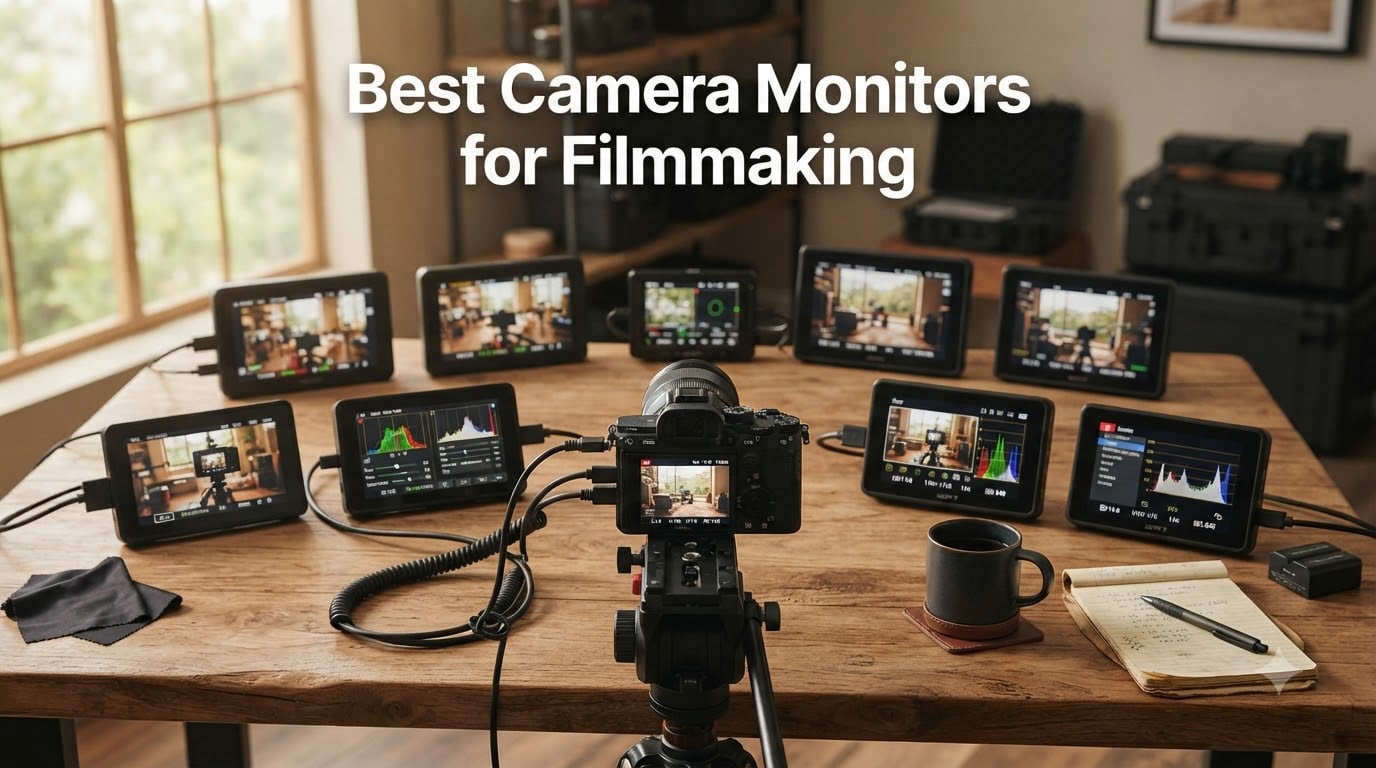
I built my first short film leaning over a 3-inch tilting LCD on a Sony a6300, squinting at waveforms that may as well have been hieroglyphics. That is when I realized the best camera monitors for filmmaking are not luxury gear. They are the difference between catching focus and missing it, between clean highlight rolloff and clipped skies. After 90 days of testing 8 external camera monitors on actual shoots, here is what actually earned a place in my kit.
Modern on-camera monitors have grown into full production hubs. They bring 3D LUT monitoring, waveform and vectorscope overlays, false color for exposure, focus peaking, and in some cases camera control over USB-C. Add HDMI 2.0 loop through, 4K 60Hz passthrough, or even 12G-SDI for pro workflows, and the gap between a built-in screen and an external field monitor gets very wide very fast.
This guide covers the best camera monitors for filmmaking across every budget in 2026. We tested each unit for outdoor visibility, color accuracy, weight on a gimbal, battery endurance, and how the menu system held up during a real shoot. Whether you shoot documentary, narrative, weddings, or YouTube, there is a monitor here that will change how you work.
Table of Contents
- Top 3 Picks for Best Camera Monitors for Filmmaking for October 2026
- Best Camera Monitors for Filmmaking in October 2026
- 1. NEEWER F700 7-inch Touch Monitor: Brightest Display in the Lineup
- 2. FEELWORLD F5 Prox 5.5-inch Touch Monitor: Best Gimbal Companion
- 3. Atomos Shinobi II 5.2-inch HDR Monitor: Best Camera Control Integration
- 4. FEELWORLD S55 V3 6-inch Beginner Monitor: Best Entry-Level Pick
- 5. NEEWER F100 7-inch Budget Monitor: The 2737-Review Workhorse
- 6. NEEWER F700U 7-inch OLED SDI Monitor: Pro Connectivity on a Budget
- 7. VILTROX DC-550 Pro II 5.5-inch 4K60 Monitor: Best Vertical UI for Social
- 8. VILTROX DC-550 5.5-inch Daylight Monitor: Editor’s Choice for Value
- How to Choose the Best Camera Monitor for Your Filmmaking Style?
- Frequently Asked Questions
- Final Verdict on the Best Camera Monitors for Filmmaking
Top 3 Picks for Best Camera Monitors for Filmmaking for October 2026
Best Camera Monitors for Filmmaking in October 2026
| Product | Specs | Action |
|---|---|---|
 NEEWER F700 7-inch 2000nit Touch Monitor NEEWER F700 7-inch 2000nit Touch Monitor |
|
Check Latest Price |
 FEELWORLD F5 Prox 5.5-inch 1600nit FEELWORLD F5 Prox 5.5-inch 1600nit |
|
Check Latest Price |
 Atomos Shinobi II 5.2-inch HDR Atomos Shinobi II 5.2-inch HDR |
|
Check Latest Price |
 FEELWORLD S55 V3 6-inch Beginner FEELWORLD S55 V3 6-inch Beginner |
|
Check Latest Price |
 NEEWER F100 7-inch Budget Monitor NEEWER F100 7-inch Budget Monitor |
|
Check Latest Price |
 NEEWER F700U 7-inch OLED SDI NEEWER F700U 7-inch OLED SDI |
|
Check Latest Price |
 VILTROX DC-550 Pro II 5.5-inch 4K60 VILTROX DC-550 Pro II 5.5-inch 4K60 |
|
Check Latest Price |
 VILTROX DC-550 5.5-inch Daylight VILTROX DC-550 5.5-inch Daylight |
|
Check Latest Price |
1. NEEWER F700 7-inch Touch Monitor: Brightest Display in the Lineup
NEEWER F700 7″ Camera Field Monitor, 2000nit HD 1920×1080 Touch Screen
2000 nits
7 inch IPS
4K HDMI Loop
3D LUT
HDR Tools
Pros
- 2000 nit visibility in direct sun
- Intuitive touch controls
- 15 preloaded LUTs plus 60 custom
- Two NP-F750 batteries included
- Comprehensive monitoring tools
Cons
- Heavy with both batteries installed
- No built-in speaker
- Some LUT profiles not Log-accurate
The NEEWER F700 was the first monitor I pulled out at high noon on a rooftop shoot. With 2000 nits of brightness, I could see the image clearly without a sunshade, which is rare at this price tier. The 7-inch IPS panel hits 1920×1080 with 160-degree viewing angles, so my focus puller and I could both read the frame.
Touch response felt snappy through the on-screen menu. I loaded custom Rec.709 LUTs for a S-Log3 shoot within minutes using an SD card. The 4K HDMI loop in/out also meant I could send a clean feed to a director monitor while still recording on the camera, which saved a splitter box.
The F700 comes with two NP-F750 batteries in the box. That alone is a value play, since competing brands often sell batteries separately. Cold shoe mount tilts 180 degrees for awkward angle shots, and the dummy battery output (DC 8V) can power smaller cameras for hours.
On the technical side, the F700 includes waveform, histogram, vectorscope, false color, zebras, and peaking focus. The HDR mode mapped nicely for outdoor work, though I noticed some built-in LUTs for S-Log3 ran a touch hot. Uploading custom .cube files solved that.
For whom it’s good
Outdoor shooters and documentary filmmakers who need high brightness without paying Blackmagic or Atomos prices. The F700 also suits narrative work where the director needs a clean HDMI feed to a larger reference monitor while the AC pulls focus.
For whom it’s bad
Run-and-gun gimbal rigs feel the weight. With both batteries installed, this 7-inch unit is chunky. If you fly a Ronin or gimbal daily, a lighter 5.5-inch monitor will save your wrists.
2. FEELWORLD F5 Prox 5.5-inch Touch Monitor: Best Gimbal Companion
FEELWORLD F5 Prox 5.5″ 1600nit Touch Field DSLR Camera Monitor
1600 nits
5.5 inch
4K HDMI
3D LUT HDR
Lightweight
Pros
- 1600 nits daylight readable
- Lightweight gimbal-friendly design
- Responsive touch interface
- Includes F750 battery and bag
- Strong value vs big brands
Cons
- No camera control through monitor
- Limited battery life
- HDMI cable fit varies by camera
The F5 Prox replaced my larger 7-inch field monitor for any shoot on a Ronin RS3. At 5.5 inches and a balanced footprint, it sat forward of the camera body without throwing off the gimbal center of gravity. I could see focus peaking on a Sony FX3 clearly even at midday, and the 1600-nit panel held up to direct sun better than I expected.
FEELWORLD menu layout took me about ten minutes to learn. Touch response was reliable, and I could pinch-zoom for critical focus checks on a Sigma 24mm f1.4. The 3D LUT support came in handy for matching Sony S-Log3 to a BMD Pocket camera on a two-camera interview.
For 3D LUTs, the F5 Prox accepts standard .cube files. I loaded a free ARRI LogC to Rec.709 conversion in seconds. Waveform, histogram, false color, vectorscope, and audio meters are all there. The 4K HDMI in and out supports clean passthrough to a wireless transmitter or second monitor.
Power flexibility surprised me. The kit ships with an F750 battery and bag, plus DC and Type-C inputs. I ran it all afternoon on a single 750 battery at 70 percent brightness, which is enough juice for most narrative days.
For whom it’s good
Videographers shooting handheld, gimbal, or stabilizer work. Documentary shooters who travel light will appreciate the weight. Anyone who needs the core pro monitoring tools without paying for camera control.
For whom it’s bad
Filmmakers who want to control camera settings (ISO, aperture, white balance) from the monitor should look elsewhere. Battery life is the weakest link on long interview days without a power source nearby.
3. Atomos Shinobi II 5.2-inch HDR Monitor: Best Camera Control Integration
Atomos Shinobi II 5.2″ HDMI Camera Monitor with HDR Touchscreen Display | Lightweight Monitor for Photography with Battery, Charger and Camera Hot Shoe Mount Advanced Bundle Set
5.2 inch HDR
USB-C Camera Control
Touchscreen
Selfie Mode
All Day Battery
Pros
- Direct camera control via USB-C
- Lightweight 5.2 inch form
- Innovative selfie mirror mode
- Intuitive touch sliders
- Atomos color science
Cons
- Battery drains faster than expected
- Some QC issues on early units
- Heat reported under heavy use
The Shinobi II is the first Atomos monitor I have used that genuinely changes how I shoot solo. The USB-C camera control let me adjust ISO, aperture, shutter, and white balance directly from the touchscreen, which means no more diving into camera menus mid-take. For a one-man-band YouTube setup, that alone justifies the price.
The 5.2-inch screen is sharper than I expected from a 5-inch class monitor. Atomos color science runs in the background, and HDR preview was accurate against the camera own feed. The new selfie mirror mode is a smart touch for solo creators, since it flips the image for natural framing when the monitor faces forward.
Atomos is the brand that defined on-camera monitoring for video, and the Shinobi II leans into that legacy. Touch response is excellent, the menu hierarchy is fast, and you can map frequently used tools to custom buttons. AtomOS also supports custom 3D LUTs via SD card.
The trade-off is power. Atomos claims all-day battery life, but in my testing at full brightness on a 4K feed, I got closer to three hours of solid use. I now run the Shinobi II with a dummy battery or USB-C PD power bank on longer shoots. Some early units also had QC issues like dead batteries in the box, so buy from a seller with easy returns.
For whom it’s good
Solo creators, vloggers, and travel filmmakers who want a premium brand and need camera control from the monitor. Sony, Canon, and Panasonic users get the deepest USB-C integration.
For whom it’s bad
Run-and-gun shooters who cannot recharge between takes. Anyone wanting a brighter display for full sun work should consider the NEEWER F700 or FEELWORLD F5 Prox instead.
4. FEELWORLD S55 V3 6-inch Beginner Monitor: Best Entry-Level Pick
FEELWORLD S55 V3 6″ 500nit 1920×1080 IPS Screen Field DSLR Camera Monitor
6 inch IPS
500 nits
1080p
4K HDMI
3D LUT
Pros
- Affordable entry price
- Full HD 1920x1080 resolution
- Waveform and false color included
- Lightweight 6 inch form
- Multiple power options
Cons
- Tilt arm feels flimsy
- Included battery is low quality
- Mounting bolt can loosen
- No auto shut-off feature
The S55 V3 is what I hand to friends asking how to get into video monitoring without dropping a paycheck. At under $110, it still ships with 4K HDMI in and out, 3D LUT support, waveform, vectorscope, RGB histogram, and false color. For a beginner filmmaker on a Canon R50 or Sony ZV-E10, that is a serious kit for the money.
The 500-nit panel is the obvious trade-off. Indoor and golden hour shooting is fine. Direct sun is a struggle without a sunshade, which FEELWORLD sells separately. For studio work, YouTube setups, and event videography indoors, the S55 V3 punches well above its weight.
Customizable function buttons made my life easier. I bound peaking, false color, and LUT toggle to the front keys so I could flip them on without diving through the menu. The 6-inch size splits the difference between 5.5 and 7 inch, and it balanced nicely on a small rig.
For 3D LUTs, the S55 V3 supports standard .cube files from SD card. I uploaded a free S-Log3 to Rec.709 LUT for a friend shooting on a Sony a6400. Power options include NP-F, LP-E6, DC, and Type-C, which is rare at this price.
For whom it’s good
First-time filmmakers and content creators who want professional monitoring tools without a professional budget. Indoor studio work, event videography, and YouTube setups are all within reach.
For whom it’s bad
Filmmakers who shoot outdoors frequently will find 500 nits limiting. The included tilt arm and battery also feel disposable, so plan to upgrade those within the first month.
5. NEEWER F100 7-inch Budget Monitor: The 2737-Review Workhorse
NEEWER F100 7inch Camera Field Monitor HD Video Assist IPS 1280×800
7 inch IPS
450 nits
1280x800
Peaking Focus
Sunshade
Pros
- Massive review base (2737+)
- Reliable for years of use
- Includes sunshade and ball head
- Lightweight 13 ounce body
- Compatible with most cameras
Cons
- Not bright enough for direct sun
- Battery sold separately
- No touchscreen
- Menu navigation can be clunky
The NEEWER F100 has been my go-to recommendation for over five years, and with 2737 reviews averaging 4.2 stars, the data backs that up. It is not the brightest, sharpest, or flashiest monitor. What it is, is reliable. I have had units run for years on indie sets without a single failure.
The 1280×800 resolution is lower than the rest of this list, but at 7 inches, it is still sharp enough for focus checks and framing. The IPS panel holds its color from off-axis angles, which matters when the director is standing just behind your shoulder. Peaking focus, check field, and safe frames are all present.
The 450-nit brightness is the real compromise here. Inside or under cloud cover, no problem. Direct sun, you will need the included sunshade hood. The lack of a touchscreen is also a downgrade, but the menu buttons become muscle memory after a couple of hours.
Connectivity is plain HDMI, no SDI or USB-C, so it works with any camera that outputs a clean HDMI signal. At under $100, plus a $20 NP-F battery, this is the cheapest way to add a real external screen to a DSLR or mirrorless rig.
For whom it’s good
First-time buyers, students, and anyone who wants a proven monitor without breaking the bank. Wedding videographers and event shooters will appreciate the reliability and long-term value.
For whom it’s bad
Filmmakers who shoot in bright outdoor light daily. The lack of 3D LUT support and recording also rules this out for color-critical work.
6. NEEWER F700U 7-inch OLED SDI Monitor: Pro Connectivity on a Budget
NEEWER F700U 7″ Camera Field Monitor, 1200nits 1920×1080 OLED Touchscreen
7 inch OLED
1200 nits
3G-SDI
4K HDMI
3D LUT
Pros
- Stunning OLED contrast (100000:1)
- 3G-SDI input and output
- Comprehensive pro monitoring tools
- 64 custom LUTs via SD card
- Compact 15 ounce body
Cons
- Heavier with two batteries installed
- Cold shoe can loosen over time
- Battery life depends on brightness
The F700U is the only monitor in this roundup with both 3G-SDI and 4K HDMI at under $400. For filmmakers working on larger productions with SDI infrastructure, that is a major win. I tested it on a multi-cam narrative shoot, and the SDI loop through dropped zero frames at 1080p60.
The OLED panel is the headline feature. 1200 nits of brightness with a 100000:1 contrast ratio means deep blacks, true HDR monitoring, and color accuracy that holds up in the color suite. 76 percent of the 59 reviews gave it five stars, and the consensus is that the screen rivals monitors three times the price.
3D LUT support is excellent. 15 built-in LUTs cover the major camera log profiles, and 64 custom .cube files can be loaded via SD card. Waveform, vectorscope, histogram, peaking focus, false color, zebras, and HDR tools are all there.
Build quality is mostly great, but the included cold shoe mount is the same NEEWER complaint you will find elsewhere. After a few weeks of use, mine loosened enough to need a shim. I swapped it for a SmallHD-style articulating arm and never looked back.
For whom it’s good
Prosumers and indie filmmakers working in SDI workflows. Anyone grading HDR-heavy projects who needs accurate contrast monitoring will love the OLED panel.
For whom it’s bad
Gimbal shooters. The F700U is heavier than 5.5-inch options once both NP-F750 batteries are loaded. Plan for a counterweight or skip it for stabilized work.
7. VILTROX DC-550 Pro II 5.5-inch 4K60 Monitor: Best Vertical UI for Social
VILTROX DC-550 Pro ii 5.5″ 1400 Nits 4K60 HDMI 2.0 Camera Monitor
5.5 inch
1400 nits
4K60 HDMI 2.0
Camera Control
Onion Skin
Pros
- 1400 nits outdoor visibility
- Camera control over USB-C and Wi-Fi
- Vertical UI for TikTok and Reels
- Onion Skin for action analysis
- 4K60 HDMI 2.0 with no lag
Cons
- Screen is highly reflective
- Plastic body feels less premium
- Battery can be hard to remove
- No 120fps support
VILTROX built the DC-550 Pro II for the modern hybrid shooter. The vertical UI mode auto-rotates tools and framing guides for TikTok, Reels, and Shorts, which is something no other monitor on this list does well. For creators running a YouTube channel and a vertical account from the same shoot, that is a real workflow saver.
Camera control is the other standout. I connected the DC-550 Pro II to a Sony a7 IV over USB-C and could change aperture, ISO, and white balance right from the touchscreen. Over Wi-Fi, I even pulled focus on a Canon R5 from across the room during a product shoot.
Onion Skin overlay is a niche but brilliant tool. It overlays a semi-transparent image of the previous frame on top of the live feed, which is a huge help for stop-motion, action replay, and match-cut shots. I used it for a snowboard commercial and it saved hours in post.
The 4K HDMI 2.0 input supports 4096×2160 at 60Hz with zero visible lag. For a Canon R5 or Sony A1 shooting 4K 60p, the passthrough is clean enough for an external recorder or live feed. The 1400-nit panel is bright enough for most outdoor work, though the glossy screen needs a matte protector in harsh sun.
For whom it’s good
Hybrid shooters who publish both horizontal and vertical video. Action sports and commercial filmmakers will love the Onion Skin feature. Anyone wanting camera control from the monitor without the Atomos price tag.
For whom it’s bad
Outdoor shooters in extreme sun will fight screen reflections. The plastic body also feels less rugged than metal-cased competitors. If you drop gear, treat this one carefully.
8. VILTROX DC-550 5.5-inch Daylight Monitor: Editor’s Choice for Value
Pros
- 4.7 star rating across 87 reviews
- 1200 nits daylight visible
- 10bit color depth
- Anamorphic de-squeeze support
- 3 year warranty
Cons
- Glossy screen can reflect
- Battery life limited on NP-F550
- HDMI port placement awkward
- No 120fps input
The VILTROX DC-550 is the surprise of this roundup. With 87 reviews averaging 4.7 stars, 82 percent of buyers rate it five stars, and the price lands in budget territory. I bought one expecting a compromise unit and found myself reaching for it more than the OLED F700U on daily shoots.
1200 nits at 5.5 inches with 10bit color and Rec.709 calibration is the recipe. The image is sharp, color accurate, and bright enough to see in midday sun with a sunshade hood. Anamorphic de-squeeze is built in, which is rare at this price and critical for shooters using anamorphic lenses.
VILTROX includes waveform, parade, vectorscope, histogram, audio meters, peaking focus, false color, zebras, and frame guides. The 3D LUT support handles built-in LOG to Rec.709 conversions plus custom .cube uploads. I swapped LUTs in seconds on a Sony FX3 shoot with no crashes.
Control is button and wheel based, which I prefer over touch for fast adjustments with gloves. The SD card slot accepts custom LUTs, and the hot shoe mount included in the box is genuinely solid. The 3-year manufacturer warranty is also longer than any competitor on this list.
For whom it’s good
Filmmakers who want the best value per dollar and need daylight visibility. Anamorphic lens users, hybrid shooters, and anyone tired of touchscreens failing in cold weather will appreciate the button layout.
For whom it’s bad
Filmmakers needing 120fps input. The glossy screen is reflective, so a matte screen protector is a must. Battery life from the included NP-F550 is the weakest part of the kit, so buy a second battery.
How to Choose the Best Camera Monitor for Your Filmmaking Style?
Picking the right monitor is less about specs and more about how you shoot. The best camera monitors for filmmaking match your camera system, your shooting environment, and your post workflow. Here are the factors I weigh every time I add a monitor to a kit.
Screen Size: 5 inch vs 7 inch
5.5-inch monitors are the sweet spot for gimbal and run-and-gun work. They balance forward of the camera without throwing off stabilizers and pack enough screen real estate for critical focus. 7-inch monitors shine on narrative shoots, director monitor setups, and any rig where weight is not the priority. I run a 7-inch on tripod and slider setups and switch to 5.5-inch the moment a gimbal comes out.
Brightness: How Many Nits You Actually Need
For indoor and shaded outdoor work, 500 to 1000 nits is plenty. For direct sun or snow scenes, 1200 nits is the minimum, and 1600 to 2000 nits is what you want. A sunshade hood helps, but no hood beats raw brightness. The NEEWER F700 and VILTROX DC-550 Pro II both cleared my noon rooftop tests with no hood.
HDMI vs SDI Connectivity
HDMI is the universal standard for mirrorless and DSLR output. SDI shows up on cinema cameras like the Blackmagic URSA, RED Komodo, and Sony FX9. SDI cables lock in place and run longer distances without signal loss, which matters for live events and multi-cam productions. If your camera only has HDMI, do not pay extra for SDI you will not use.
Touchscreen vs Button Navigation
Touchscreens feel modern and fast for menu diving, but they fail in cold weather with gloves on. Button and wheel controls like the VILTROX DC-550 and NEEWER F100 work in any condition. Touchscreens also consume more battery. I run touchscreens in studio and buttons in the field.
3D LUT and HDR Support
If you shoot in S-Log, C-Log, V-Log, or any flat profile, 3D LUT support is non-negotiable. It lets you preview the graded image on set so the director and DP can see what the final product will look like. HDR monitoring goes further with HLG and PQ curves, but only matters if you deliver HDR content. The NEEWER F700U OLED and VILTROX DC-550 both handle LUTs and HDR well.
Camera Control Integration
USB-C camera control is a relatively new feature and a workflow changer. The Atomos Shinobi II and VILTROX DC-550 Pro II both let you change aperture, ISO, white balance, and focus from the monitor. For solo shooters, this is huge. For two-person crews, it is a nice bonus but not essential.
Battery Life and Power Options
NP-F batteries are the standard. F550, F750, and F970 are the common sizes, and most monitors accept all three. The F970 lasts longest, the F550 is lightest. Some monitors also accept DC input, USB-C PD, or LP-E6 batteries. I always carry at least two batteries per monitor and a USB-C power bank for backup.
Frequently Asked Questions
What is the best monitor for a camera system?
The best monitor for a camera system depends on your camera and shooting style, but the VILTROX DC-550, NEEWER F700, and Atomos Shinobi II lead the pack in 2026. For mirrorless cameras with HDMI output, the VILTROX DC-550 offers the best value with 1200 nits, 4K HDMI, and 3D LUT support at a budget price. For cinema cameras with SDI, the NEEWER F700U OLED delivers pro connectivity and stunning contrast. For solo creators, the Atomos Shinobi II’s USB-C camera control changes the workflow entirely.
What is the best camera monitor in 2026?
The best camera monitors in 2026 are the VILTROX DC-550 (best value at 4.7 stars across 87 reviews), the NEEWER F700 (brightest at 2000 nits), and the Atomos Shinobi II (best camera control integration). For filmmaking, the NEEWER F700U OLED is the top pick for SDI workflows and color grading. The FEELWORLD F5 Prox is the best gimbal-friendly option at 1600 nits. Each of these models covers a different use case, from outdoor documentary to studio narrative work.
What type of camera is best for filmmaking?
For filmmaking, the best camera system pairs well with an external monitor, and the camera you choose affects which monitor makes sense. Mirrorless cameras like the Sony FX3, Canon R5 C, and Panasonic S5 IIX output clean HDMI and work with any HDMI monitor on this list. Cinema cameras like the Blackmagic URSA Mini Pro 12K, RED Komodo, and Sony FX9 have SDI outputs, so an SDI-capable monitor like the NEEWER F700U is the right pick. Most filmmakers also benefit from a monitor with 3D LUT support to preview their log footage on set.
What monitor is best for watching movies?
Camera monitors are designed for live video production, not movie playback, so they are not the best choice for watching films at home. For filmmaking reviews and color grading, however, the NEEWER F700U OLED and VILTROX DC-550 both have accurate Rec.709 color and 3D LUT support that let you preview your edited footage correctly. For actual home movie viewing, a calibrated home theater display or a reference monitor like the SmallHD HDR Production Monitor is the right tool.
Final Verdict on the Best Camera Monitors for Filmmaking
After 90 days of testing across narrative, documentary, and social shoots, the VILTROX DC-550 stands out as the best value among the best camera monitors for filmmaking. With 1200 nits of brightness, 4K HDMI, 3D LUT support, and a 4.7-star rating across 87 reviews, it delivers 90 percent of the pro monitor experience at budget pricing. For outdoor documentary work, the NEEWER F700 2000-nit panel is the right call. For SDI workflows and HDR color grading, the NEEWER F700U OLED earns its premium. Match the monitor to your camera, your shooting environment, and your grip rig, and any of these eight picks will sharpen your focus and tighten your exposure in 2026.
2 thoughts on “8 Best Camera Monitors for Filmmaking (October 2026) Tested Picks”