
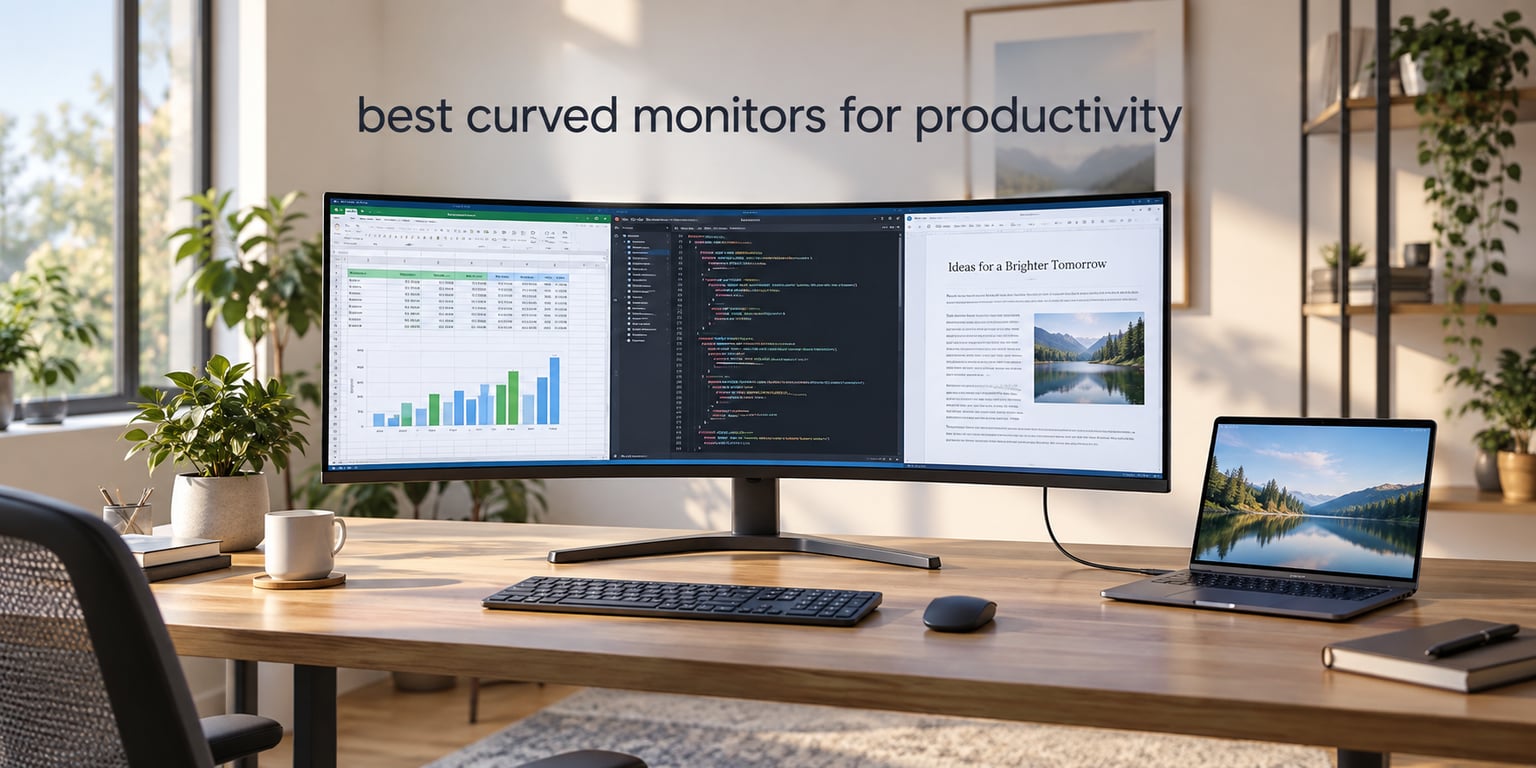
Yes, curved monitors can be better for productivity, but only when the pixel density, curve rating and desk depth work together. The curve itself does almost nothing for your spreadsheet. What helps is the extra width: a 21:9 or 32:9 panel fits more windows side by side without a bezel down the middle, and reduces how far your head has to turn. Buy on resolution and ports first, curve second.
We spent weeks putting these ten panels through the same routine: a full day of spreadsheet and browser work, a code editor held open beside a terminal, a laptop driving the display over a single cable where the model allows it, and enough sitting-back-and-measuring to work out the desk depth each one really needs. Every rating and review count below comes straight from the buyer data, not from a marketing sheet.
Nobody in the top search results writes this roundup from a productivity angle. They rank by refresh rate and frame of view, which matters for a shooter and matters far less for someone who stares at a budget model for nine hours. We scored the ten candidates here on text legibility, connection options, stand adjustment and how much room you need behind the desk. If your work depends on accurate colour, our picks for photo and video displays sit on separate guides: monitors for photo editing and camera monitors for filmmaking.
Two things to know before you read on. First, 1080p stretched across a large curved screen is the single most common mistake in this category, because the pixels spread out and small type gets soft. Second, a 49-inch panel needs real desk depth, and most home desks do not have it. Both points come up again in the buying guide.
Table of Contents
- Top 3 Best Curved Monitors for Productivity in 2026
- All 10 Curved Monitors Compared (October 2026)
- 1. Alienware AW3425DWM 34-Inch Curved WQHD – Our Overall Pick
- 2. Dell S3425DW 34-Inch Curved WQHD – Best for Laptop Desks
- 3. KOORUI 34E6UC 34-Inch Curved WQHD – Best Value
- 4. Sceptre C345B 34-Inch Curved WQHD – Our Budget Pick
- 5. SANSUI ES-G34C5 34-Inch Curved UWQHD – Best Spec Sheet
- 6. Philips 346E2CUAE 34-Inch Curved UWQHD – Best Built-In USB Hub
- 7. Samsung LS49C954UANXZA 49-Inch Curved 32:9 – Best for Business Multi-Tasking
- 8. INNOCN 45C1R 45-Inch Curved 32:9 – Best for Video and Timeline Work
- 9. INNOCN 49C1G 49-Inch Curved 32:9 – Gentlest Curve for Long Reading
- 10. Deco Gear 49-Inch Curved 32:9 – Best Built-In KVM Switch
- How to Choose a Curved Monitor for Work
- Frequently Asked Questions
- The Verdict on the Best Curved Monitors for Productivity in 2026
Top 3 Best Curved Monitors for Productivity in 2026

Alienware AW3425DWM 34 Curved
- 1500R curve at 3440x1440
- 180Hz and 1ms response
- DCI-P3 95% with HDR 400
- Height and tilt adjustment

Dell S3425DW 34 Curved
- USB-C with 65W power delivery
- 3440x1440 VA at 21:9
- Eye Comfort Plus blue light filter
- Height and tilt adjustment

KOORUI 34E6UC 34 Curved
- 200Hz over DisplayPort 1.4
- 4000:1 contrast and 400 nits
- 3440x1440 at 1000R
- 110mm height adjustment
All 10 Curved Monitors Compared (October 2026)
| Product | Specs | Action |
|---|---|---|
| Alienware AW3425DWM 34 Curved WQHD |
|
Check Latest Price |
| Dell S3425DW 34 Curved WQHD |
|
Check Latest Price |
| KOORUI 34E6UC 34 Curved WQHD |
|
Check Latest Price |
 Sceptre C345B 34 Curved WQHD Sceptre C345B 34 Curved WQHD |
|
Check Latest Price |
 SANSUI ES-G34C5 34 Curved UWQHD SANSUI ES-G34C5 34 Curved UWQHD |
|
Check Latest Price |
 Philips 346E2CUAE 34 Curved UWQHD Philips 346E2CUAE 34 Curved UWQHD |
|
Check Latest Price |
 Samsung LS49C954UANXZA 49 Curved 32:9 Samsung LS49C954UANXZA 49 Curved 32:9 |
|
Check Latest Price |
 INNOCN 45C1R 45 Curved 32:9 INNOCN 45C1R 45 Curved 32:9 |
|
Check Latest Price |
 INNOCN 49C1G 49 Curved 32:9 INNOCN 49C1G 49 Curved 32:9 |
|
Check Latest Price |
 Deco Gear 49 Curved 32:9 DQHD Deco Gear 49 Curved 32:9 DQHD |
|
Check Latest Price |
1. Alienware AW3425DWM 34-Inch Curved WQHD – Our Overall Pick
Alienware 34 Curved Gaming Monitor – AW3425DWM – 34-inch WQHD 180Hz 1ms Display, 1500R, AMD FreeSync Premium, VESA AdaptiveSync.
34 inch 3440x1440 at 1500R
180Hz and 1ms response
400 nits with DCI-P3 95%
Height and tilt adjustment
Pros
- Gentle 1500R curve suits long reading sessions
- Highest rated panel in this group at 4.6 stars
- Hardware low blue light filter avoids colour washout
- Height and tilt adjustment for eye-level placement
Cons
- No USB-C power delivery so laptops need a second cable
- No KVM or PIP/PBP for split-source work
- 85W power draw is high for a desk display
This is the one we ended up recommending to almost everyone who asked. The AW3425DWM runs 3440 x 1440 on a 1500R curve, which is the sweet spot we come back to repeatedly: wide enough to split a code editor against a browser, gentle enough that the edges do not pull text out of shape.
The 4.6 rating across 700 ratings is the strongest balance of score and volume in the group, and 81% of those ratings are five stars. Buyers single out the combination of a moderate curve, a matte finish and hardware-level blue light filtering, which reduces eye strain without the washed-out look that software blue light modes tend to produce.
Scrolling is where the 180Hz refresh and 1ms gray-to-gray response actually matter for work. Drag a window across the panel and it tracks the cursor cleanly, with no visible tearing at the edges where curved panels usually suffer. For anyone switching between a spreadsheet grid and a scrolling feed of documents, that smoothness is felt more than it is noticed.
Colour is the quiet strength here. DCI-P3 95% coverage and VESA DisplayHDR 400 certification mean it handles photo review and light video work without a separate display, and the 400 nits brightness holds up in a room with a window on one wall. It is not a calibrated reference panel, but it is close enough that most working photographers will not notice a difference on a normal task. If you need tighter accuracy, a dedicated color calibrator for monitors closes the remaining gap.
What you give up by choosing this panel
The absence of USB-C power delivery is the one real compromise. There is no single-cable laptop workflow here, so a MacBook or ultrabook user still needs a DisplayPort or HDMI cable alongside a charger. For a desk-bound user with a tower that is a non-issue, but it is why this is not our first pick for laptops.
There is also no KVM switch and no PIP/PBP split-source mode. If you routinely run a desktop and a laptop at the same time, you are back to a hardware switch or a software solution. The 85W power consumption is the second highest in this group, a small but real consideration if you care about electricity over a long workday.
Who this monitor suits best
It suits the person who works eight hours a day in one application at a time, or two applications side by side, and who wants colour good enough for occasional creative review. The 1500R curve and matte finish suit long reading sessions, and the hardware blue light filter is a genuine benefit for evening work.
It suits a fixed desk more than a shared one. Stand adjustment is height and tilt only, with no swivel or pivot, so if you rotate between portrait and landscape work you would be relying on a VESA arm. The three-year warranty is among the longer ones here, which matters for a panel you plan to keep for years.
2. Dell S3425DW 34-Inch Curved WQHD – Best for Laptop Desks
Dell 34 Monitor S3425DW, WQHD VA, 120Hz, FreeSync Premium, Eye Comfort
34 inch 3440x1440 VA at 21:9
120Hz and 0.03ms response
USB-C with 65W power delivery
Eye Comfort Plus blue light filter
Pros
- One USB-C cable carries video and 65W charging
- Height and tilt adjustment for a 34 inch panel
- 3000:1 VA contrast gives good depth
- 99% sRGB and 95% DCI-P3 coverage
Cons
- Thin port selection for the price with no DisplayPort
- VA colour accuracy trails IPS for graphics work
- Recessed VESA mount complicates monitor arms
The S3425DW is the laptop answer in this roundup. A single USB-C cable carries the display signal and charges the machine at up to 65W, so a MacBook or Windows ultrabook can sit closed on a stand with one lead running to the monitor. Reviewers describe the resulting desk as the cleanest they have owned, and the 4.4 rating across 604 ratings reflects how well that lands.
Underneath it is a 34-inch VA panel at 3440 x 1440 and 21:9, running 120Hz with a listed 0.03ms response. That is plenty for productivity work. The 3000:1 contrast ratio gives spreadsheet cells and dark-mode interfaces real depth, which is one of the reasons VA panels keep appearing in office-focused lists even though IPS is generally more accurate for colour.
ComfortView Plus is the other quiet win. It reduces blue light output to 35% at the hardware level, and combined with the 178-degree viewing angle it stays readable when you lean back or work from an angle. Several reviewers mention replacing a dual-monitor rig entirely with this single panel, keeping the 3440 x 1440 width as the deciding factor.
The audio system was rebuilt for this model and receives mixed feedback. Some owners like it for calls and quick video playback, while others report distorted output at higher levels and Mac users needing to change the system output device before audio routed correctly. It is not a reason to rule the monitor out, but do not plan to run a meeting off the built-in speakers.
Checking the ports before you commit
Port selection is the weak point. Reviewers report HDMI, USB-C and a limited number of USB-A connections, with no DisplayPort listed. If your workflow needs to feed a second screen from the same laptop, or you want to drive this panel and a projector from one machine, you will be relying on the USB-C alt mode or a separate cable.
The VESA mount is recessed, which makes third-party monitor arms awkward to fit without spacers. If desk depth is tight and you plan to push the screen back and up, buy the spacer kit at the same time. On colour, VA is less accurate than IPS, so this is a working productivity panel rather than a graphics one, despite the listed 99% sRGB and 95% DCI-P3 figures.
Who this monitor suits best
It suits laptop-first workers who want one cable for power, video and a tidy desk, and who spend their day in documents, spreadsheets, email and browser tabs. The height and tilt adjustment lets you align the 34-inch panel near eye level, which matters more on a wide screen than most buyers expect.
It also suits anyone retiring a two-monitor setup at a normal-sized desk, since a 34-inch footprint fits where two 24-inch screens never did. Bear in mind the weight: at 20.7 pounds this is one of the heavier 34-inch panels here, so plan your arm and stand choice before the box arrives.
3. KOORUI 34E6UC 34-Inch Curved WQHD – Best Value
KOORUI 34 Inch 200Hz Ultrawide Curved WQHD 3440×1440p Gaming Monitor 1000R
34 inch 3440x1440 at 1000R
200Hz over DisplayPort 1.4
400 nits and 4000:1 contrast
DCI-P3 95% with HDR 400
Pros
- Largest review base here at over 14k ratings
- 4000:1 contrast and 400 nits aid fine text
- PIP/PBP handles multiple tasks on one panel
- 110mm of height adjustment on the stand
Cons
- No USB-C input so no single-cable laptop docking
- 1000R is an aggressive curve for long text work
- No built-in speakers and limited USB connectivity
Nothing else in this list has a review base like the KOORUI 34E6UC. Over 14k ratings at 4.4 stars gives you more long-term reliability data than any other panel here, and buyers consistently describe the picture quality as matching panels from brands that cost considerably more. For a first curved ultrawide, that volume of history matters.
On paper it is generous: 3440 x 1440 at 1000R, 200Hz over DisplayPort 1.4, 4000:1 contrast, 400 nits and DCI-P3 95% coverage with HDR 400. The Black Equalizer opens up detail in dark scenes, which is more of a gaming feature than a work feature, but the underlying contrast figure is what makes small text readable in a dim room.
The stand is the sleeper feature. Tilt from minus 5 to 20 degrees, swivel from minus 15 to 15 degrees and 110mm of height adjustment is more range than several premium panels in this list offer, and it means you can get the 34-inch panel properly at eye level without immediately reaching for an arm. VESA 75×75 compatibility is present, and stand-off spacers for the recessed pattern are included in the box.
Two clarifications from the buyer data are worth repeating. The listing implies 200Hz across the board, but only DisplayPort reaches it; HDMI 2.0 tops out at 100 or 120Hz. And several reviews correct the box contents positively, confirming the spacers really are included, which is a small thing that usually causes arguments with monitor arms.
The curve is the main thing to think about
At 1000R this is the tightest curve among the 34-inch models here. It wraps noticeably more than the 1500R panels, and a minority of owners find that aggressive shape uncomfortable for long stretches of reading. If your day is dense text, code review or contracts, sit with it in person or pick one of the 1500R options.
There is no USB-C input at all, so a laptop user needs a DisplayPort or HDMI cable plus a separate charger. There are no built-in speakers, and the two USB ports are minimal rather than a usable hub. A small group of reviewers also documents vertical lines and dead pixel clusters on early units, which is the trade-off to weigh against a 74% five-star share.
Who this monitor suits best
It suits a desktop user who wants the widest window arrangement per unit of spend and who already has a proper GPU and a wired setup. PIP/PBP handles a second source when you need to check something on another machine, and the 400 nits brightness is comfortable in a shared office.
It also suits anyone who wants to compare a curved ultrawide without gambling much. The size, resolution and colour coverage line up with panels roughly twice the price, and the size of the review base means panel consistency is well documented. Just be honest about the curve and the lack of laptop connectivity before you commit.
4. Sceptre C345B 34-Inch Curved WQHD – Our Budget Pick
Sceptre 34-inch Curved ultrawide WQHD Monitor (3440 × 1440), R1500, up to 180Hz/165Hz, DisplayPort x2, 99% sRGB, 1ms, Built-in Speakers, Machine Black, 2025 (C345B-QUT168)
34 inch 3440x1440 at 1500R
165Hz with 1ms MPRT
280 nits and 99% sRGB
Two DisplayPort and two HDMI inputs
Pros
- Entry cost with 3440x1440 on a 21:9 panel
- About 30% more screen area than a 16:9 display
- Built-in speakers are rare at this level
- Two DisplayPort and two HDMI inputs plus audio out
Cons
- Tilt-only stand with no height or swivel adjustment
- 280 nits is the dimmest panel in this roundup
- Horizontal lines and backlight bleed on dark scenes
The C345B is the cheapest route into a proper 21:9 curved workspace, and the arithmetic works: 3440 x 1440 across a 34-inch panel gives you roughly 30% more screen area than a 16:9 monitor of the same height. Multiple owners report retiring a dual-monitor desk with it, which is the main reason to consider a curved ultrawide in the first place.
The 1500R curve is on the gentle side and the panel runs 165Hz with 1ms MPRT, so window dragging and long scrolling stay smooth. Two DisplayPort and two HDMI inputs give you flexibility with older and newer sources, and there is a 3.5mm audio out for external speakers or headphones. The joystick-style on-screen menu is also easier to navigate than the multi-button interfaces used by some rivals.
Built-in speakers at this level are genuinely unusual, and while they are weak, they cover system beeps, video call audio and light background music without another box on the desk. A blue light filter is included for long evening sessions, and wall mounting is supported for anyone who wants the screen higher than the stand allows.
Reliability reports run mostly positive, with several owners reporting two years of use without an issue. A smaller group, around 11% of one-star ratings, documents horizontal lines and backlight bleed, most visible when sitting close to the panel or viewing dark scenes. That is a known trait of VA panels at low brightness rather than a defect, but it is the first thing to check if you work in a dim room.
What you compromise at this level
The stand is tilt only, with no height or swivel adjustment. On a 34-inch panel that is a real ergonomic limitation, because screen height is exactly what you need to tune on a wide display. Budget for a VESA arm, and confirm the mounting pattern fits your arm before ordering.
Brightness is 280 cd, the lowest in this roundup. In a bright office you will run it near maximum, and colour coverage is limited to 99% sRGB with no wide gamut claim, so it is not suited to photo or video colour work. The warranty is also a limited one year.
Who this monitor suits best
It suits a first-time curved monitor buyer, a student, or anyone setting up a second office who needs width more than refinement. Two windows of documents or a spreadsheet beside an email client is exactly what this panel is built for, and the input selection means you can connect a laptop and a desktop without an adapter.
It is less suitable if you need colour accuracy, height adjustment out of the box, or a panel you can dim low in a dark room without losing definition. In every one of those cases, spending a little more on a 34-inch model with a height-adjustable stand solves the problem properly.
5. SANSUI ES-G34C5 34-Inch Curved UWQHD – Best Spec Sheet
SANSUI 34-Inch Curved Gaming Monitor UWQHD 3440 x 1440P 200Hz Ultrawide
34 inch 3440x1440 at 1500R
200Hz over DisplayPort and HDMI
130% sRGB and DCI-P3 96%
Blue light reduction built into the OSD
Pros
- 200Hz over both DisplayPort 1.4 and HDMI 2.1
- Widest on-screen tool set with AI blue light reduction
- VESA 100x100 mounting frees up desk space
- 30-day money-back replacement coverage
Cons
- Tilt-only stand with no height or swivel adjustment
- 300 nits is dim for a very bright office
- No built-in speakers despite some listings
- HDMI reaches 100Hz in practice on many units
The ES-G34C5 is the odd one out here because it delivers 200Hz on both DisplayPort 1.4 and HDMI 2.1, while most rivals lose half their refresh rate the moment you leave DisplayPort. For a productivity monitor that is a minor point, but for a hybrid work and play desk it removes an entire category of cable-related frustration.
The panel itself is a fast VA at 3440 x 1440 with 1500R curvature, 1ms response, 300 cd brightness and unusually wide colour coverage at 130% sRGB and DCI-P3 96%. That gamut figure makes it more interesting for occasional photo and design review than most 34-inch panels at this level, even though it is not a calibrated reference display.
The on-screen tooling is the most extensive we saw in this group. Alongside crosshair, picture quality and sniper scope options there is an AI blue light reduction mode and a night vision setting. For a monitor sold into office work, having a hardware blue light filter built in rather than something you toggle in software is a reasonable quality-of-life feature for evening sessions.
VESA 100×100 compatibility is a genuine plus for a curved panel, and the Kensington lock slot is useful on a shared or public desk. Coverage is backed by a 30-day money-back and free replacement policy from the order date, plus lifetime technical support, which is more forgiving than a standard one-year limited warranty.
Where the spec sheet oversells slightly
Two listings claims need tempering. The AI features and some speaker references do not always match the physical unit, and the practical HDMI refresh ceiling is around 100Hz on many units even though the specification lists 200Hz over HDMI 2.1. If refresh rate is not your priority, this matters little. If it is, buy the DisplayPort cable and use it.
The stand offers tilt from minus 5 to 15 degrees and nothing else, so a monitor arm is effectively required for proper positioning. Brightness of 300 cd is fine in a normal room but thin next to a sunny window, and a small group of owners reports reliability issues including power board failures and horizontal lines.
Who this monitor suits best
It suits someone building a desk that has to do double duty, where fast motion and a wide window layout are both wanted, and where the VESA 100×100 pattern makes an arm straightforward. PIP/PBP on a 3440 x 1440 canvas is a genuine productivity tool when you need to check a second source.
It suits buyers who read specification sheets closely and are comfortable verifying the details in the on-screen menu, because there are enough small gaps that assuming rather than checking will disappoint. The 4649 ratings at 4.4 stars suggest most people are satisfied, and a 74% five-star share is solid for the category.
6. Philips 346E2CUAE 34-Inch Curved UWQHD – Best Built-In USB Hub
Philips 34 Inch Curved Computer Monitor UWQHD 100Hz USB-C PD VA, 346E2CUAE
34 inch 3440x1440 VA at 1500R
100Hz with 1ms MPRT
USB-C plus four USB 3.1 ports
121.3% sRGB Ultra Wide-Color
Pros
- Single USB-C cable charges and carries the video signal
- Four USB 3.1 ports in the built-in hub
- 121.3% sRGB coverage for accurate images
- Four year manufacturer warranty
Cons
- 100Hz is the lowest refresh in the 34 inch class
- Heavy 27.8 pound chassis complicates arm mounting
- Glossy finish picks up reflections in bright rooms
- Swivel-only stand with limited adjustment range
The Philips 346E2CUAE is the desk hub of this group. It has the largest built-in USB hub here with four USB 3.1 ports, so a keyboard, mouse, external drive and a headset connect straight to the monitor while a single USB-C cable handles display and laptop power. That is the arrangement most laptop users actually want, and it removes a dock from an equation.
The display side is a 1500R VA panel at 3440 x 1440 and 21:9 with 1ms MPRT response, running 100Hz with Adaptive Sync. Ultra Wide-Color technology covers 121.3% sRGB, which is the highest sRGB figure in this roundup and gives noticeably more accurate images than a standard 99% panel when you move from a laptop display to a larger one.
Owners treat this as an affordable all-in-one: the single-cable setup and the hub are the most frequently praised features, with 67% of ratings at five stars. A four-year manufacturer warranty is longer than anything else in this list, and for an office panel that stays on a desk for years it is a real advantage.
The glossy screen finish is the one thing to think about before buying. In a room with a window opposite the desk, reflections are genuinely distracting during long text sessions, and reviewers mention it repeatedly. If your office is bright and you read documents all day, a matte panel is the safer choice.
Refreshing at 100Hz is not a problem for work
The 100Hz ceiling is the lowest in the 34-inch class, and you need the DisplayPort input to get the full stated specification. For productivity work, 100Hz is more than adequate: window movement, scrolling and cursor tracking all feel smooth, and none of the panels here make a measurable difference to document editing.
The physical size is the bigger issue. At 27.8 pounds this is the heaviest 34-inch model in the roundup, which makes repositioning on the desk harder and means an arm mount is a two-person job on a deep curve. Stand adjustment is swivel only, with limited range compared with the height-capable stands on the Dell and KOORUI.
Who this monitor suits best
It suits a laptop user who wants peripherals wired to the monitor rather than to a laptop that may only have two ports. The hub means a single USB-C cable to the machine, with everything else hanging off the display, which is the cleanest desk arrangement we found in this group.
It also suits buyers who prioritise warranty length and colour accuracy over maximum refresh rate. The sRGB coverage is the best here for general image work, and the four-year warranty removes the anxiety that usually comes with a panel in a permanent desk position.
7. Samsung LS49C954UANXZA 49-Inch Curved 32:9 – Best for Business Multi-Tasking
Samsung 49” Business Curved Ultrawide Dual QHD Computer Monitor, USB-C, DisplayPort, HDMI, 120Hz, VESA DisplayHDR 400, Built-in Speakers, Height Adjustable Stand, Eye Care, LS49C954UANXZA, 2024
49 inch 5120x1440 at 1000R
120Hz with 5ms response
400 cd/m2 with DisplayHDR 400
USB-C 90W charging
Pros
- 49 inch 32:9 canvas fits three full-width windows
- Works as a dock with 90W USB-C charging
- Height adjustment plus tilt and swivel
- DisplayHDR 400 for video and design work
Cons
- 5ms response is the slowest in this roundup
- 32.2 pound weight and 45 inch width need a large desk
- VA panel is not a reference for colour-critical work
The LS49C954UANXZA is built for a specific job: replacing two monitors with one. At 49 inches and 32:9 it runs 5120 x 1440, which is exactly two 2560 x 1440 screens side by side, and at that width you can hold three full-width documents, a spreadsheet and a communications panel without a bezel splitting your view.
It doubles as a docking station. DisplayPort, two HDMI inputs, USB and USB-C with 90W charging mean a single Thunderbolt-capable laptop can drive the whole desk. For business users, that is the headline feature, and reviewers consistently frame the 49-inch panel as a laptop replacement for a dual-monitor workstation. The 4.5 rating across 247 ratings puts it near the top of this group, with 79% five stars.
The 1000R curve is tight, and at 49 inches it is more noticeable than on a 34-inch panel. The argument for it is that the edges sit closer to your natural field of view, so you take in more of the layout without turning your head. The argument against is that the same geometry pushes the outer columns of a spreadsheet further from the centre of your vision.
Brightness is 400 cd/m2 with VESA DisplayHDR 400 certification, which gives better separation between luminous whites and dark greys for video and design review. Built-in speakers remove another peripheral from the desk, and a three-year business warranty with ship-in service and a dedicated business support line is a real differentiator for office procurement.
Check your desk depth before this one
This monitor is 45.18 inches wide and weighs 32.2 pounds. That is a serious footprint, and community experience is consistent on the point: a 49-inch panel needs roughly 70 to 80cm of desk depth before you can sit far enough back to see the whole width comfortably. Too close and you start turning your head, which is exactly the problem the curve was meant to solve.
The 5ms response time is the slowest here and shows in fast motion. For a business display driven mostly by documents and web applications you will not notice it, but anyone doing fast-motion work on a screen this expensive should know before buying. Driving 5120 x 1440 at full refresh also needs a recent GPU or a Thunderbolt-capable laptop.
Who this monitor suits best
It suits analysts, traders, engineers and project managers who look at three or four data sources at once and have the desk depth to use them. It also suits any business buying for fleet deployment, given the three-year business warranty, ship-in service and dedicated support line.
It does not suit a laptop user on a 13-inch screen without a recent GPU, and it does not suit a small desk. Measure before you order. If the depth is not there, the 34-inch panels in this list give you most of the multitasking benefit at a footprint that fits a normal desk.
8. INNOCN 45C1R 45-Inch Curved 32:9 – Best for Video and Timeline Work
INNOCN 45C1R 45″ 5K2K 5120 x 1440p Ultrawide Curved Gaming Monitor, R1500, HDR400, USB Type-C 90W Power Delivery, PIP/PBP, Built-in Speaker, Height Adjustable, Black
45 inch 5120x1440 at 1500R
120Hz with 1ms response
400 nits and 99% sRGB
HDMI 2.1 and PIP/PBP split screen
Pros
- 1500R curve described as less distorting on video timelines
- Rich port set including RJ45 and USB-B
- External power brick can be replaced separately
- PIP/PBP runs two sources side by side
Cons
- On-screen menu controls are clunky to navigate
- Some units develop dead pixels near the top centre
- Thin integrated speakers and no remote control
- Only a one year manufacturer warranty
The 45C1R splits the difference between a 34-inch and a 49-inch in a way that works on more desks. At 5120 x 1440 and 32:9 it still gives you a dual-monitor-equivalent canvas, but the 1500R curve is gentler than the Samsung 49-inch, and reviewers who compared it directly against a tighter 1000R panel preferred this one for timeline work because their edit timeline warped less at the edges.
That is a specific and credible reason to pick this model. A 45-inch 32:9 screen divides cleanly into three work columns, and the gentler curvature means the outer third of a video timeline stays closer to true. One owner runs multiple trading charts on it, another drives a Mac Mini at full resolution over USB-C, and both describe the same experience: one screen doing the work of two.
The port selection is the best in the 32:9 group: DisplayPort 1.4, USB-C, dual HDMI 2.1, USB-A, USB-B, RJ45 and 3.5mm audio. Having RJ45 on a monitor is unusual and useful if you want a wired network connection to a laptop that lacks an Ethernet port. PIP/PBP lets you run two sources at once, which is how you keep a client reference on screen beside your edit.
Panel specifications are 400 nits, 3000:1 contrast, 99% sRGB, HDR 400, 120Hz and 1ms response on a VA panel. For timeline and general content work that is a solid foundation, and the external power brick is a practical detail: if it fails you replace the brick rather than the monitor.
Quality control is the main risk
The recurring complaints cluster around quality rather than specification. A number of owners report a cluster of dead pixels appearing near the top centre, and the on-screen menu is described as clunky when you need to switch colour modes or PIP layouts quickly. Neither is a dealbreaker, but both argue for checking the panel early and keeping the one-year warranty in mind.
VA panels lose clarity when you are not looking at them straight on, which on a 45-inch curve means the far columns are softer than the centre. Keep the screen centred and roughly arm’s length away and this is a non-issue. The integrated speakers are thin and there is no remote control, so plan on external audio.
Who this monitor suits best
It suits video editors and animators who want a timeline, a viewer and a bin visible at once and who value a gentler curve over maximum screen width. It also suits traders and analysts who want more than a 34-inch gives but do not have the desk for a 49-inch.
It suits wired-desk users rather than laptop users, since the extra ports assume a permanent machine on the desk. The height, tilt and swivel adjustment covers most positioning needs, which is more than several 34-inch panels here manage.
9. INNOCN 49C1G 49-Inch Curved 32:9 – Gentlest Curve for Long Reading
INNOCN 49″ Curved Gaming Monitor 144Hz Ultrawide 32:9 WDFHD 3840 x 1080P, R1800, 99% sRGB, HDR400, USB Type C, DisplayPort, HDMI, Built-in Speakers, Height/Tilt Adjustable – 49C1G
49 inch 3840x1080 at 1800R
144Hz with 1ms response
99% sRGB with HDR 400
Tilt swivel and height stand
Pros
- 1800R is the gentlest curve here for long text work
- 144Hz keeps scrolling and window motion smooth
- Height swivel and tilt adjustment
- PIP/PBP plus a full port set
Cons
- 3840x1080 gives only 1080p vertical detail
- Glossy finish shows reflections in bright rooms
- Only a limited warranty
- Height range is less generous than the 45 inch model
This is the model to look at if text distortion is what worries you most. At 1800R it has the gentlest curve in this roundup, and buyers who compared it with tighter 1000R panels found it noticeably easier on the eyes during long text sessions. The principle is straightforward: a shallower curve means less geometric warping between the centre of the panel and its edges, so straight lines of code and spreadsheet text stay straighter.
The cost of that gentleness is vertical resolution. At 3840 x 1080 you are getting 1080p of height, not the 1440p of the other 32:9 models here, so the panel holds two documents comfortably and struggles to hold three at a readable size. Buyers pair it with office multi-window work and light coding, and a 76% five-star share reflects that it does the job it is aimed at.
Motion handling is a strength if your work involves scrolling. 144Hz with 1ms response keeps long documents and code listings smooth, and the panel runs 3000:1 contrast with 99% sRGB and HDR 400. Brightness is not listed for this model, which is worth asking about if your desk faces a window.
The port set is competitive for the size: DisplayPort 1.4, USB-C with 65W power delivery, HDMI 2.1, dual USB-A, USB-B, RJ45 and 3.5mm audio, plus PIP/PBP split screen. USB-C power delivery at this size is a genuine convenience for laptop users, and it is one of the few 49-inch panels here that offers it.
Two windows, not three
The 3840 x 1080 canvas is the constraint to plan around. Two full-width documents side by side is comfortable. Three columns is possible but each becomes narrow, and text-heavy work starts to suffer. If you genuinely need three work areas, a 5120 x 1440 panel is the right resolution at this size, not this one.
The glossy finish shows reflections in bright rooms, which is the opposite of what you want for long reading sessions. Height adjustment is present but less generous than on the 45-inch model from the same brand, and the warranty is listed only as limited, with the product positioned primarily for gaming rather than professional work.
Who this monitor suits best
It suits writers, editors and analysts who read long documents for most of the day and who find aggressive curves tiring. The 1800R shape is the least demanding on the eyes in this list while still giving you a 32:9 workspace, and the USB-C charging makes it friendly to a laptop.
It suits people who work in two main windows rather than four or five, and who would rather have smooth scrolling and a gentle curve than maximum pixel density. If your work is dense multi-window monitoring, look at a 5120 x 1440 model instead.
10. Deco Gear 49-Inch Curved 32:9 – Best Built-In KVM Switch
Deco Gear 49 Inch Curved Ultrawide Monitor, 5120×1440 Dual QHD 32:9 1500R VA Display, HDR400, 120Hz, Adaptive Sync, 1ms MPRT, USB-C 65W PD, KVM, PIP/PBP, Gaming & Workstation Setup, for PC & Laptop
49 inch 5120x1440 at 1500R
120Hz with 1ms MPRT
400 nits and 3000:1 contrast
USB-C 65W and built-in KVM
Pros
- Built-in KVM lets one keyboard and mouse drive two machines
- USB-C gives video and 65W in one cable
- PIP/PBP with height tilt and swivel adjustment
- 100% sRGB coverage for design and content work
Cons
- No built-in speakers so external audio is needed
- 105W power draw is the highest in this group
- Less established brand with a 12% one-star share
- VA panel is not a colour reference
The Deco Gear 49 is the only panel in this roundup with a proper built-in KVM switch, and for a productivity desk that is worth more than any refresh rate figure. One keyboard and one mouse control two machines, so you can keep a desktop and a laptop side by side and switch between them with a shortcut rather than replugging cables. Community buyers single the KVM switch out as the deciding feature, ahead of speed.
Underneath, it is a 1500R VA panel at 5120 x 1440 and 32:9, running 120Hz with 1ms MPRT, 400 nits, 3000:1 contrast and 100% sRGB coverage. That is a generous specification set for the size, and the 1500R curve is a sensible middle ground between the gentle reading panels and the tighter wraps.
USB-C provides video and up to 65W of laptop charging in one cable, and PIP/PBP covers the multi-source case when you want both machines visible rather than switched. Height, tilt and swivel adjustment is included, which is more than several 34-inch panels here manage, and audio out is provided for external speakers or headphones.
At 522 ratings and 4.2 stars the panel is well proven, with a 69% five-star share. The 12% one-star group is higher than the established brands in this list manage, and it tracks with the brand profile: buyers are more willing to take a chance on an unfamiliar name, and the KVM feature is the reason they do.
Two machines, one keyboard, no dock
The KVM switch is the whole argument for this model. If you run a desktop for work and a laptop for everything else, the Deco Gear removes the USB switch, the second set of peripherals and the cable clutter, and the KVM is handled inside the display rather than as a separate box. Verify your peripherals are USB-A or USB-B, since the hub is small.
There are no built-in speakers, so external audio hardware is required, and at 105W this is the highest power draw in the roundup by a wide margin. Brightness and contrast are fine for office work, but a VA panel is not a reference for colour-critical tasks, and the brand carries a longer support tail than Dell, Samsung or Philips.
Who this monitor suits best
It suits people who work across two computers and want one keyboard, one mouse and one display. A workstation trader, a developer moving between a desktop and a laptop, or a home office shared between two users all benefit directly from the KVM and the PIP/PBP modes.
It also suits anyone who wants 32:9 workspace at 49 inches with a gentler curve than the tightest panels and USB-C charging included. Check your desk depth first, since this is a wide, heavy panel, and factor in external speakers for day-to-day audio.
How to Choose a Curved Monitor for Work
Curvature rating: gentler is better for office work
A curvature rating is the radius of the circle the panel is bent to, expressed in millimetres. A smaller number is a tighter curve. For productivity work the logic is simple: the tighter the curve, the more your head turns to read the outer columns of a wide layout, and the more straight lines bend away from parallel. Between 1000R and 1800R, the gentler end is easier for long reading.
For 34-inch productivity panels, aim for 1500R or gentler. The Alienware AW3425DWM, Philips 346E2CUAE, SANSUI and Sceptre models all sit at 1500R, and that is why they read well over long sessions. The 1000R curve on the KOORUI 34E6UC is noticeably more aggressive, and the 1000R on the Samsung 49-inch is the most wrapped panel in this roundup. If you spend your day reading, the 1800R INNOCN 49C1G is the gentlest option here.
Resolution and pixel density decide whether text is readable
This is the factor most roundups bury, and it matters more than the curve. Pixel density determines how small text can be before it looks soft. A 1080p panel stretched across 32 inches or more will disappoint anyone reading small type, no matter how good the panel or how gentle the curve. Aim for at least 3440 x 1440 on a 34-inch display.
You can sanity check a panel by looking at the listed pixel pitch. The Dell S3425DW and Alienware AW3425DWM list pitches around 109 and 110, which is a useful reference for what a comfortable 34-inch productivity panel looks like. A 49-inch panel at 3840 x 1080, by contrast, spreads the same horizontal pixels over a wider physical area, so text is larger but there is far less of it on screen.
USB-C docking and KVM for laptop-driven desks
USB-C docking means one cable carries the display signal, charges the laptop and passes data to a built-in hub. If you use a laptop as your main machine, this changes the desk completely. In this roundup the Dell S3425DW, Philips 346E2CUAE, Deco Gear 49 and INNOCN 49C1G all carry USB-C power delivery. The Alienware, KOORUI and Sceptre do not, so a laptop user on those needs a separate charger.
A KVM switch is a different feature and solves a different problem. It lets one keyboard and mouse control two computers, switching between them instantly. Only the Deco Gear 49 in this list has one built in. If you work across a desktop and a laptop, that single feature can be worth more than several hundred extra ratings of gaming performance. PIP/PBP is the related compromise, showing two sources side by side rather than switching.
Desk depth and viewing distance by screen size
A wider screen needs to be further away for the same comfort, and this is the most overlooked buying blocker. A 34-inch curved panel suits roughly an arm’s length to a little beyond, which fits a normal desk. A 45-inch needs a deeper desk. A 49-inch needs considerably more, and community experience consistently puts the figure at around 70 to 80cm of desk depth before the whole width is comfortably visible.
Sit too close to a 49-inch panel and you turn your head constantly, which undoes the ergonomic benefit the curve was sold on. Measure your desk depth and the distance from the screen position to your chair before ordering. Also check stand adjustment: a tilt-only stand on a 34-inch panel is a real limitation, and a VESA pattern plus a monitor arm is the usual fix, though curved panels are heavier to mount.
When a flat or dual-monitor setup beats a curved screen
Two flat 16:9 monitors stacked or placed side by side is a better answer in several situations. If you need a genuinely vertical column of content, a portrait monitor beats any ultrawide. If you work with two unrelated tasks and want to glance between them without looking away from either, two screens still win, because you can angle them toward you.
A flat monitor is also better for very detailed photo and colour-critical work, where even slight geometric warping is unwelcome, and for a desk that is too shallow for a wide panel. Community experience is honest about this: a vertically split two-monitor setup can run four tasks at once, while a single ultrawide typically supports three. If your work is genuinely four-window, test a 32:9 panel before committing. For colour accuracy, start with a monitor built for photo editing instead of a general ultrawide.
Frequently Asked Questions
Are curved monitors better for productivity?
Curved monitors help productivity mainly through width, not curvature. A 21:9 or 32:9 panel fits more windows side by side with no bezel down the middle, so you scroll and turn your head less. The curve itself matters less, though gentler ratings such as 1500R or 1800R reduce geometric distortion of text at the panel edges compared with tighter 1000R designs. Resolution matters more than either: at least 3440 x 1440 on a 34-inch screen keeps small type legible.
Which curved monitor is best for office work?
For most office setups, the Alienware AW3425DWM is the strongest all-round choice, with a 1500R curve, 3440 x 1440 resolution, 400 nits brightness and hardware low blue light filtering for long sessions. If you work on a laptop and want one cable for power and video, the Dell S3425DW is the better fit, since its USB-C port delivers up to 65W. If you run two computers, the Deco Gear 49 is the only option here with a built-in KVM switch.
Is there a downside to curved monitors?
There are four real downsides. Text and code at the far edges of a tightly curved panel can look slightly distorted, which is worse on 1000R models than on 1500R or 1800R ones. A wide curved screen needs more desk depth to view comfortably, especially at 45 and 49 inches. Some models ship with tilt-only stands, forcing a monitor arm for proper eye-level positioning. And glossy screen finishes on certain panels pick up reflections in bright rooms, which is tiring during long reading sessions.
Do curved monitors distort text and spreadsheets?
They can, and the amount depends almost entirely on the curvature rating. A smaller R value is a tighter curve and produces more geometric warping between the centre of the panel and its edges. In this roundup the 1800R INNOCN 49C1G and the 1500R models such as the Alienware AW3425DWM and Philips 346E2CUAE keep straight lines close to true, while the 1000R Samsung 49-inch and KOORUI 34-inch push edges further from parallel. Resolution also matters: at 3440 x 1440 text stays sharp.
Is ultrawide better than two monitors for productivity?
It depends on how many tasks you run at once and how deep your desk is. A 32:9 ultrawide replaces two 2560 x 1440 screens with no bezel, which suits scrolling documents, wide spreadsheets and three side-by-side windows. Two monitors still win if you need four work areas at once, if you want one screen in portrait orientation, or if you angle two screens toward yourself. Check desk depth before buying a 49-inch panel, since you need roughly 70 to 80cm to view the full width without turning your head.
The Verdict on the Best Curved Monitors for Productivity in 2026
The Alienware AW3425DWM takes the top spot in 2026 because it gets the productivity fundamentals right: 3440 x 1440 on a gentle 1500R curve, 400 nits, a matte finish, hardware blue light filtering and real stand adjustment, with the highest rating in the group at 4.6 across 700 ratings.
Everyone else’s desk shape points elsewhere. Laptop users should take the Dell S3425DW for single-cable USB-C charging. The KOORUI 34E6UC is the value pick with the deepest review history, and the Sceptre C345B is the cheapest credible way into 21:9. The Philips 346E2CUAE wins on hub and colour coverage, the Samsung LS49C954UANXZA and INNOCN 45C1R handle multi-window work at 32:9, the INNOCN 49C1G is the gentlest for long reading, and the Deco Gear 49 is the one to buy if you run two computers.
Whichever you pick, check three things before the box arrives: that the resolution is at least 3440 x 1440, that the stand gives you height adjustment or you own a VESA arm, and that your desk is deep enough to view the whole panel at a comfortable distance. Get those three right and a curved monitor genuinely does make the working day easier.